General Settings


Parameter Description
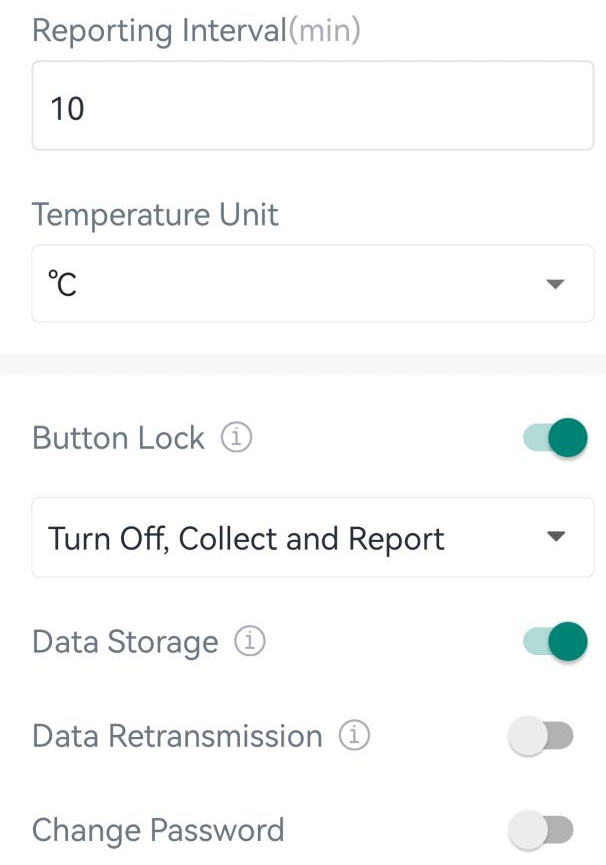
Reporting Interval Reporting interval of transmitting data to the network server. Range: 1~1440min; Default: 10mins
Temperature Unit

Change the temperature unit displayed on the ToolBox.

Note:
  1. The temperature unit in the reporting package is fixed as Celsius(°C).

  2. Please modify the threshold settings if the unit is changed.

Button Lock Enable to lock the power button feature: Turn Off, Collect and Report.
Data Storage
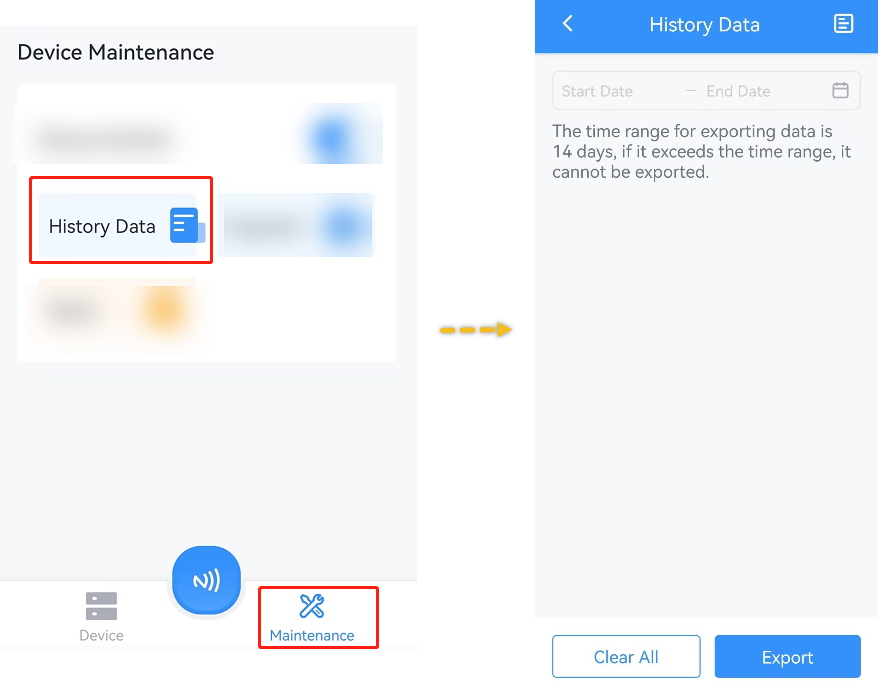
Disable or enable to store data locally. The stored data can be exported as CSV format file and saved to smartphone via ToolBox.
Note:
  1. It is necessary to sync the time to ensure the data is stored in correct time.
  2. The device will still store the data even the network status is de-activated.
  3. ToolBox App can only export the last 14 days' data at most.
Data Retransmission Disable or enable data retransmssion. When the device detects the network status is de-activated via Rejoin Mode, the device will record a data lost time point and re-transmit the lost data after device re-connects to the network.
Note:
  1. This setting only takes effect when Data Storage is enabled.
  2. If the device is rebooted or re-power when data retransmission is not completed, the device will re-send all retransmission data again after device is reconnected to the network.

  3. If the network is disconnected again during data retransmission, it will only send the latest disconnected data.

  4. The default report data retransmission interval is 600s, this can be changed via downlink command.
  5. The reported format of retransmission data will include timestamps and is different from periodic report data.
  6. This setting will increase the uplink frequencies and shorten the battery life.
Change Password Change the password for ToolBox App to write this device.