Device Data Storage
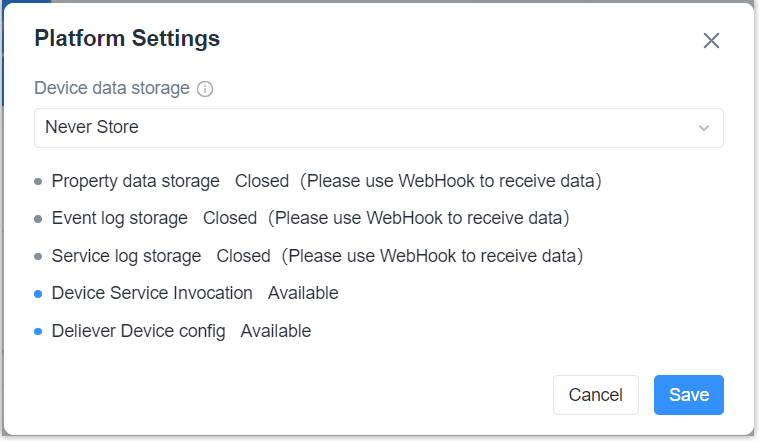
This topic describes how to configure the device data storage time of Milesight Development Platform.
Prerequisites
The account role is Enterprise Holder.
Procedure
- Log in to Milesight Development Platform.
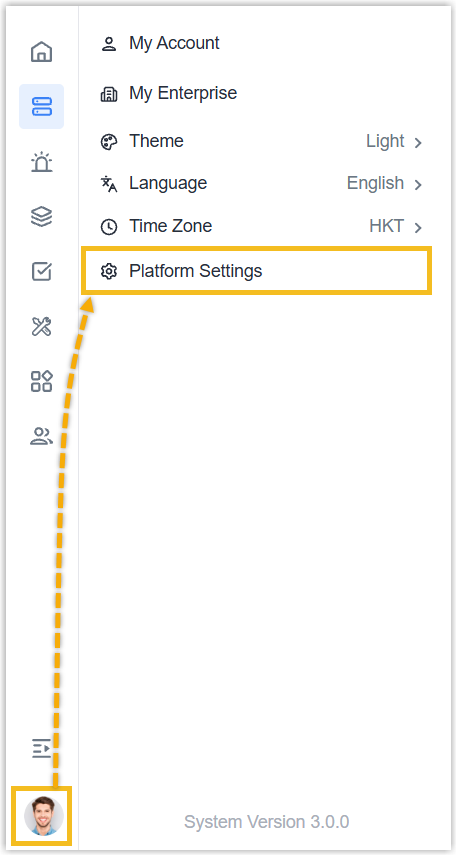
- Click the account button at the
bottom-left
corner, and select Platform
Settings.
- Select the device data storage time as Never Store or 1 Day.
The data storage content is include properties, event logs and service
logs.Note: when data storage is disabled, users can only receive device data via WebHook. The platform will not save any data, but service invocation and device configuration provision will not be affected.