Hardware Introduction
Hardware Overview
- Front View
-
-
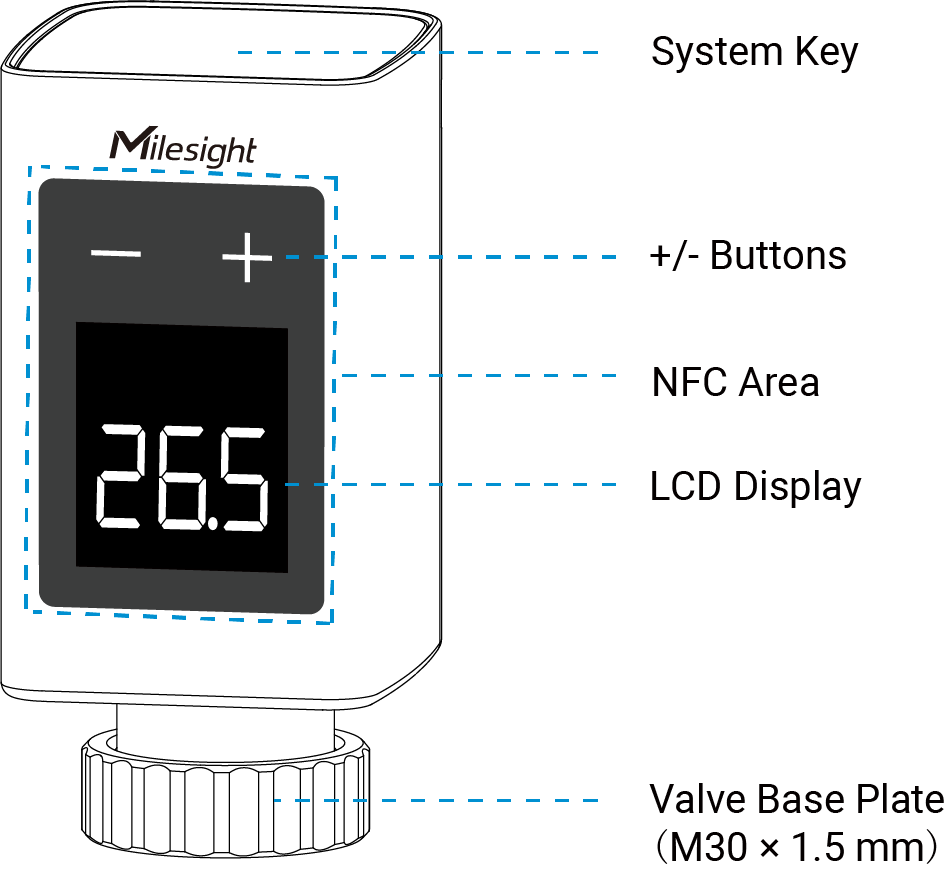
Part Description System Key When enabled, turns the device on/off or restores factory settings. Disabled by default. For more details, see System Key Description. NFC Area Used to access and configure the device via the Milesight ToolBox app. +/- Buttons Adjust the scale level, target temperature, or target valve opening when the display is on. LCD Display The display is normally off. Press any button once to wake the display. For more details, see LCD Display Description. Valve Base Plate Mounts the device to a valve with an M30 × 1.5 mm thread. For other valve types, refer to the Compatibility Guide to install a compatible valve adapter first. 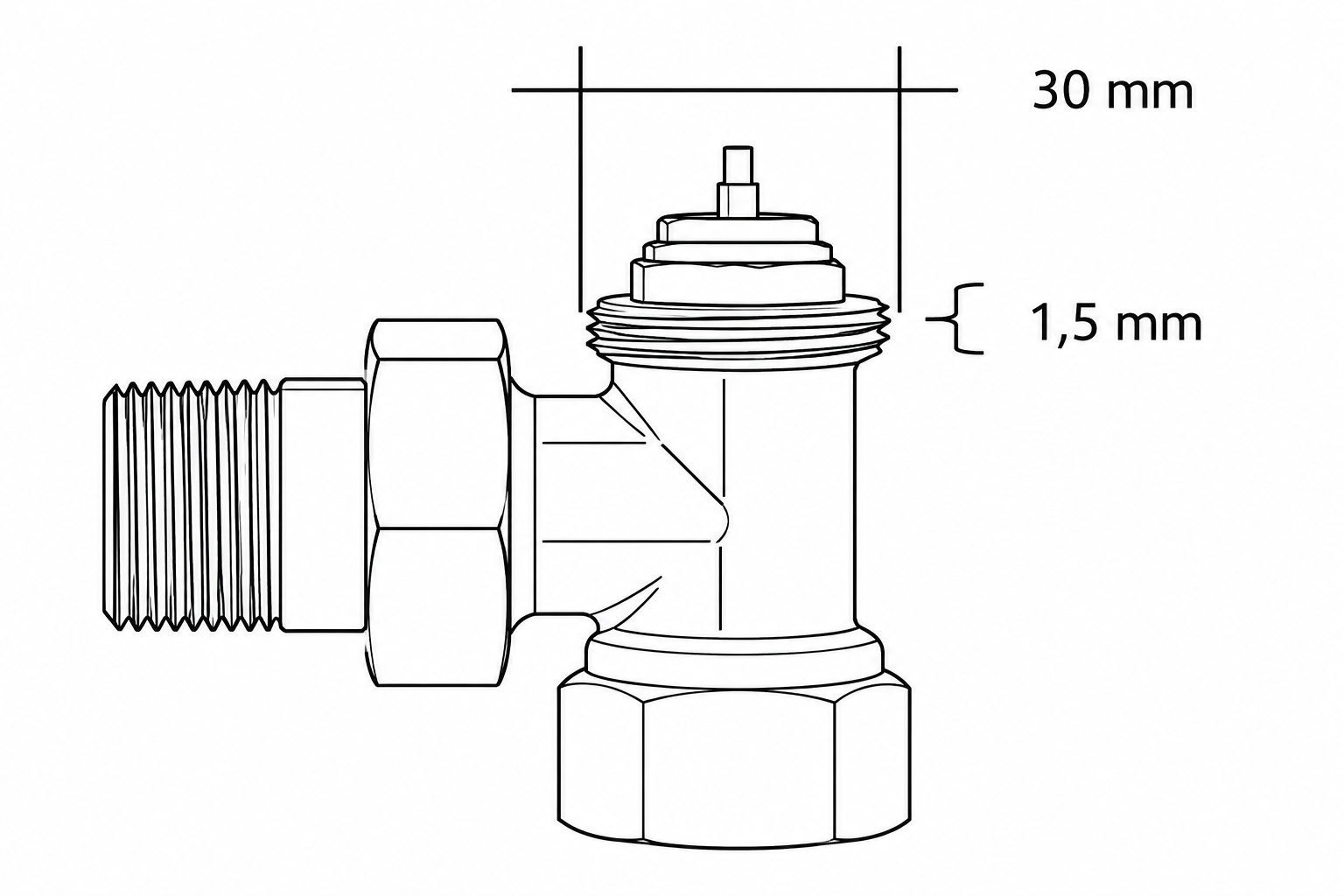
- Back View
-
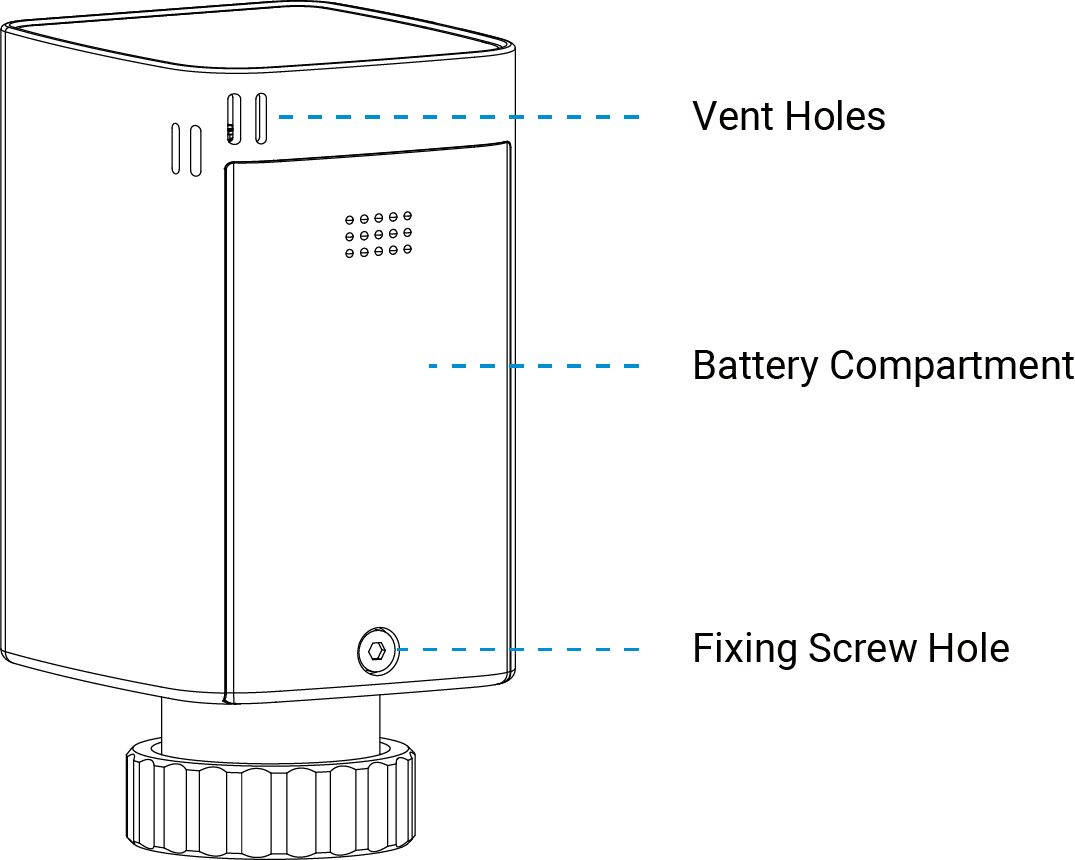
Part Description Vent Holes Allow ambient air to reach the internal NTC sensor for timely and accurate temperature measurement. Battery Compartment Houses the battery for power supply. Fixing Screw Hole Used to secure the battery compartment cover.
System Key Description
Note: The system key is disabled by default. Enable it in the
ToolBox app if needed.
| Function | Operation | LCD Display |
|---|---|---|
| Power On | When the device is off, press and hold the system key for more than 3 seconds. | On |
| Power Off | When the device is on, press and hold the system key for more than 3 seconds. | Slowly Blinks → Off |
| Restore Factory Settings | Press and hold the system key for more than 10 seconds. | Blinks Rapidly |
LCD Display Description
| Icon | Description |
|---|---|
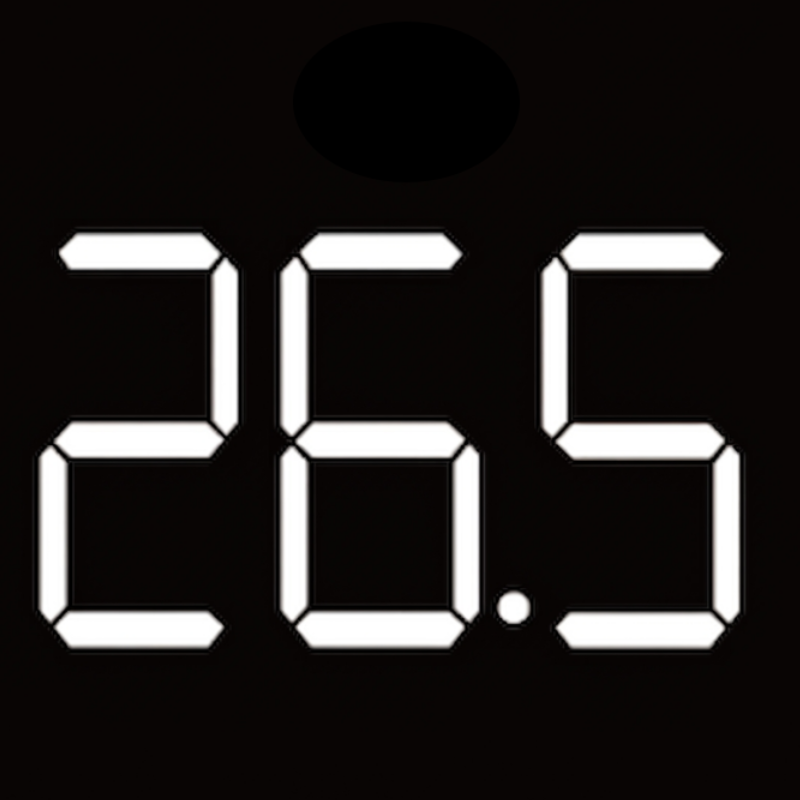 |
Ambient Temperature:
Press any button once when the LCD is off. Disabled by
default. Scale Level: In Scale Level Control mode, press + or − to display the scale level. Target Temperature: In Integrated Control mode, press + or − to display the target temperature. Valve Opening: In Valve Opening Control mode, press + or − to display the valve opening. Disabled by default. |
 |
Displayed when a locked button is pressed. |
 |
Displayed when the device battery is low. |
 |
Displayed while the device is increasing the valve opening. |
 |
Displayed when Open Window Detection is triggered. Disappears when the condition is cleared. |
 |
Displayed when the device is not connected to the network. Disappears after the network connection is restored. |
Dimensions
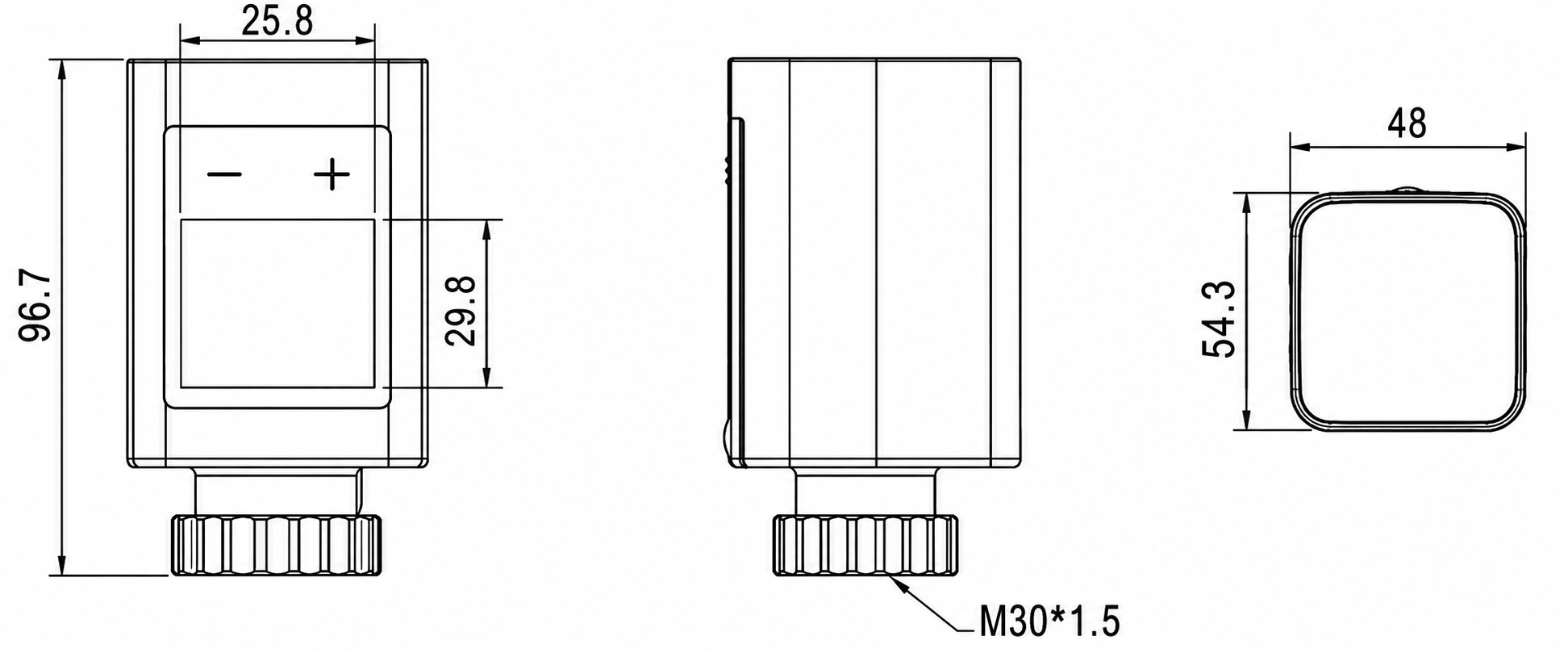
The following figure shows the device dimensions (unit: mm).