AC Manage
Control the Air Conditioners
On the Air Conditioner Management page, you can view and control air conditioner status, including p ower on/off, working mode, set temperature, and more.
Steps:
-
Click AC Manage at the left of the page to view all air conditioner indoor units.
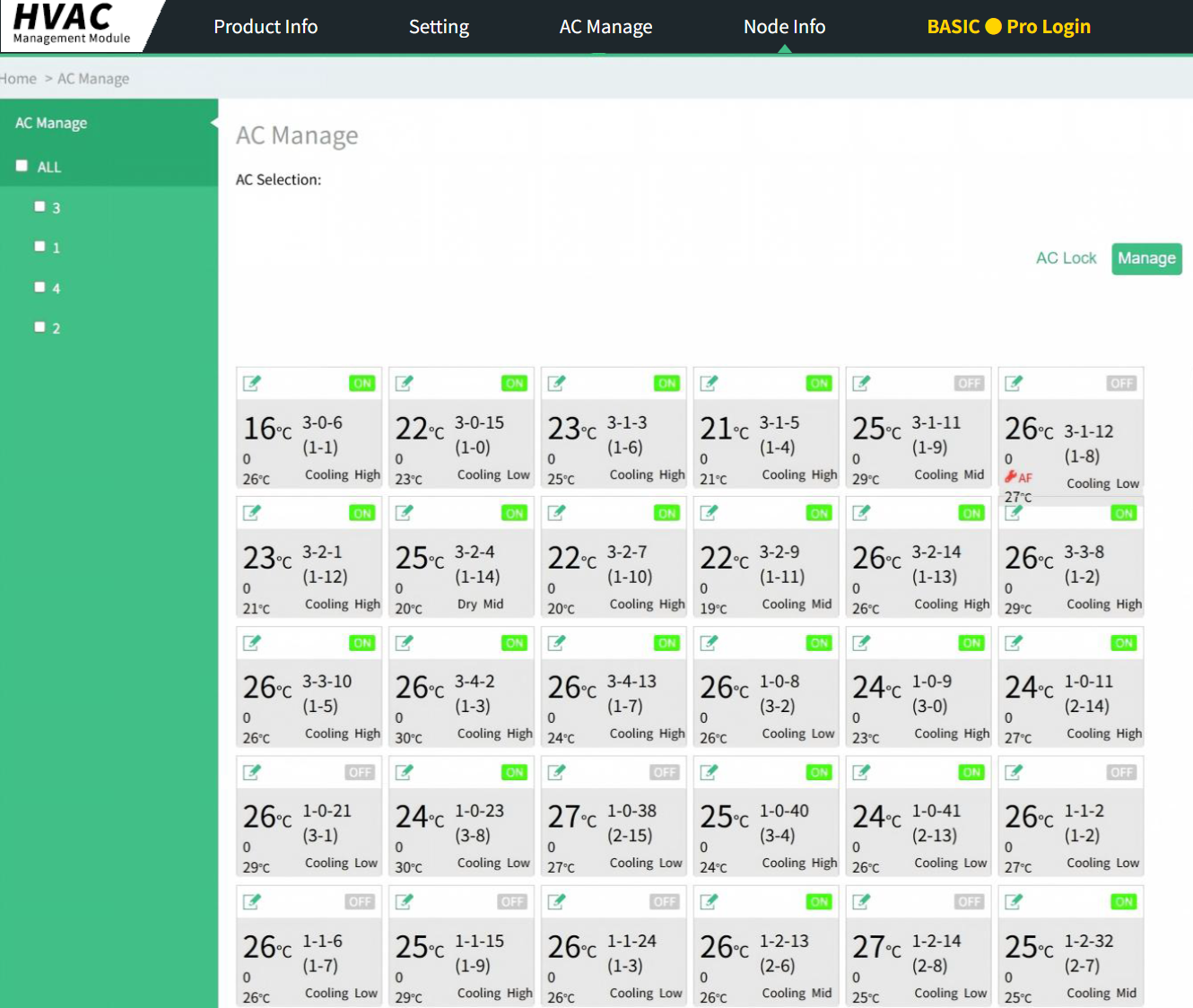
- Click on the corresponding air conditioner cards to select multiple units. Selected air conditioners will be displayed in the AC Selection bar at the top. You can also directly select all air conditioners under a single channel by using options 1, 2, 3, or 4 in the left-side AC Manage panel.
- Click Manage. In the new interface that appears, configure the desired
settings. After completing your selections, click Submit.
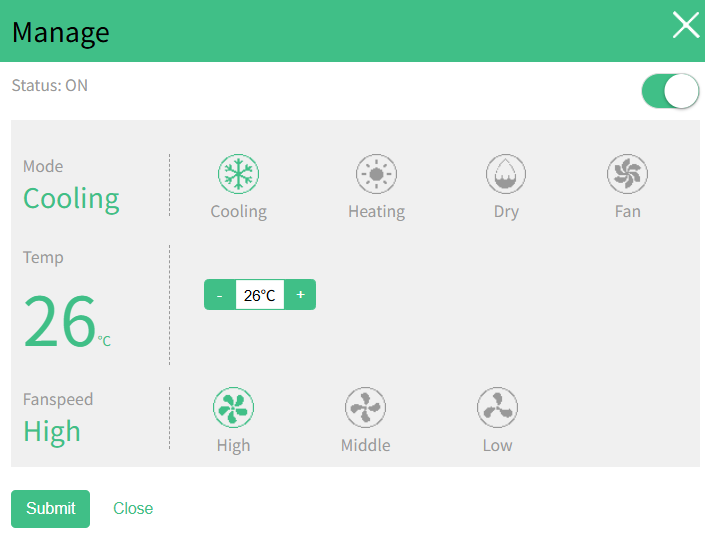
- After a control command is successfully sent, wait briefly for the air conditioner card information to sync and update.
Lock the Air Conditioners
If you need to apply restrictions to specific air conditioners, use the AC Lock function.
Steps:
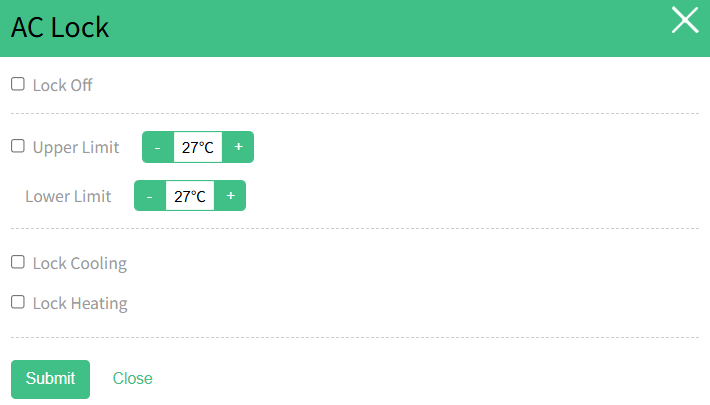
- Select the air conditioners you want to lock, then click AC Lock.
- In the pop-up window, configure the required lock settings. After
completing the settings, click Submit.