Hardware Introduction
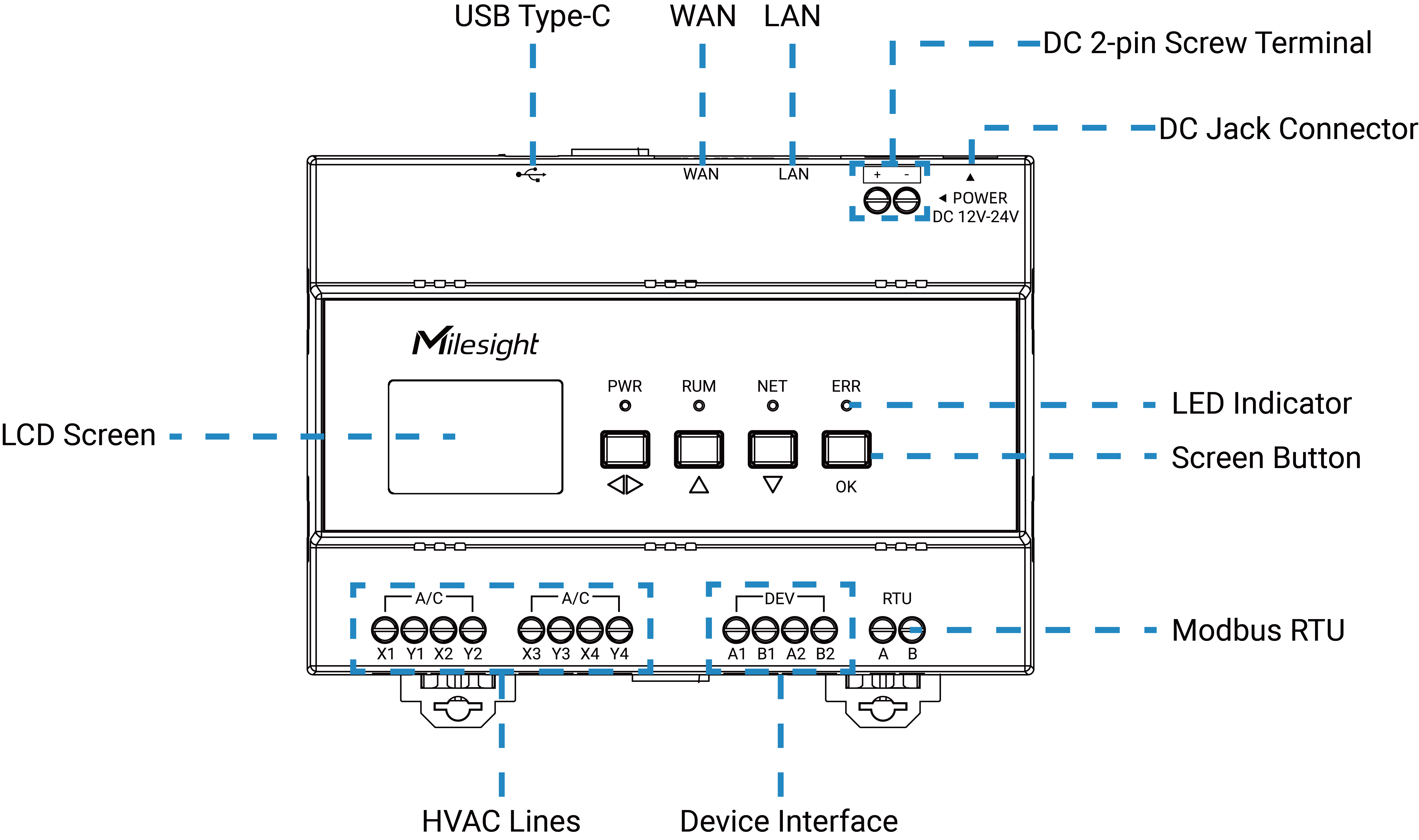
Hardware Overview
| Part | Description |
|---|---|
| WAN | Used to connect to Ethernet, supports remote servers accessing the controller via Modbus TCP or JSON. |
| LAN | Used to connect to local network, supports local servers accessing the controller via Modbus TCP or JSON. |
| DC Jack Connector | The interface for powering the device. |
| DC 2-pin Screw Terminal | |
| LED Indicator | Indicates the device operating status. For more details,refer to LED Patterns. |
| LCD Screen | Displays the device's basic information, interface status, and operational status. For more details, refer to Screen Description. |
| Screen Button | Used for status viewing and page navigation. For more details, refer to Screen Button Description. |
| HVAC Channel | Used to connect to the outdoor master unit of the VRF system. The connection is non-polarized. |
| Device Interface | Used to connect to the electricity meter (Reserved). |
| RTU Interface | External output interface of the controller based on the Modbus RTU protocol. |
| USB Type-C (Reserved) | Reserved for debugging. |
LED Patterns
| LED | Status | Description |
|---|---|---|
| PWR | Off | Device is not powered or is faulty |
| On | Device is powered normally | |
| RUN | Blinks | System is working well |
| Off/On | System malfunctions | |
| NET | Blinks | Network is connected |
| Off | Network is not connected | |
| ERR | Off | No air conditioning fault |
| On | Air conditioning fault |
Screen Description
After the device is powered on, the screen will show all the detected units and their statuses.
| Page | Description |
|---|---|
| Host Information |
|
| Network Setting |
|
| AC Data Overview |
|
|
|
| Meter Information (Reserved) |
|
| Bluetooth (Reserved) |
|
Screen Button Description
| Icon | Description |
|---|---|
 |
Navigates to the next menu level. |
 |
Switches to the previous/next page. |
 |
Switches the items in the page. |
 |
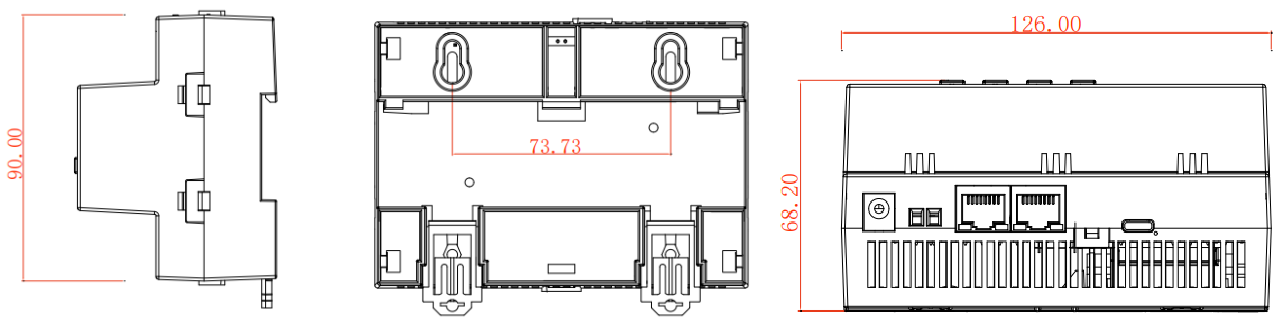
Dimensions
The following figure shows the device dimensions (unit: mm).