Power Supply
This section describes how to power this device.
This device supports multiple power supply methods and these methods cannot be used at the same time. Please select one of the following options.
- Powered via Batteries
- The batteries are pre-installed in the device by default. To replace the
batteries when the device runs out of power, please refer to the following
steps.Battery Requirements:
- The device can only be powered by the ER14505 Li-SoCl2 batteries, not alkaline batteries.
- Ensure all replacement batteries are new and of the same brand. Using old or mixed batteries may shorten battery life or cause inaccurate battery level calculation.
- Remove battery from the device if it is not used for an extended period.
Steps:- Remove the front panel from the device.
- Remove the old batteries and insert the new ones with the correct polarity.
- Restore the front screen to the device.
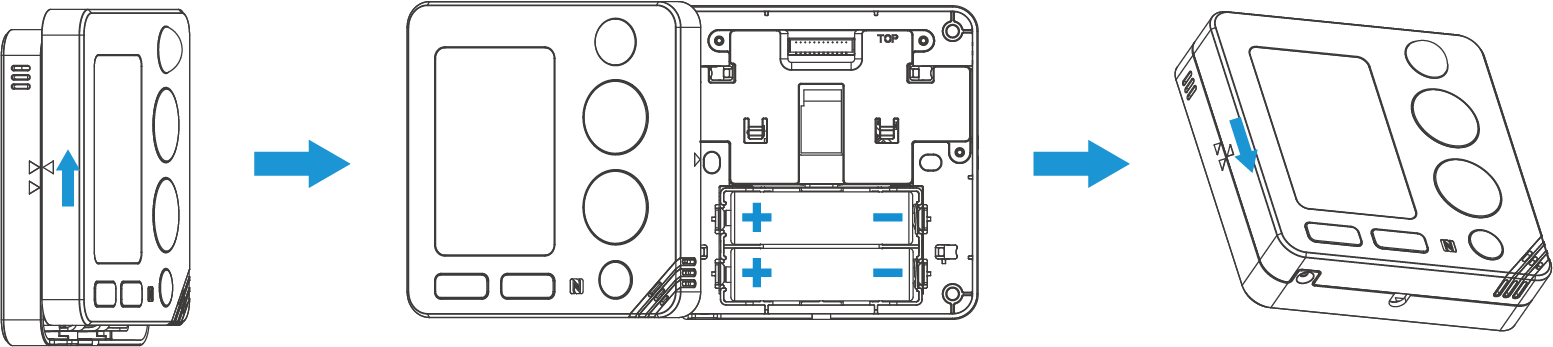
- Powered via USB Type-C (5V)
-
- Remove the front panel and internal batteries from the device.
- Insert the USB power cable into the USB port.
- Restore the front screen to the device while passing the USB cable through the bottom opening of the device.
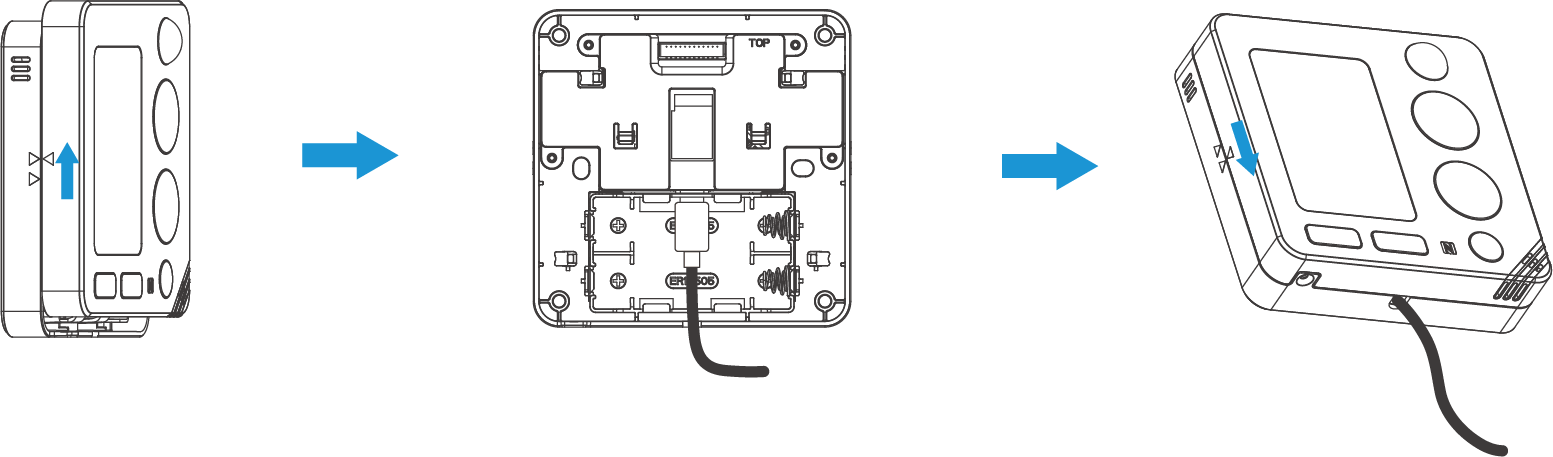
- Powered via 24V AC/DC Terminal
-
- Remove the front panel and internal batteries from the device.
- Use your hand or a slotted screwdriver to press the power terminal block while inserting the power cables (no polarity required), then release the screwdriver or hand.
- Gently pull the power cables to ensure they are securely fixed to the device.
- Pass the power cables through the hole at the back of the device.
- Restore the screen to the device.
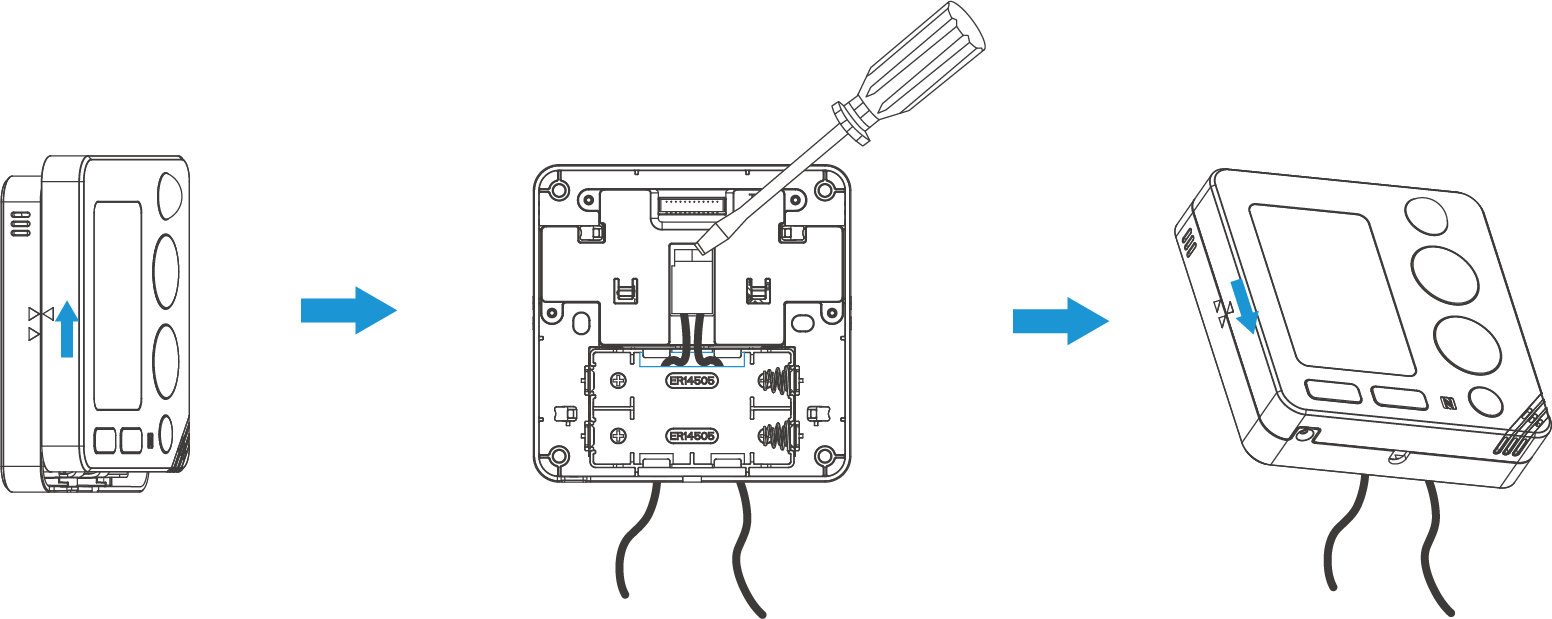
- Powered by Milesight HVAC Controller (Under Development)
- The device can be powered by Milesight HVAC controllers (UC711, etc.) via PowerBus. For details, refer to the corresponding HVAC controller user guides.