Installation
This chapter describes how to install the device and accessories.
Install the Device
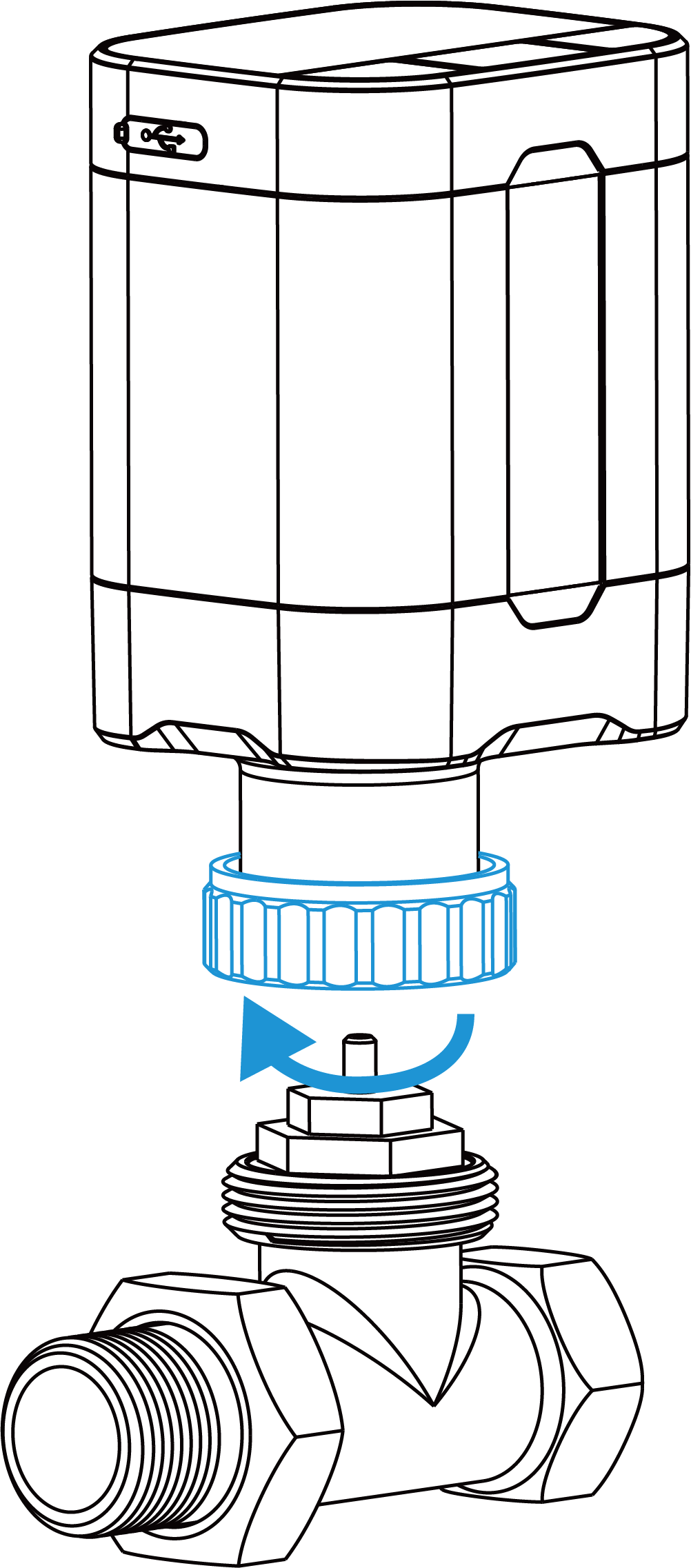
The device supports installing onto a valve with a thread size of M30 × 1.5 mm. For other valve types, it requires mounting metal valve adapters on the valve first.
Steps:
- Place the base plate on the valve or valve adapter and fasten it
tightly.
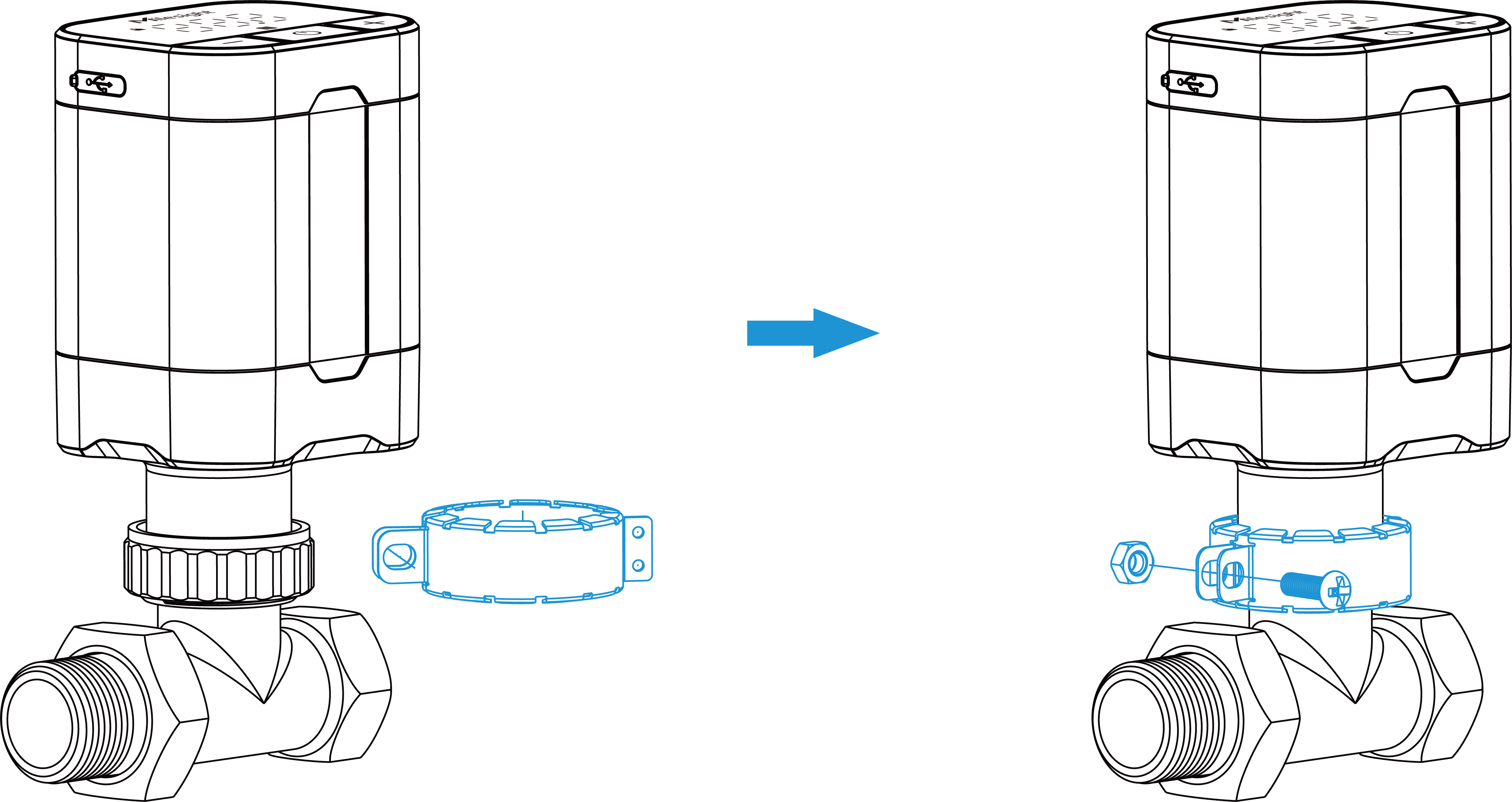
- (Optional) Fix the theft-deterring collar to the base plate with a screw and
a nut.
Install USB-C NTC Sensor (Optional)
WT102 has built in an internal temperature sensor to measure the environment
temperature. It also supports connecting an external NTC temperature sensor via
Type-C USB port to ensure precise control. During installation, ensure the
temperature measurement component (marked blue in the following figure) is as far
away from the radiator as possible to obtain accurate readings.
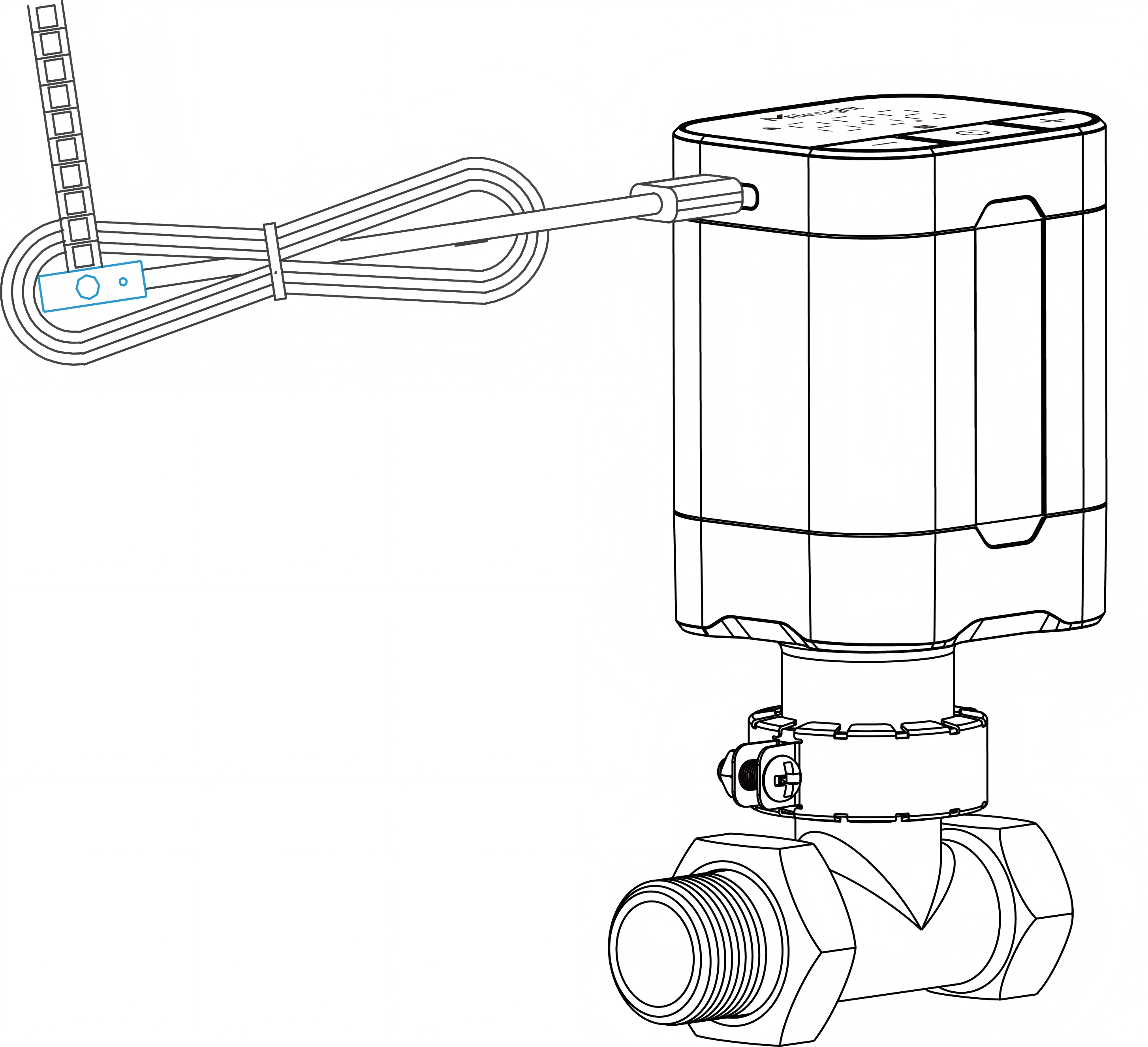
After installation, please change the ambient temperature source to USB-C NTC Sensor via ToolBox App or downlink command.