Hardware Introduction
Hardware Overview
- Front View
-
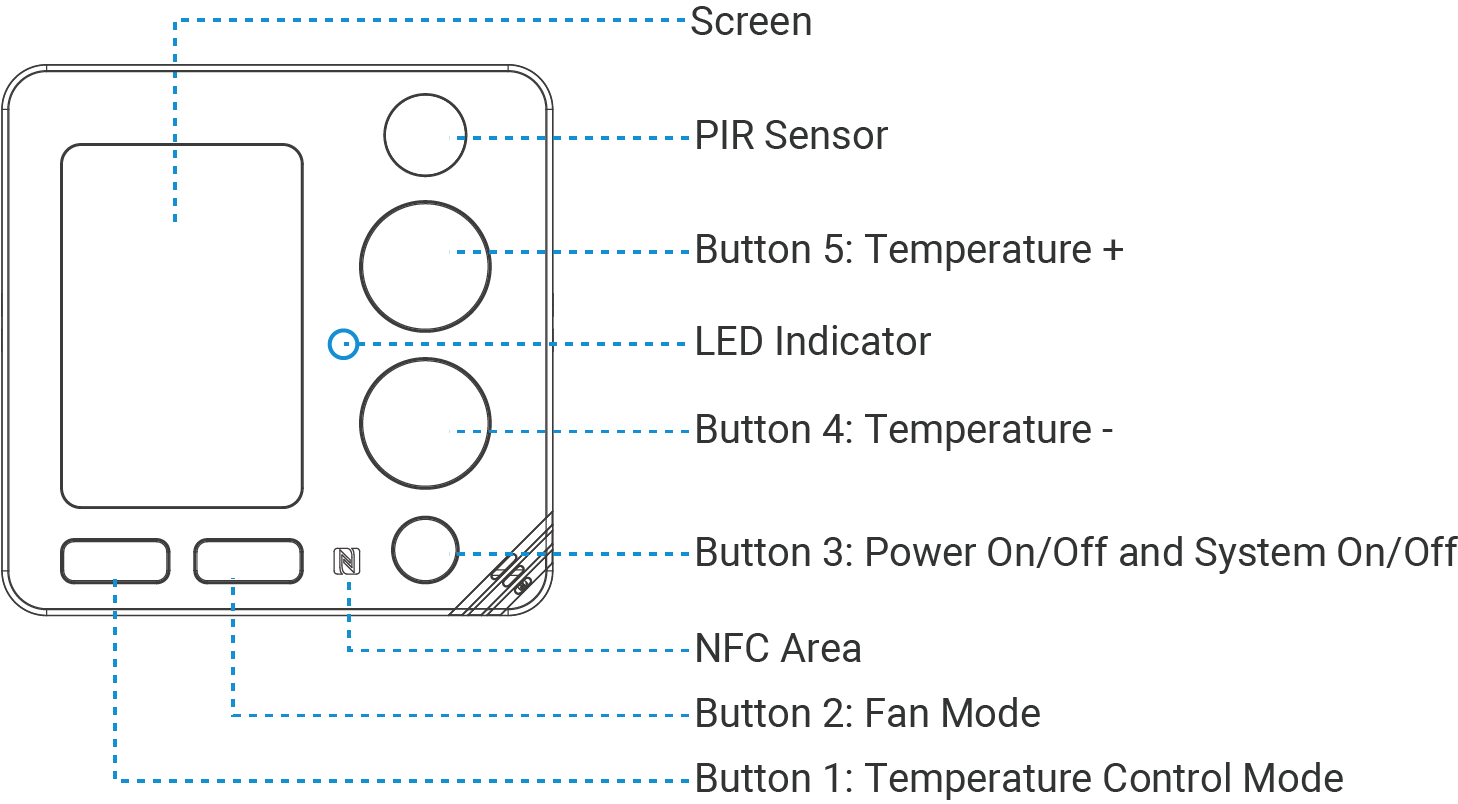
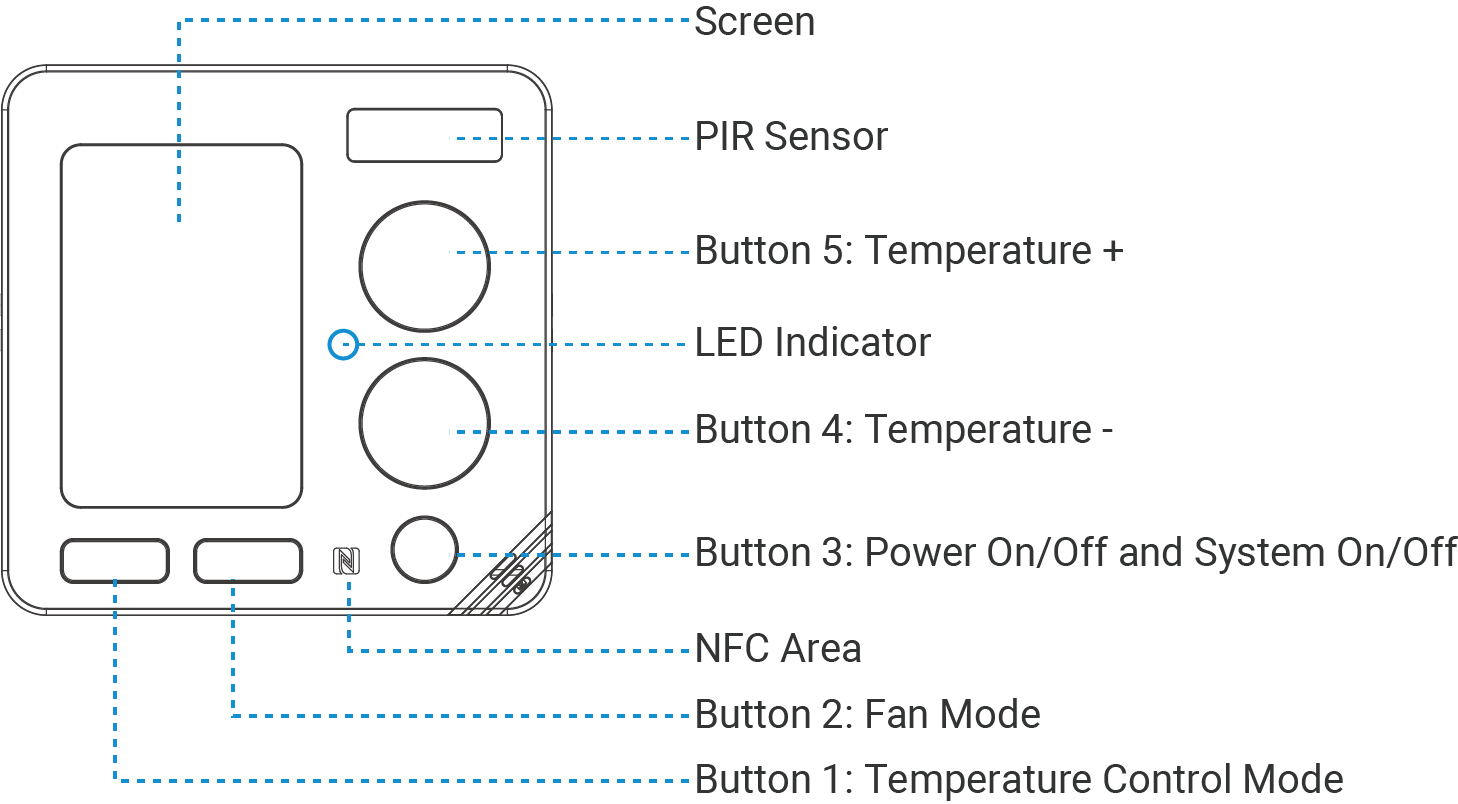
Part Description Screen Monitor the environment and display the control status. PIR Sensor Achieve energy-saving settings by detecting motion in the room. LED Indicator See LED Patterns. NFC Area Enables power on/off and wireless configuration via Milesight ToolBox App. Button 1 Switch the temperature control mode by default. The button feature can be customized. Button 2 Switch the fan mode by default. The button feature can be customized. Button 3 It supports the following default features: Power on/off: turn on/off the device.
System on/off: turn on/off the system. This feature can be customized.Button 4/5 Each press increases or decreases the target temperature by 0.5 or 1 (depending on the Target Temperature Resolution). Tip: When the target temperature mode is Dual Target Temperature, press the Temperature Control Mode button to switch the Button 4/5 for adjusting the auto-cooling target temperature.
- Back View
-
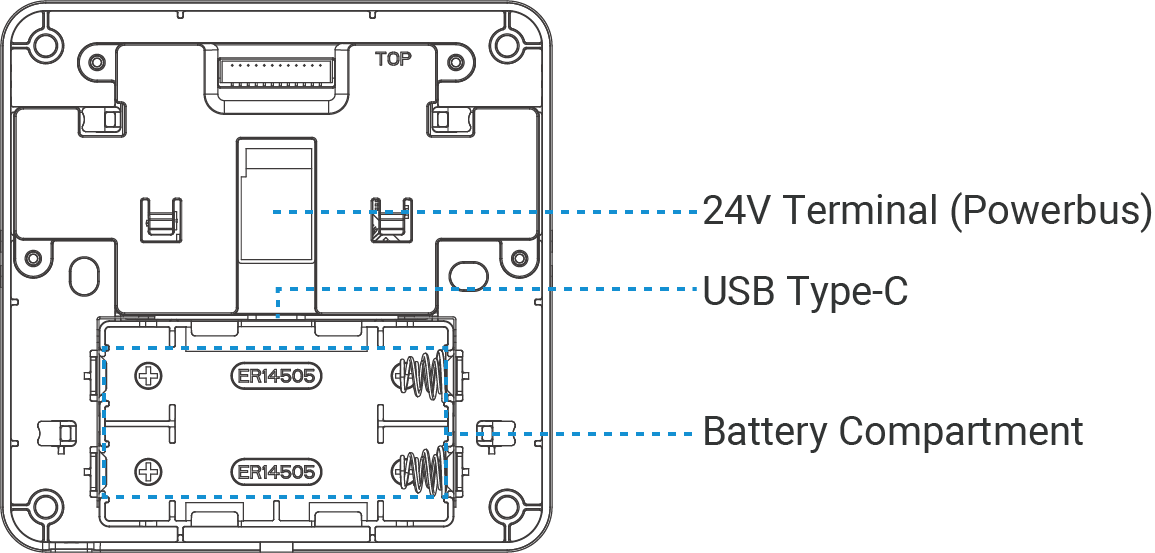
Part Description 24V Terminal (Powerbus) Supplies 24V DC/AC power to this device or enables communication with Milesight UC711 HVAC controller via PowerBus. USB Type-C Used for power supply or device console. Battery Compartment Install batteries.
LED Patterns
| Function | Operation | LED Indicator |
|---|---|---|
| Power On | In an off state, press the button 3 once. | Off → On |
| Power Off | In an on state, press and hold the button 3 for more than 3s. | Off → Blinks |
| Reset to Factory Default | Press and hold the button 1 and 3 for more than 10s. | Quickly Blinks |
| Turn On Bluetooth for 1 minute | In an on state, press the button 4 and 5 together once. | Off → Blinks |
| Cancel BLE Pairing | In an on state, press and hold the button 4 and 5 for more than 3s. | On → Off |
Dimensions (mm)
The following figures show the device dimensions (unit: mm).
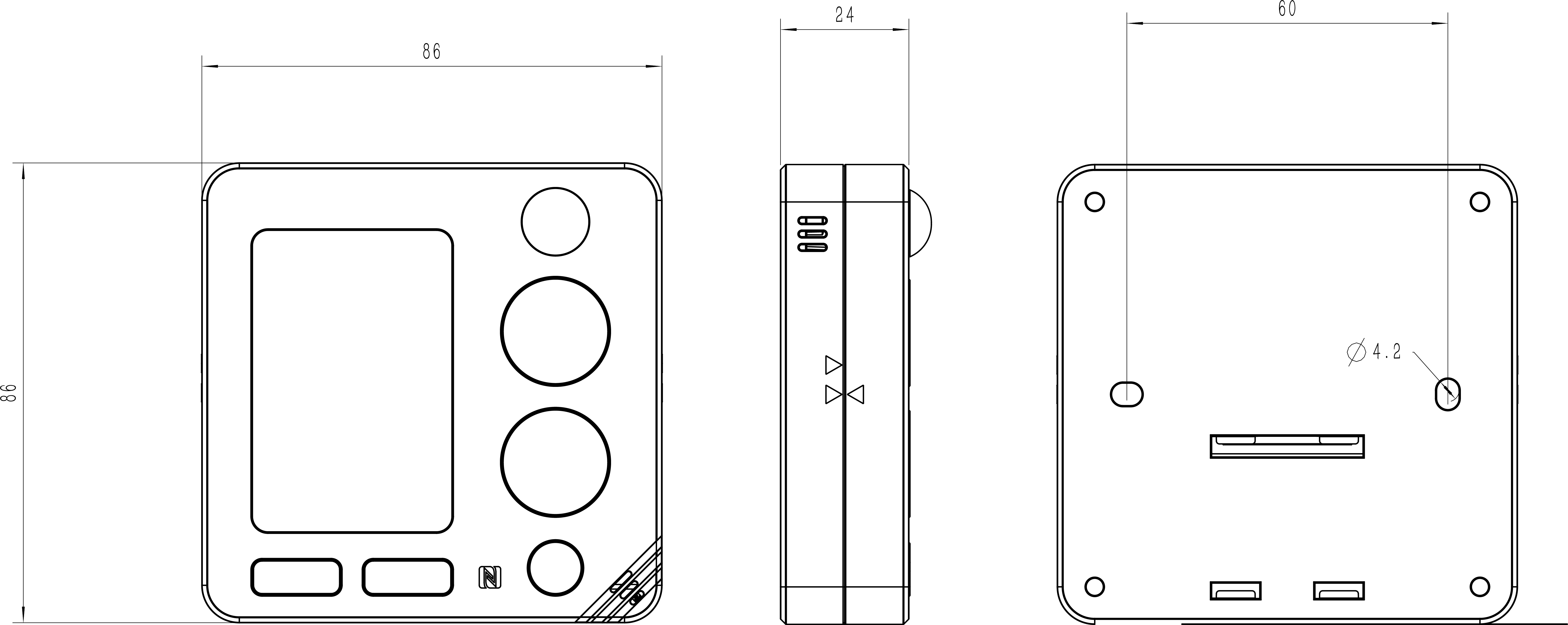
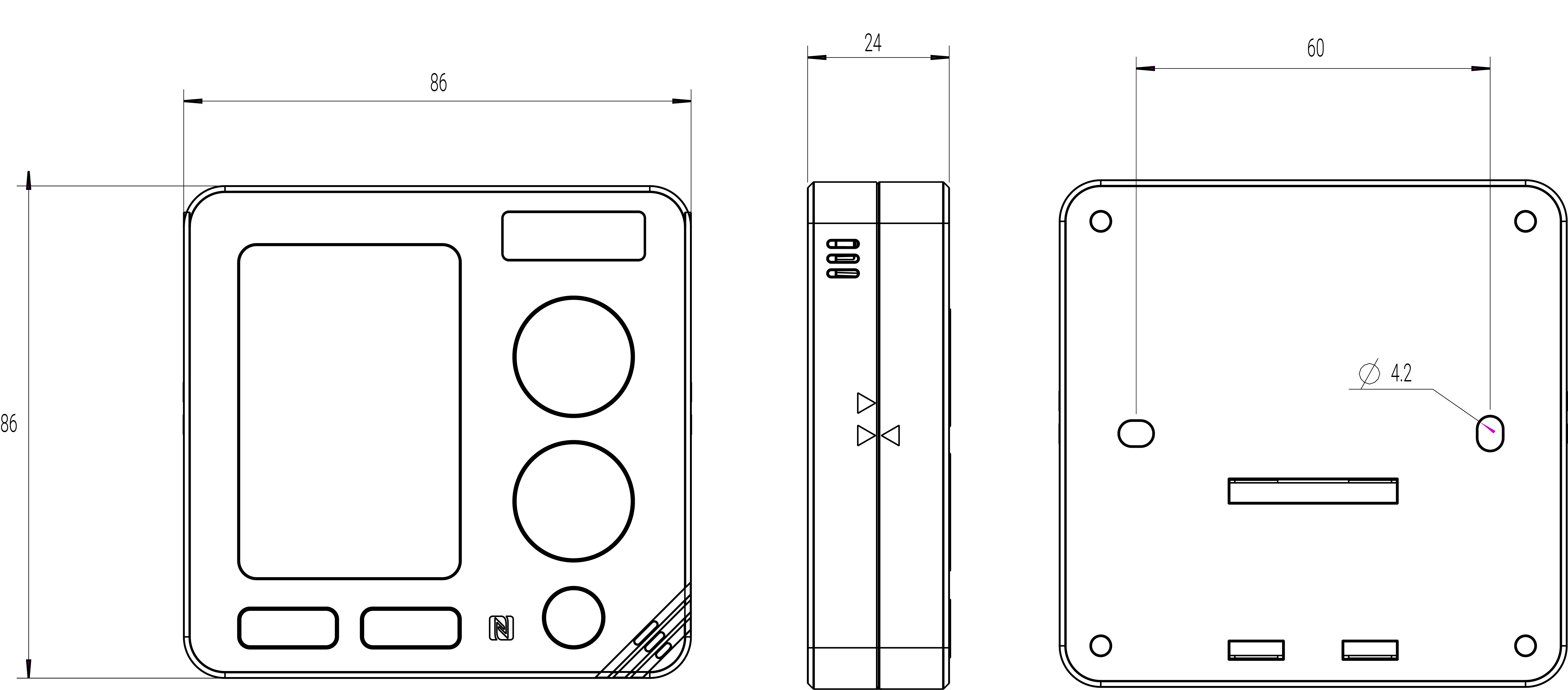
The following figures show the wall plate dimensions (unit: mm).