Hardware Introduction
Hardware Overview
- Top View
-
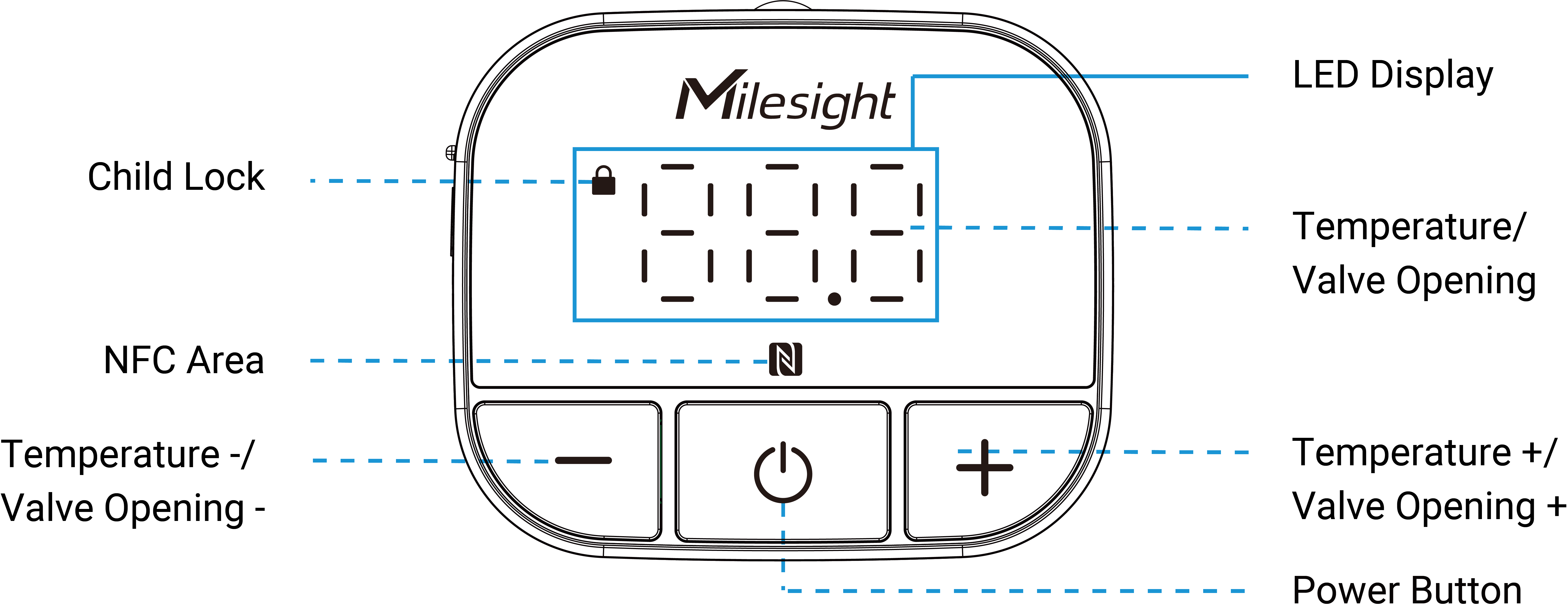
Part Description NFC Area Enables power on/off and wireless configuration via Milesight ToolBox App. LED Display The display is normally off and can be activated by pressing any button once. Once activated, it displays the following information: Ambient Temperature: Display normally or after pressing the power button once.
Target Temperature: In Automatic Temperature Control mode or Integrated Control mode, press +/– button to display.
Valve Opening: In Valve Opening Control mode, press +/– button to display.
Child Lock: Display when the pressed button is locked.Power Button Turn on/off or reset the device. For more details, see Power Button Description. +/- Button Adjust the target temperature or target valve opening after the display lights up.
In Automatic Temperature Control or Integrated Control mode, each press adjusts the target temperature by 0.5 or 1 (depends on the Target Temperature Resolution).In Valve Opening Control mode, each press adjusts the target valve opening by 5%.
- Left View
-
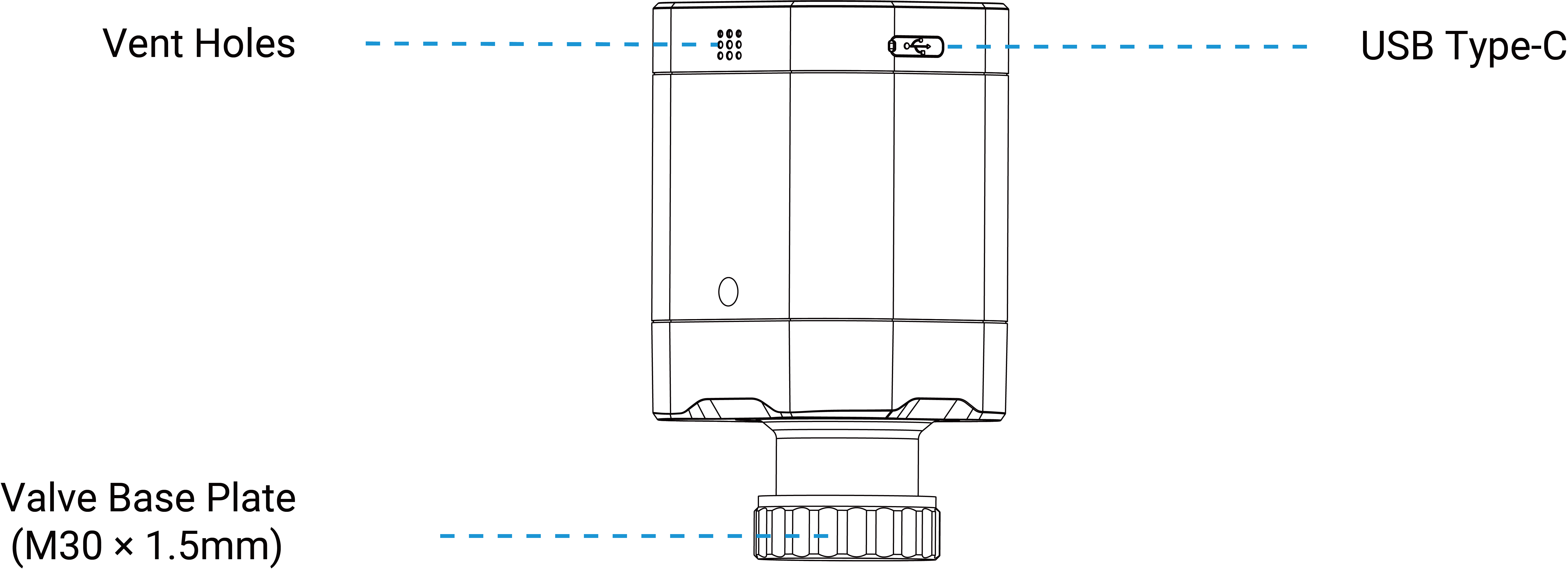
Part Description USB Type-C Used for power supply, charging or USB-C NTC sensor connection. Remove the dust cap before use. Vent Holes Allow external air to flow into the holes to ensure the timely and accurate temperature measurement of the internal NTC sensor. Valve Base Plate Used to fix onto a valve with a thread size of M30 × 1.5 mm. For other valve types, it requires mounting metal valve adapters on the valve first.
Power Button and Display Descriptions
| Function | Operation | LED Display |
|---|---|---|
| Power On | In an off state, press the power button for more than 3s. | Slowly Blinks |
| Power Off | In an on state, press the power button for more than 3s. | |
| Reset to Factory Default | Press and hold the power button for more than 10s. | Quickly Blinks |
| Motor Stroke Calibration | See Motor Stroke Calibration. | Success: Flashes in circle → Static on 3s |
| Failure: Flashes in circle → Blinks twice |
Dimensions
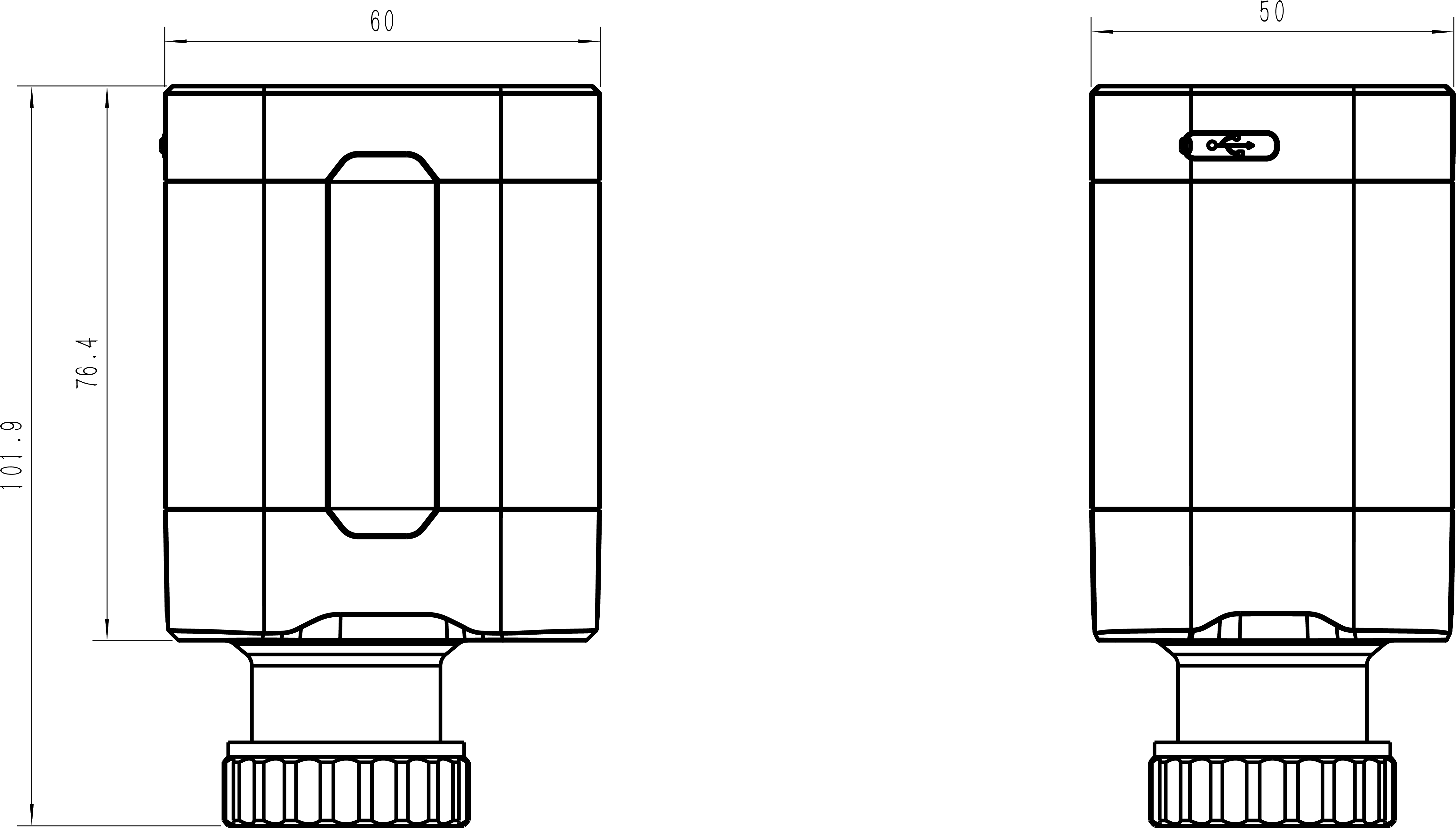
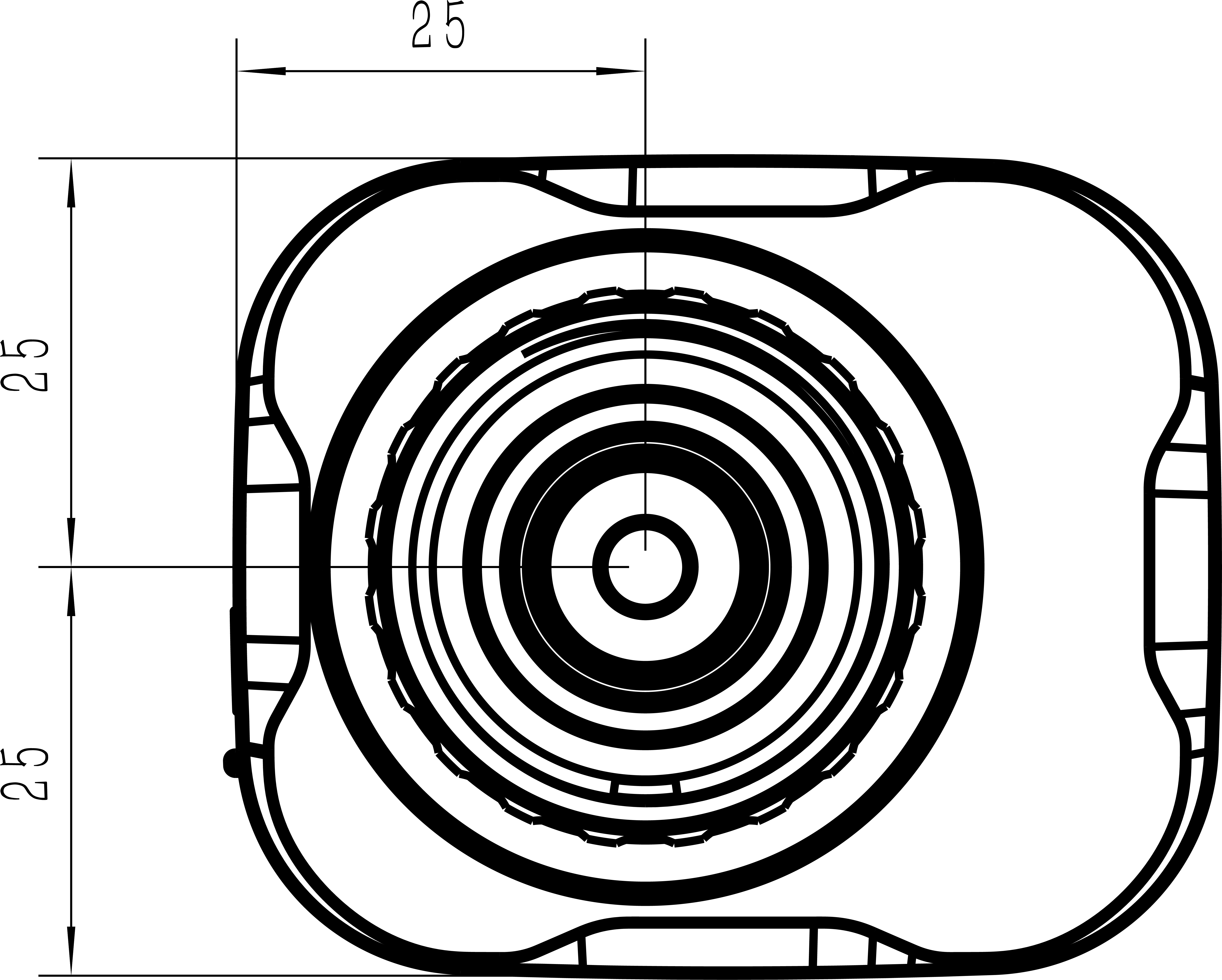
The following figure shows the device dimensions (unit: mm).