Configure Communication Parameters
This section describes how to configure the communication mode and change the Bluetooth name.
Configure Communication Mode
Select how the thermostat communicates with other devices.
Configure by ToolBox
Note: Before configuring the device through ToolBox,
access it through NFC or Bluetooth. For the navigation path and write operation
conventions used in this guide, see Configure the Device in ToolBox.
- Navigate to Network > Communication.
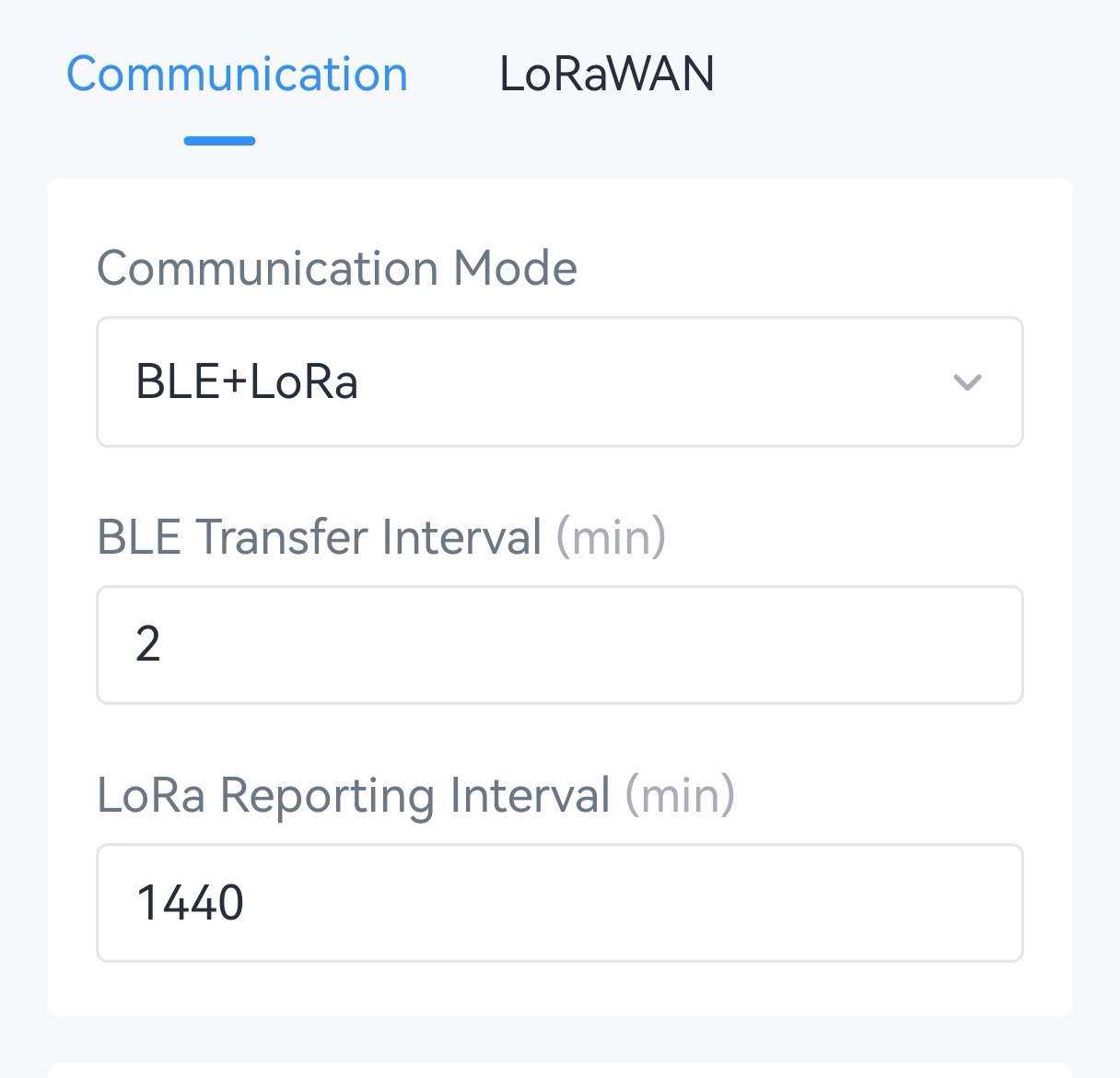
- Select the communication mode and configure the related parameters.
Communication Mode Description LoRa Communicates with LoRaWAN® gateways and network servers. Use this mode when integrating with WT10x radiator thermostats or third-party controllers. 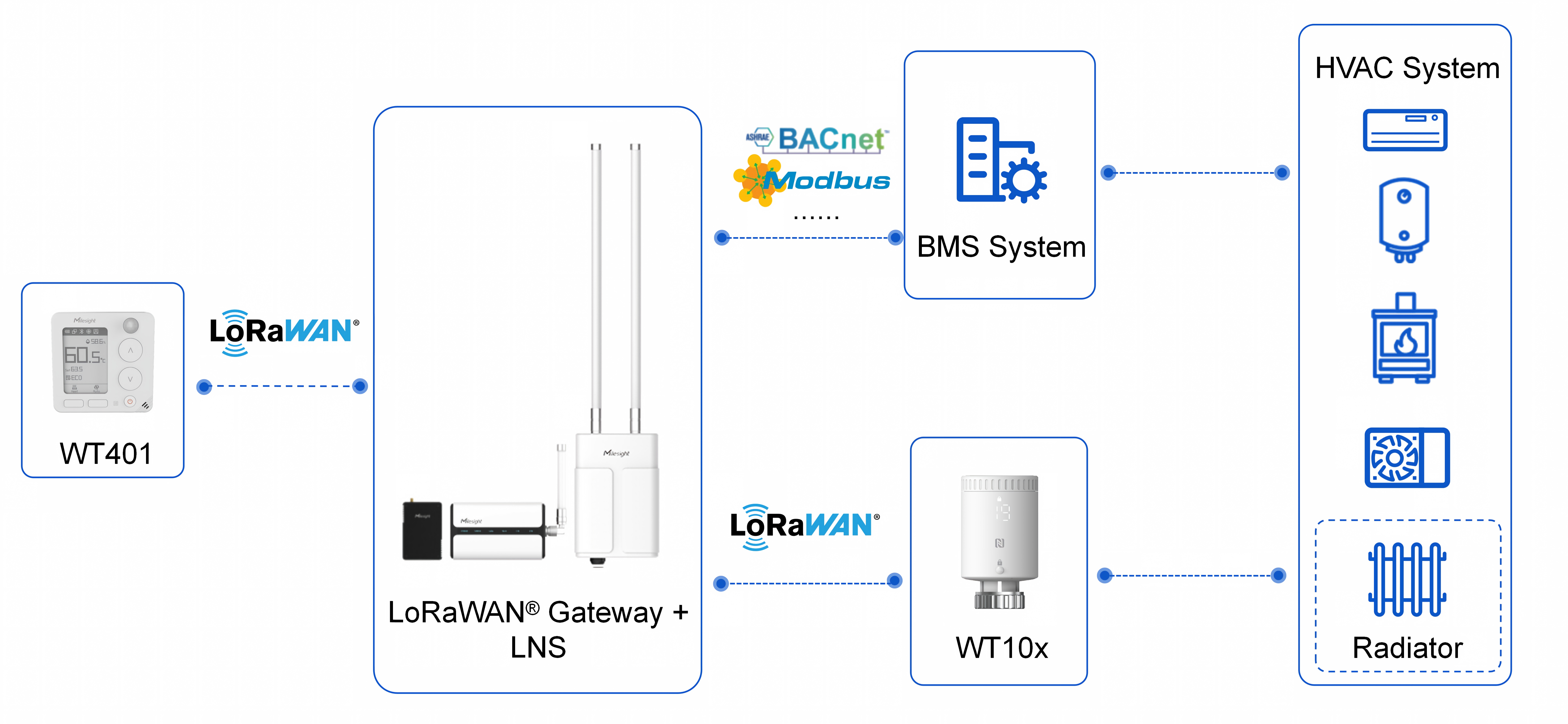
LoRa Reporting Interval: The interval at which data is reported to the LoRaWAN® gateway. Range: 1-1440 min. Default: 10 min.
LoRa + BLE Communicates with a Milesight controller through Bluetooth while also communicating with LoRaWAN® gateways and network servers. 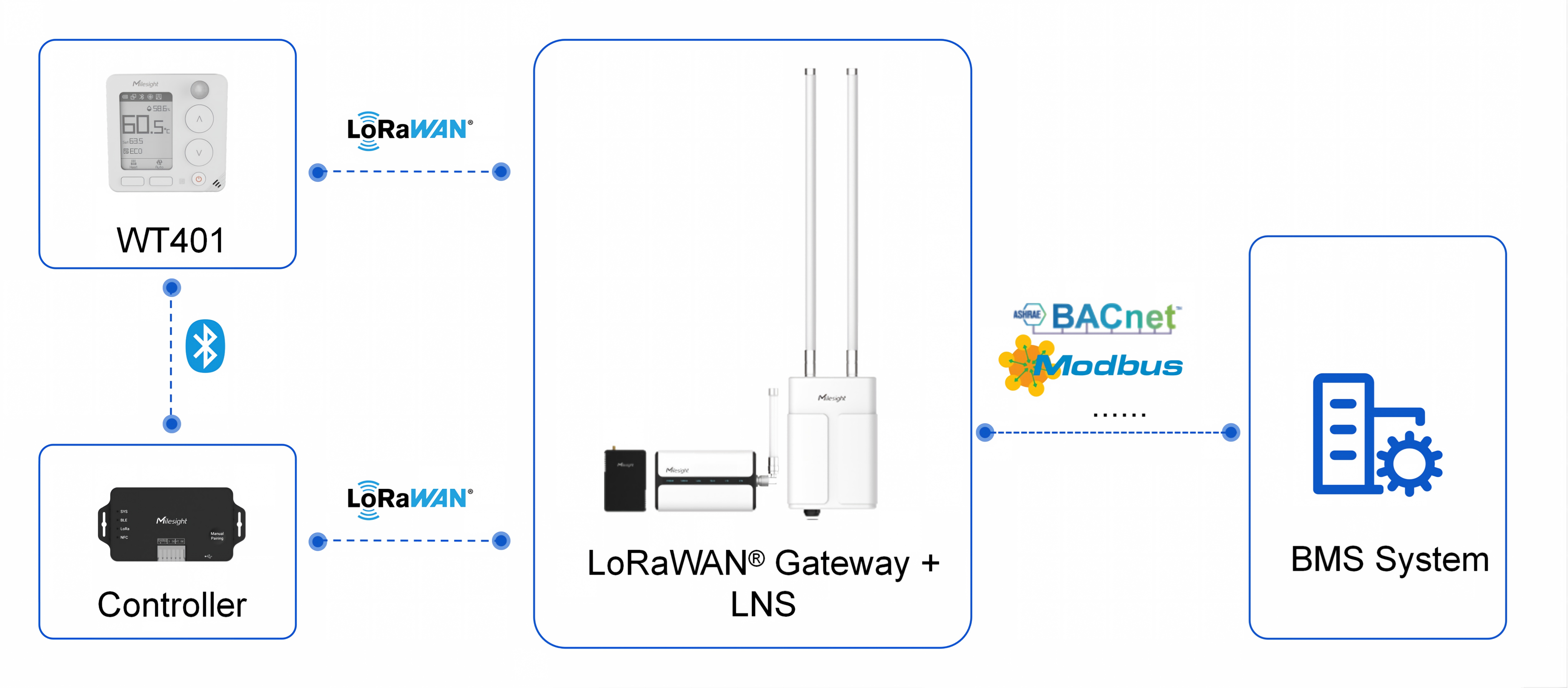
BLE Transfer Interval: The interval at which information is synchronized with the controller through Bluetooth. Range: 1-30 min. Default: 2 min.
LoRa Reporting Interval: The interval at which data is reported to the LoRaWAN® gateway. Range: 1-1440 min. Default: 1440 min.BLE Communicates with Milesight controller through Bluetooth only. Use this mode when lower power consumption is required and LoRaWAN® downlink control is not needed. 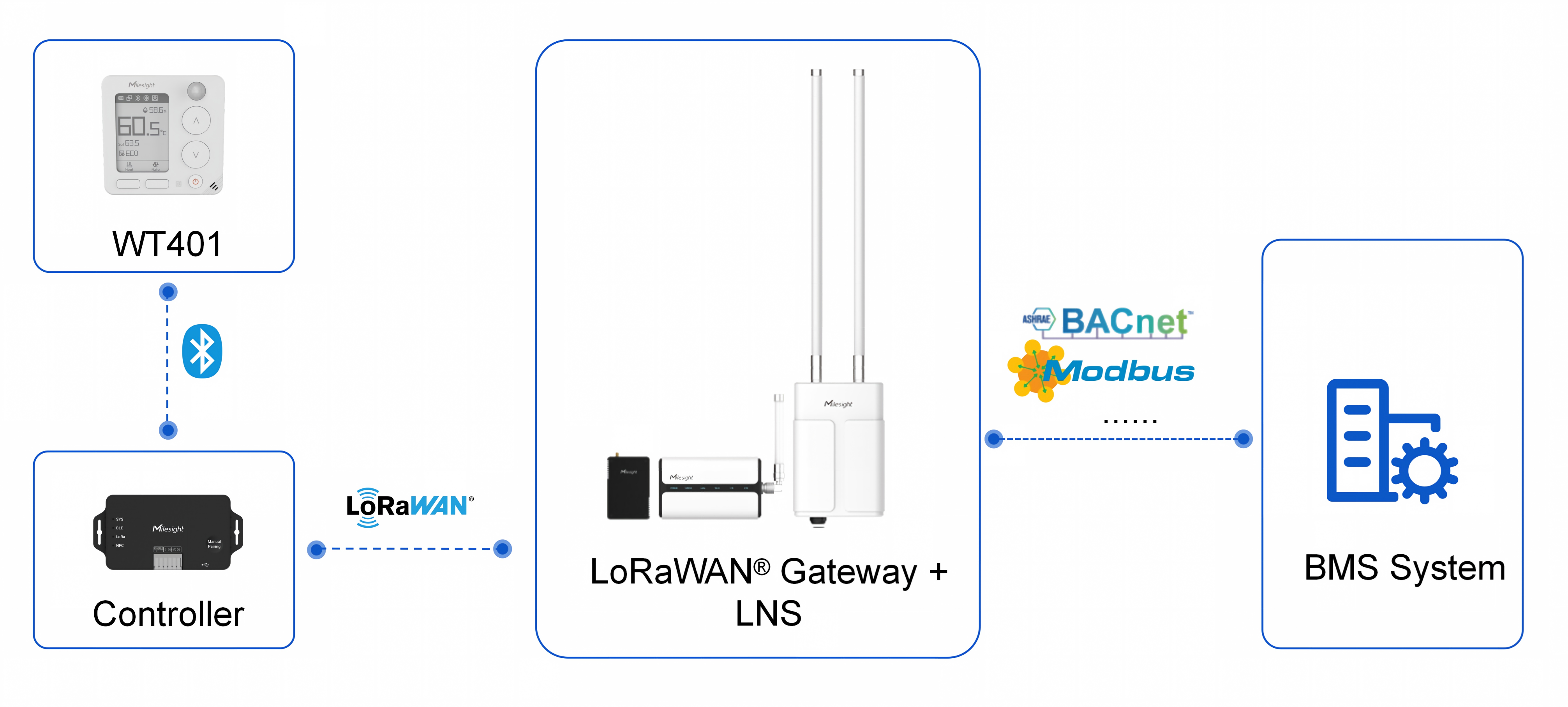
BLE Transfer Interval: The interval at which information is synchronized with the controller via Bluetooth. Range: 1-30 min, Default: 2 min.
Note: For detailed instructions on connecting the thermostat to a controller, refer to the user guide for the corresponding controller. - Tap Write to apply the configuration.
Change Bluetooth Name
Note: Before configuring the device through ToolBox,
access it through NFC or Bluetooth. For the navigation path and write operation
conventions used in this guide, see Configure the Device in ToolBox.
Configure by ToolBox
- Navigate to Network > Communication.
- In the Bluetooth Name field, enter the new name.
- Tap Write to apply the configuration.