5.5.1 Tags for playback
All added tags will be displayed on the panel and you can double click the tags to view the playback video. If there are too many tags on the panel, you can search desired tags through filtering conditions as below:
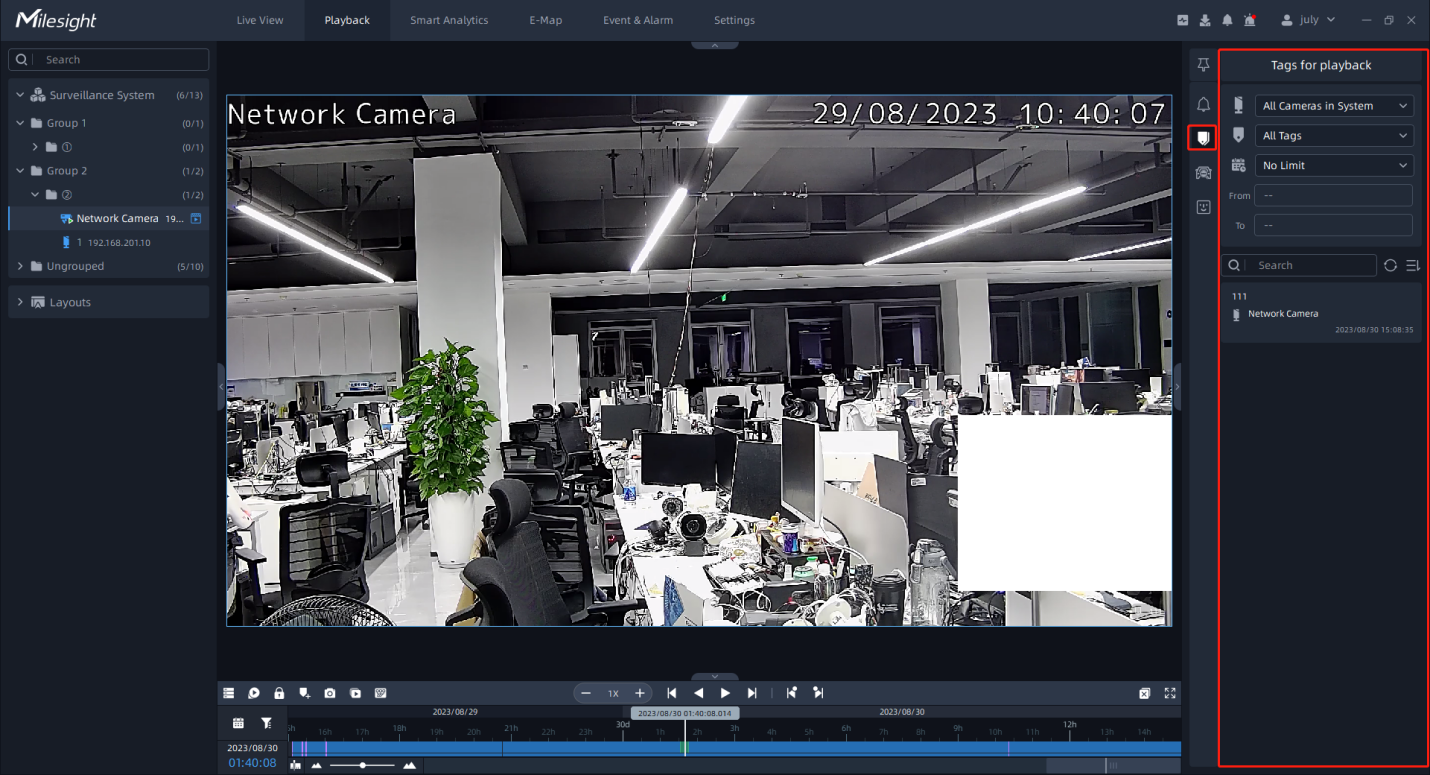
The meanings of the icon of the page can refer to the table below:
|
Item |
Function Introduction |
|---|---|
 Source Cameras |
All Cameras in System: Select all cameras inside VMS system. All Cameras in Viewing: Select all cameras of the current playback window. Selected Cameras: Select selected cameras in the current playback window. |
 Tag Type |
All Tags: All types of tags. Live Tags: Tag files added in the live view window. Playback Tags: Tag files added in the playback window. Event Tags: Tag files added by event trigger. |
 Time Period |
No limit, Last Day, Last Week, Last Month and Customize are available. Note: The customized “To” time can't exceed the current system
time.
|
 |
Refresh the results. |
 Sort Button |
Choose sort way of tag video files in the list as shown below: The default Tag files list are ordered by Tag Time and Descend. 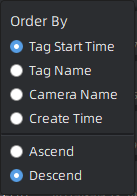 |