Edit or Delete Custom Firmware Resources
This topic describe how to edit or delete custom firmware resources.
Prerequisites
Confirm with your enterprise administrator whether current account role permits access to this feature.
Edit a custom Firmware Resource
- Log in to Milesight Development Platform.
- On the
left
bar, click Resource, then select the My
Firmware tab.
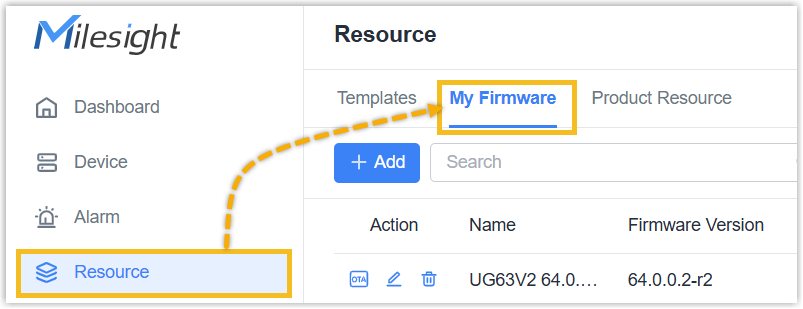
- In the Action column of the desired firmware
resource, click Edit icon.

- Edit the firmware resource name and notes as needed, then click Save.
Delete a custom Firmware Resource
- Log in to Milesight Development Platform.
- On the
left
bar, click Resource, then select the My
Firmware tab.
- In the Action column of the desired firmware
resource, click Delete icon.

- In the pop-up window, click Delete.