Custom Server Setting
This section describes how to configure the customer server to remotely retrieve air conditioner status and control the air conditioners.
Steps:
- Got to the Custom Server Setting interface under the Setting
menu.
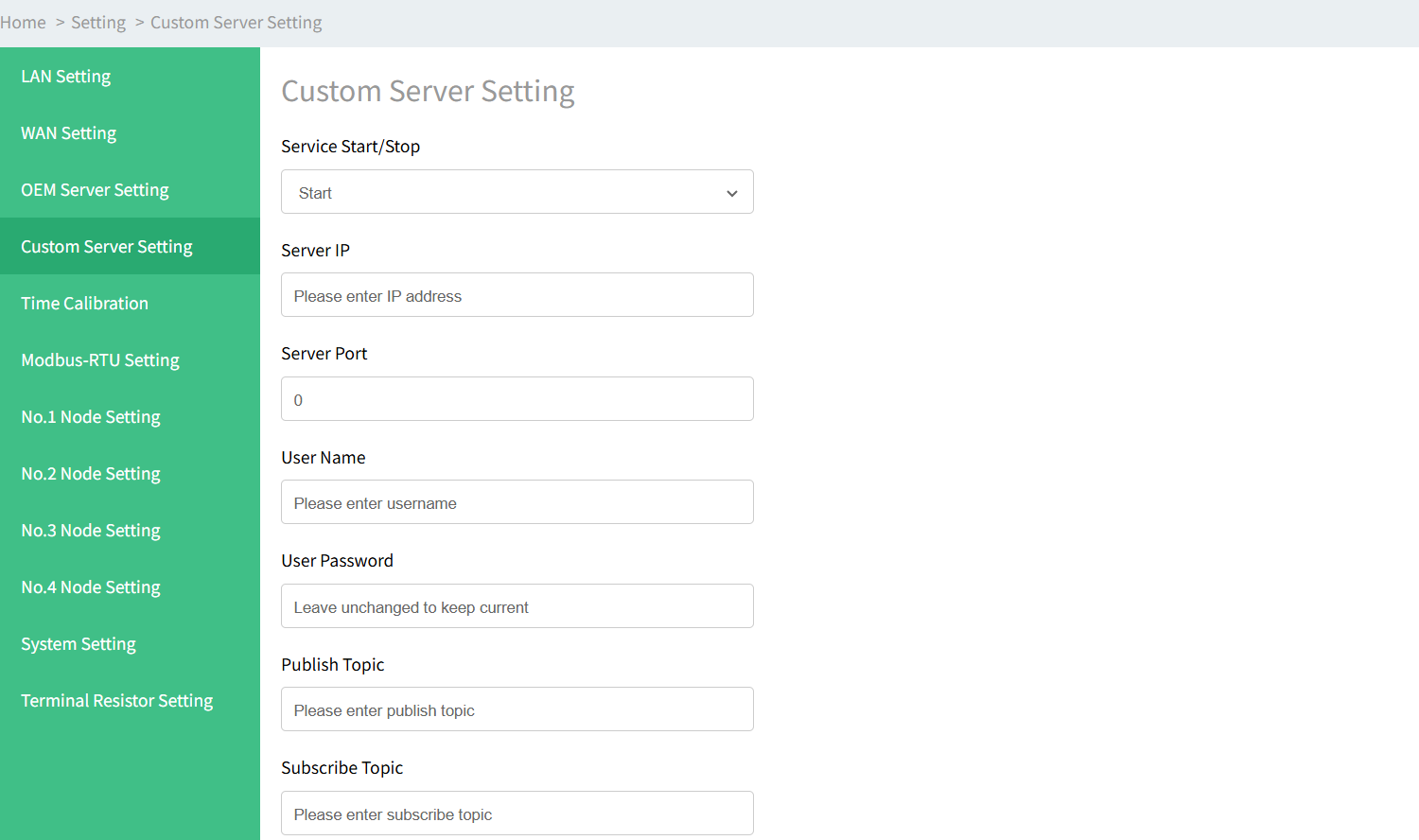
- Configure the relevant parameters.
parameters Description Service Start/Stop Enable or disable the server. Server IP IP address of the server. Server Port Communication port of the server. User Name User name used for authentication. User Password User password used for authentication. Publish Topic Topic name of the data type used for publishing. Subscribe Topic Topic name of the data type used for subscribing. Server Type Option: TCP or MQTT Protocol Type Option: JSON or Modbus - After configuration is complete, click Submit.