Configure Video Validation
This section describes how to configure Video Validation function.
The video validation function can be used to verify people counting accuracy by comparing results against a recorded video.
Steps:
- In the main page, click Validation from the left
navigation tree.
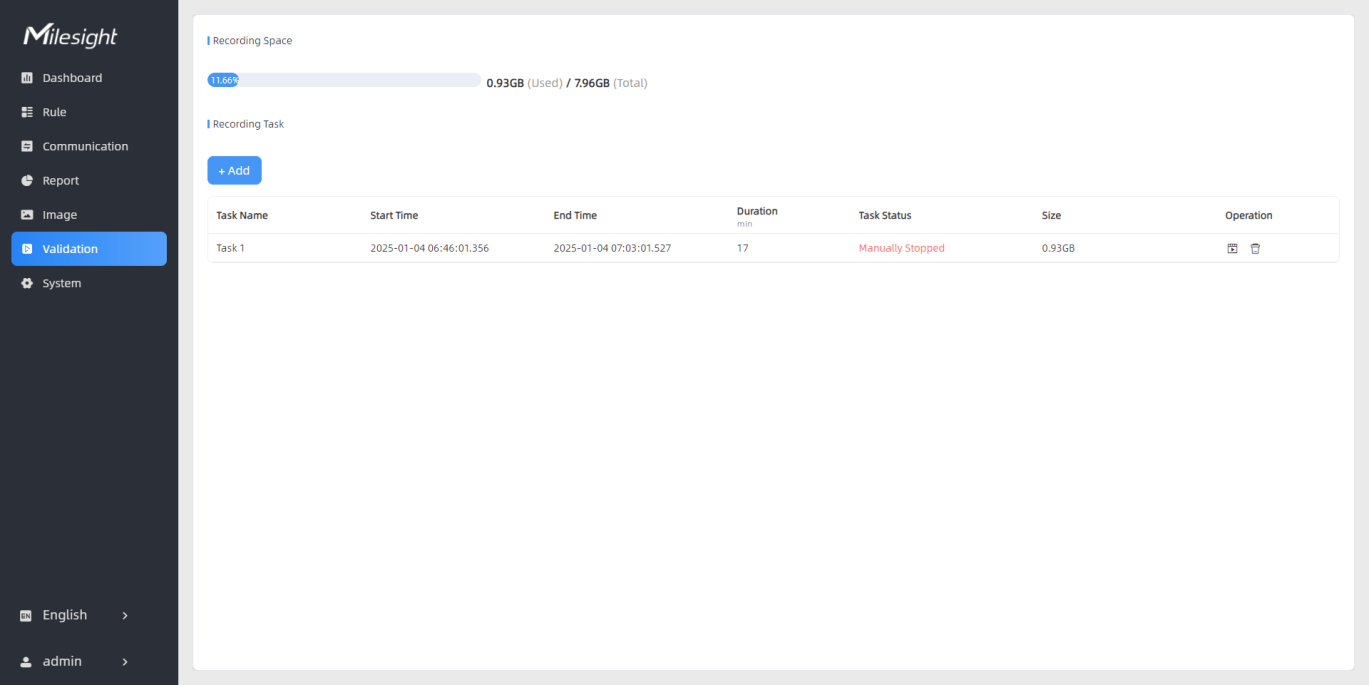
- In the Recording Task area on the right, click + Add. The
Set a Task of Recording dialog box is displayed. The device can add
up to 50 tasks.
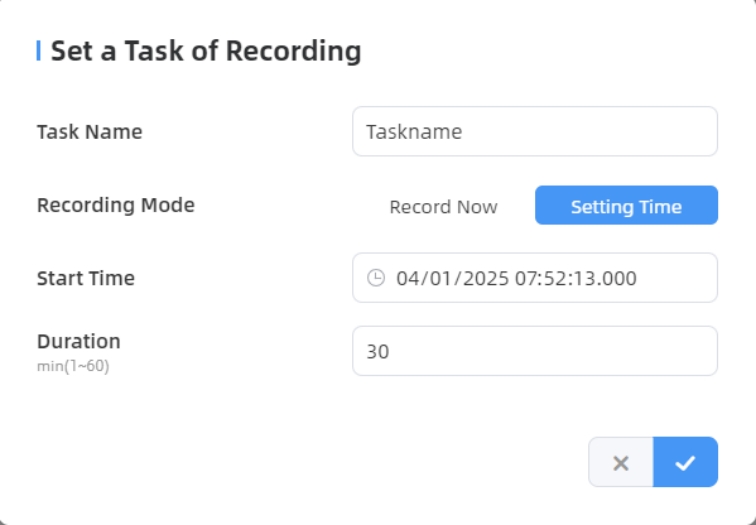
- Configure the following parameters as needed.
Parameters Description Task Name Customize a task name. Recording Mode Options: Record Now or Setting Time. Start Time This parameter is displayed only when Recording Mode is set to Setting Time. It sets the recording start time. Duration Set the recording duration. Range: ≤ 60 minutes. Note: The configured time ranges for different tasks must not overlap. - Click
 . The task is listed in the Recording
Task area.Restriction: Detection rules cannot be modified during the recording process.
. The task is listed in the Recording
Task area.Restriction: Detection rules cannot be modified during the recording process. - After recording completed, click
 in the Operation area of the task. The following page is
displayed.
in the Operation area of the task. The following page is
displayed.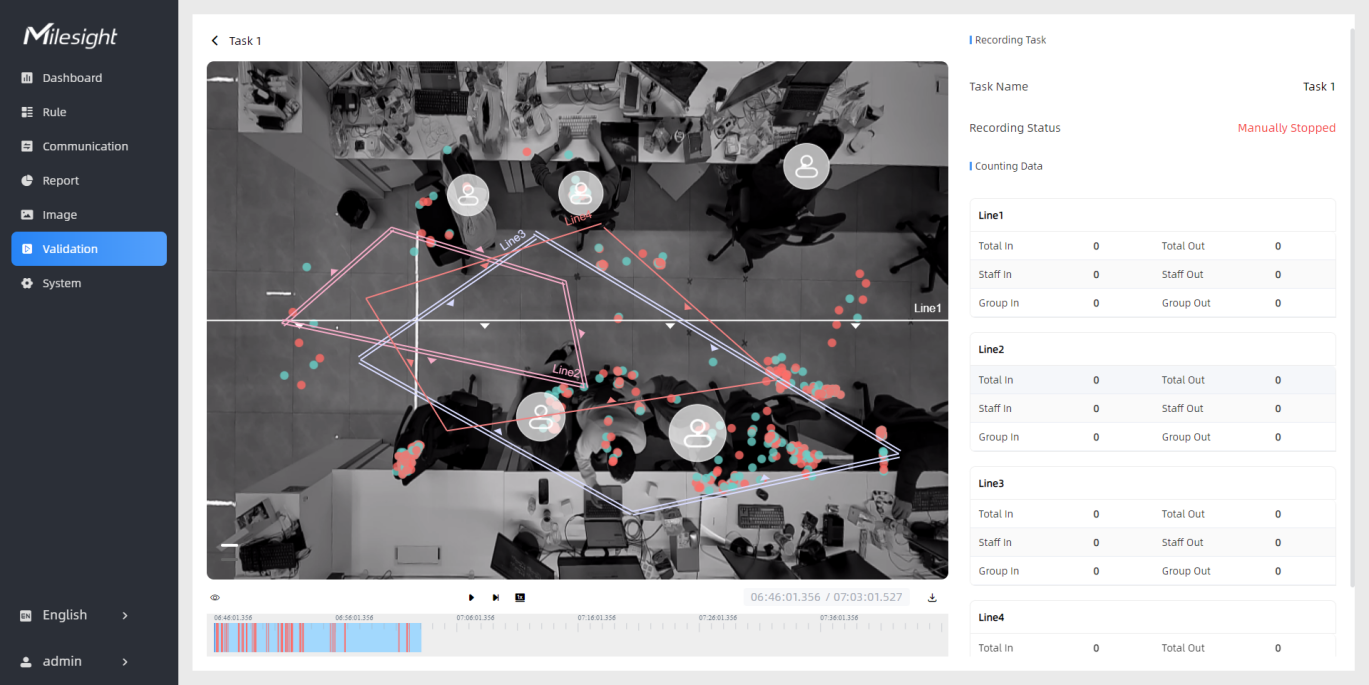
- Click
 to edit the preview layout. For details, refer to
the following table.
to edit the preview layout. For details, refer to
the following table.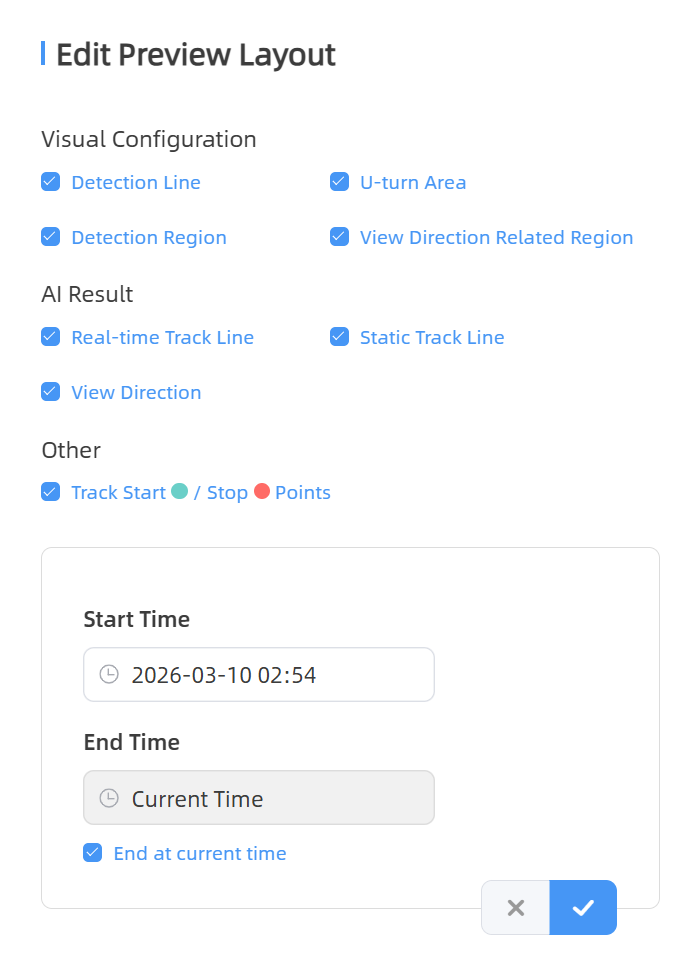
Parameters Description Visual Configuration Select the items to be displayed in the preview as needed. The items displayed here are dependent on the functions enabled. AI Result Click the corresponding lines to show/hide them in the video. - Real-time Track Line: Show or hide the target's track line in the preview.
- Static Track Line: Show or hide the history of the target's track line in the preview. Up to 1000 historical track records are supported. They are cleared upon page refresh.
- View Direction: Show or hide the target's gaze direction.
Other Click  to show/hide track
points in the video.
to show/hide track
points in the video. - Click
 to play the video to verify people
counting accuracy, supports switching between 0.5x, 1x, 2x, and 4x playback
speed. Note: The playback progress bar in the bottom highlights video frames where data changes occur.
to play the video to verify people
counting accuracy, supports switching between 0.5x, 1x, 2x, and 4x playback
speed. Note: The playback progress bar in the bottom highlights video frames where data changes occur. - (Optional) Click
 to download the video and use the dedicated Milesight VS Player for local
playback.
to download the video and use the dedicated Milesight VS Player for local
playback.