Configure Image Parameters
The device has great lighting adaptability that allows it to operate properly in low light and even complete darkness. It supports day and night mode switching based on the no-photosensitive scheme. This section describes how to configure image parameters.
Steps:
- In the main page, click Image from the left navigation tree.
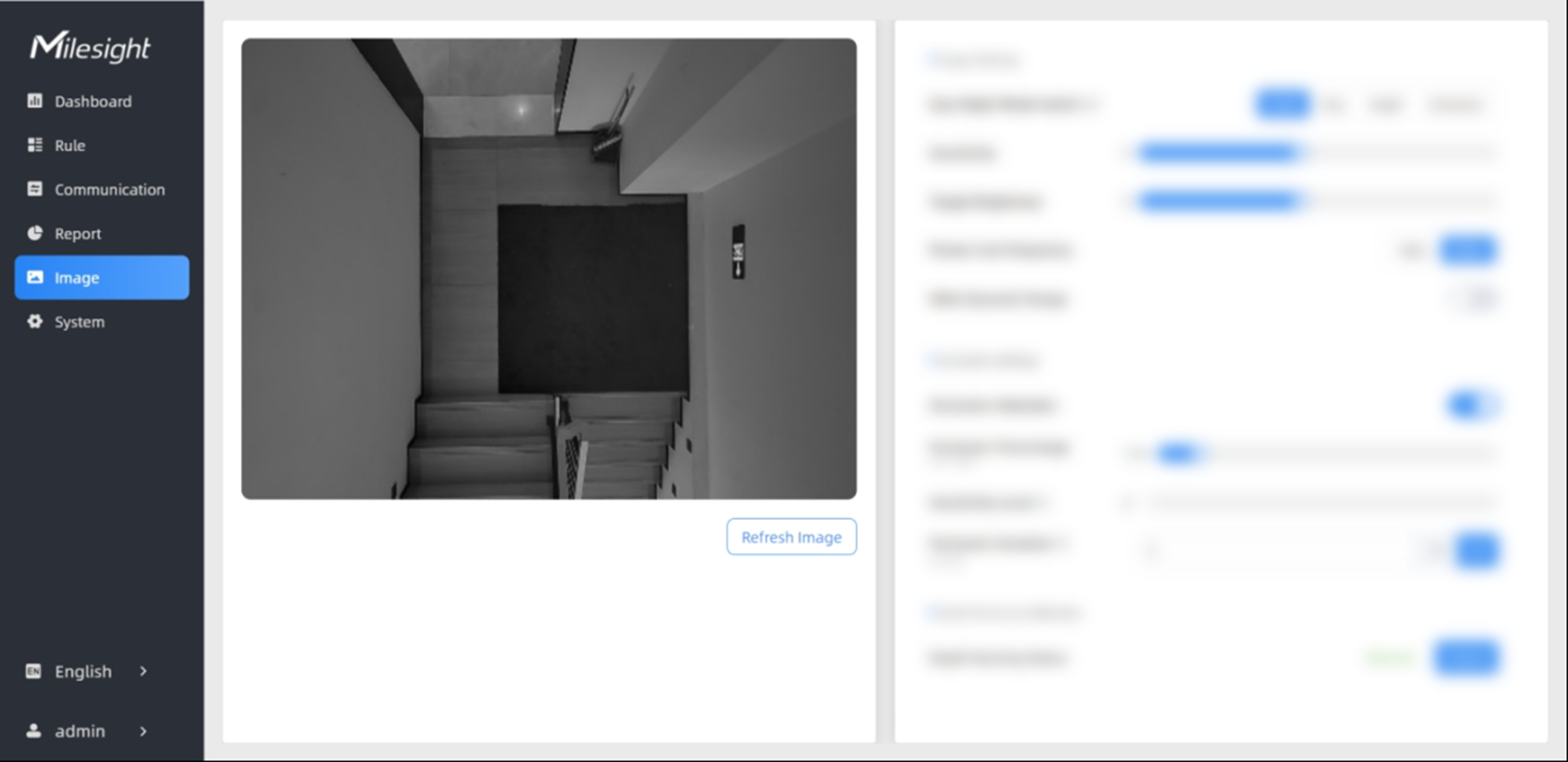
- In the Image Settings area on the right, configure the following
parameters as needed.
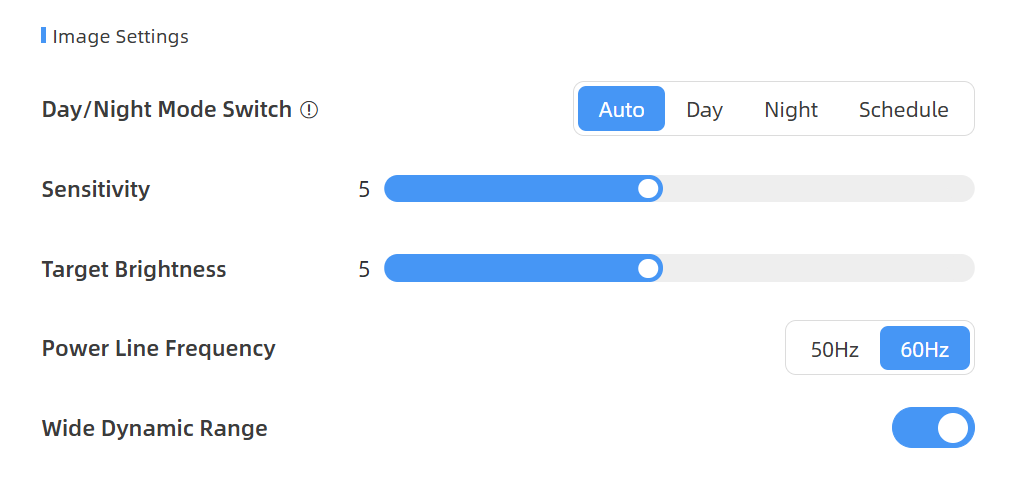
Parameters Description Day/Night Mode Switch Set image mode. Options: Auto, Day, Night and Schedule.
- Auto: Automatic switch between day and night modes according to image brightness.
- Day: Black and white mode.
- Night: Infrared based black and white mode.
- Schedule: Switches between day and night modes based on the configured schedule.
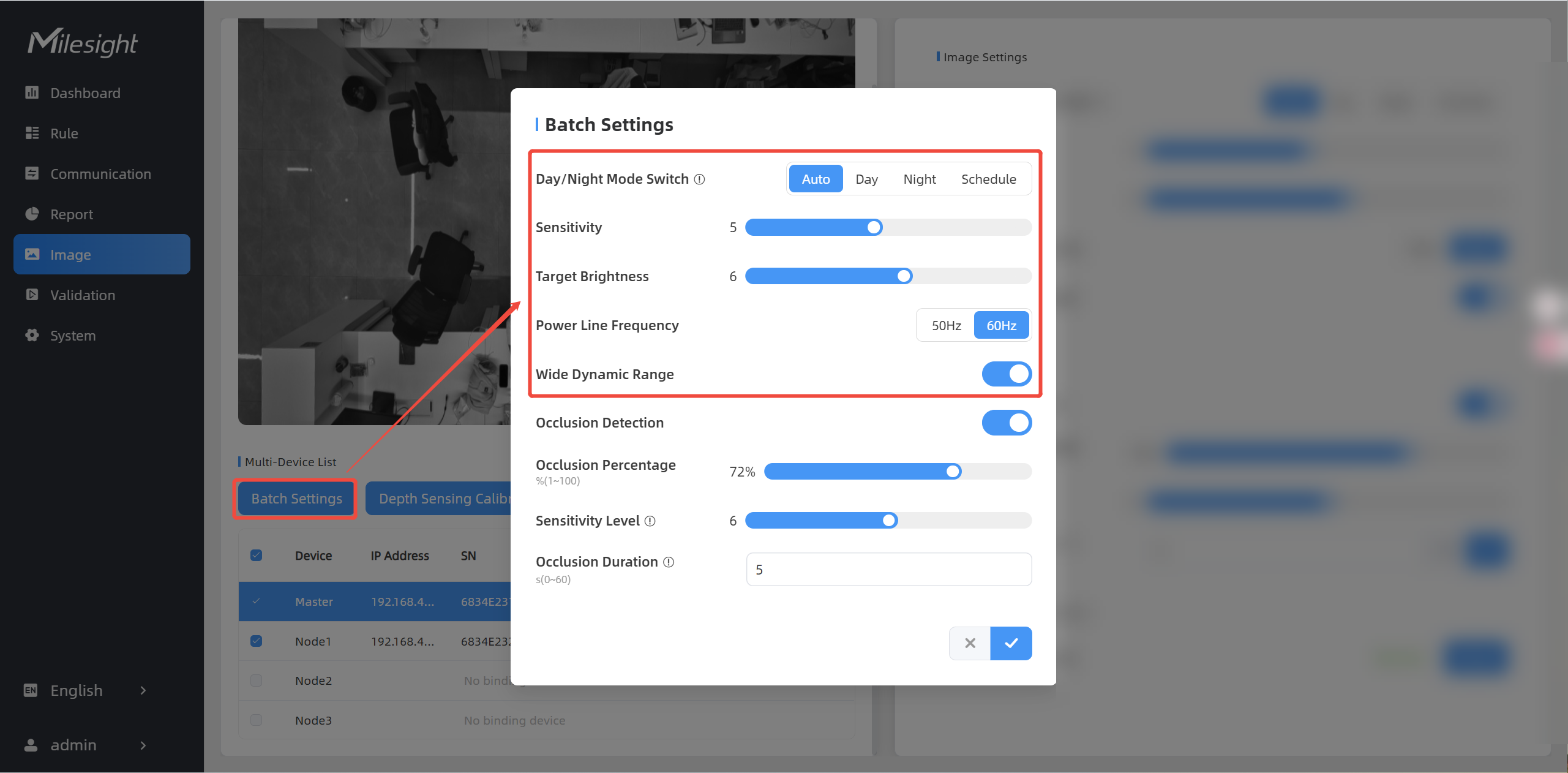
Sensitivity Set the sensitivity of the automatic day and night mode switching. The higher the sensitivity is, the easier to switch between day and night modes. Night Mode Duration Set the night mode duration. Target Brightness Set the brightness of the target to make image clearer. The higher brightness is, the brighter the target brightness is. Power Line Frequency Select the frequency to avoid the image flashing. Options: 50Hz, 60Hz. Wide Dynamic Range Enable or disable Wide Dynamic Range. Enabling it can capture more detail in scenes where light conditions vary greatly. - (Optional) When multi-devices are stitched, you can select the devices that need
to be configured and perform batch operations.
- Click Refresh Image to check image changes.