Configure Temperature Control and Fan Parameters
Configure System On/Off
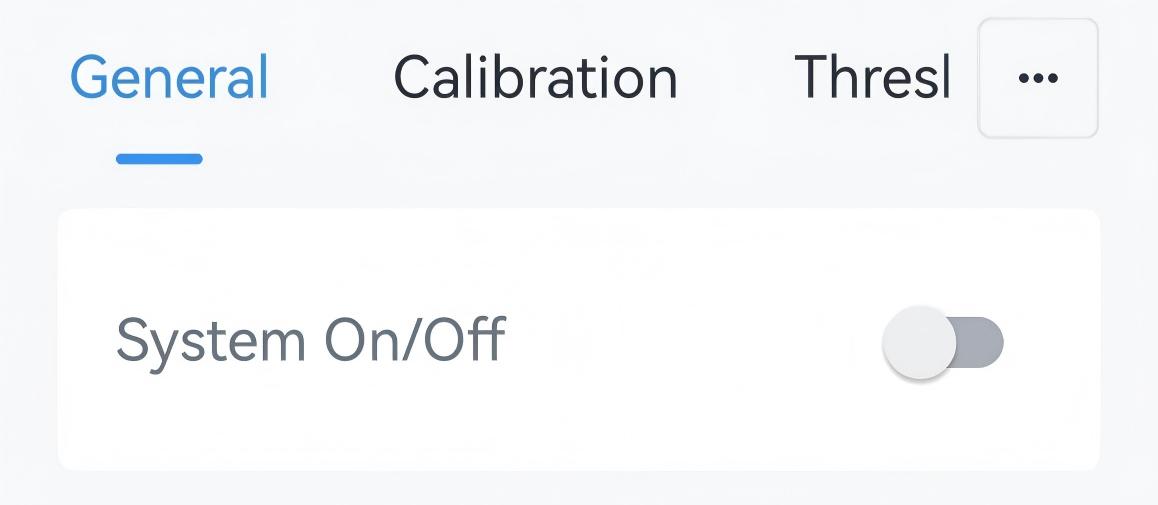
System On/Off allows users to remotely enable or disable the HVAC system.- Navigate to Device > General.
- Set System On/Off as required.
- Tap Write to apply the configuration.
- BACnet: See UC711 BACnet Object List, System Status.
- LoRaWAN Hex Command:
6F. See UC711 Payload Protocol (HEX), System On/Off.
Configure Temperature Control Basic Parameters
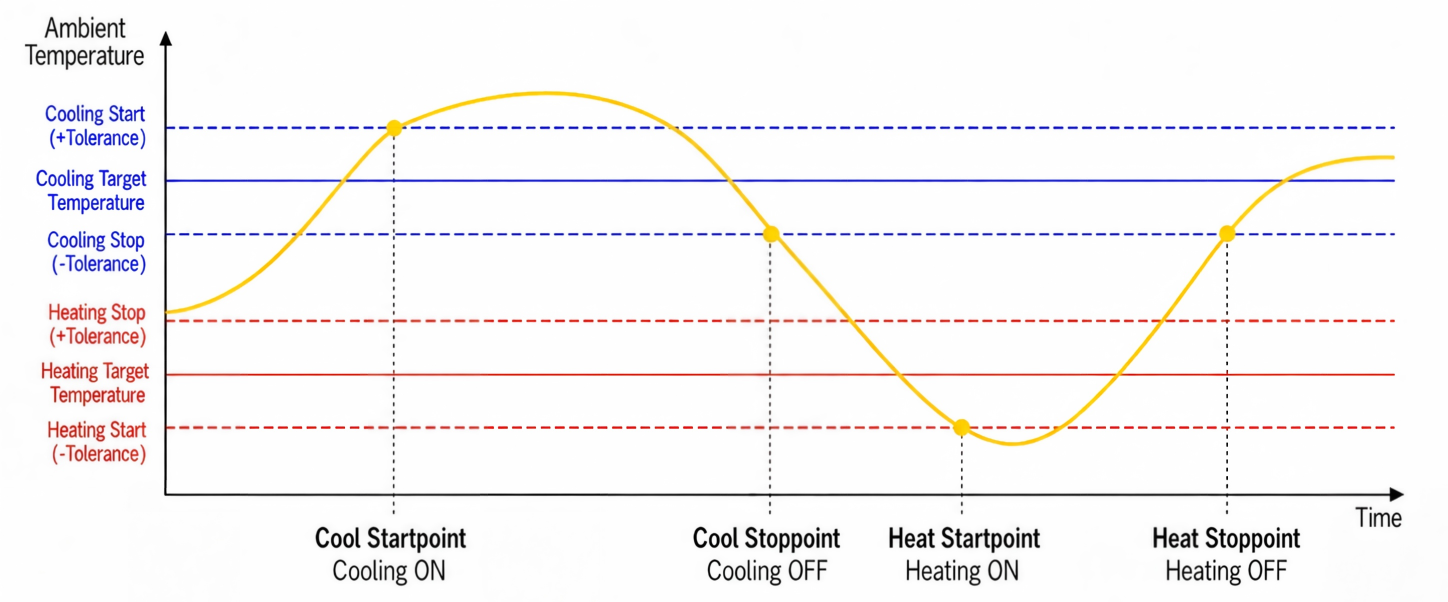
The controller supports the basic temperature control.
Prerequisites: Wiring settings are configured.
- Navigate to Device > General.
- Select the Temperature Control Mode and configure the related
parameters.Note: The values must follow the rule: Heat Target - Heat Tolerance < Cool Target - Cool Tolerance, Heat Target + Heat Tolerance < Cool Target + Cool Tolerance.
Parameter Description Temperature Control Mode Select from: Cool, Heat, Auto. Heat: Raises the temperature when it is below the heating target.
Cool: Lowers the temperature when it is above the cooling target.
Auto: Automatically switches between heating and cooling according to the ambient temperature.Target Temperature Resolution Select the adjustment step of target temperature. 0.5: Increase or decrease target temperature by 0.5 each time.
1: Increase or decrease target temperature by 1 each time.Heating Target Temperature Set the target temperature for heating. Range: 5~35 °C/41~95 °F. Cooling Target Temperature Set the target temperature for cooling. Range: 5~35 °C/41~95 °F. Heating Target Temperature Tolerance Defines the temperature difference allowed before heating starts or stops to prevents frequent HVAC cycling. Range: 0.1-5°C. Cooling Target Temperature Tolerance Defines the temperature difference allowed before cooling starts or stops to prevents frequent HVAC cycling. Range: 0.1-5°C. Heating Target Temperature Regulation Range Set the adjustable range of heating target temperature. Range: 5~35 °C/41~95 °F. Cooling Target Temperature Regulation Range Set the adjustable range of cooling target temperature. Range: 5~35 °C/41~95 °F. 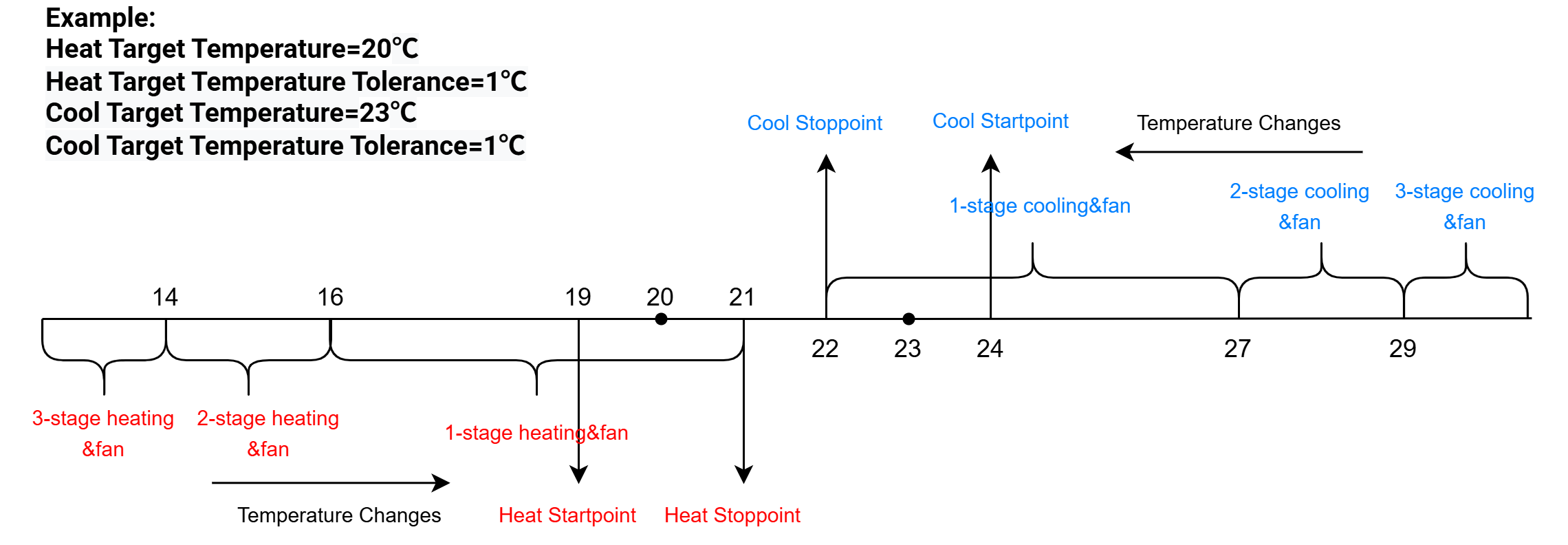
- Tap Write to apply the configuration.
- BACnet: See UC711 BACnet Object List, Temperature and Fan Control.
- LoRaWAN Hex Command:
59,6000,65,61,62,63,7202,7203. See UC711 Payload Protocol (HEX), Configure Temperature Control Basic Parameters.
Unilateral Tolerance
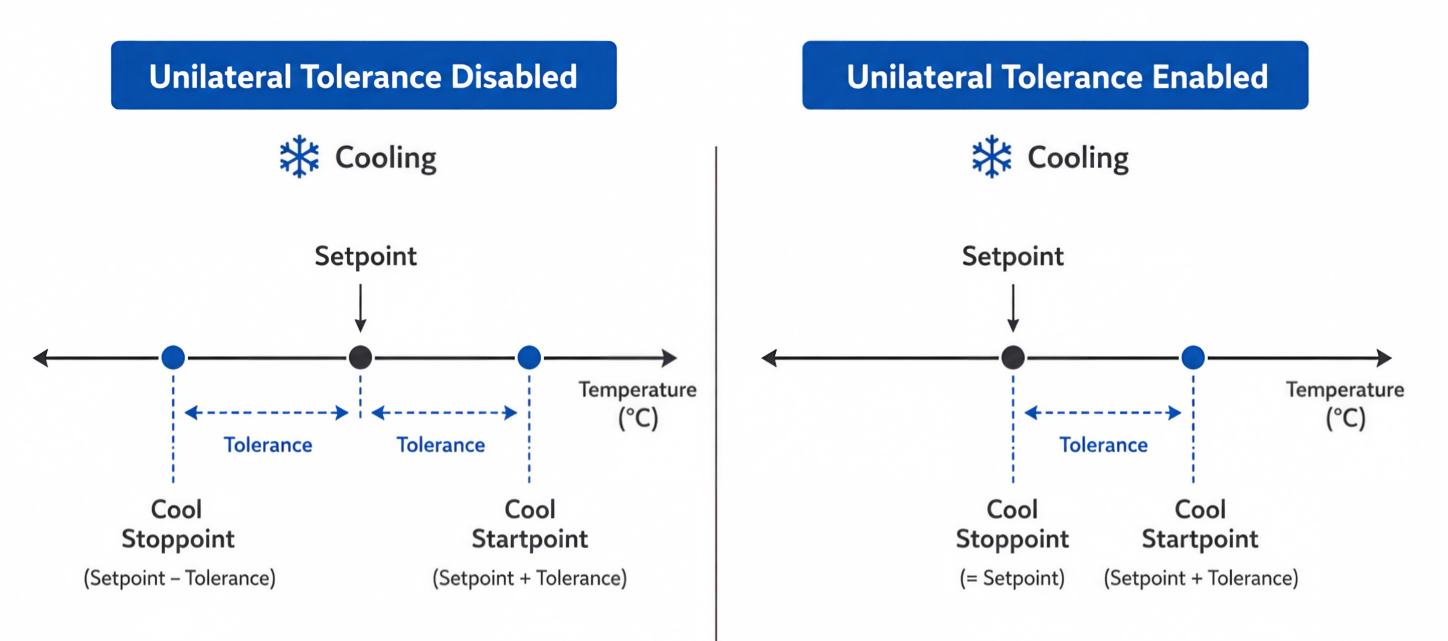
- BACnet: See UC711 BACnet Object List, Control Unilateral Tolerance.
- LoRaWAN Hex Command:
77. See UC711 Payload Protocol (HEX), Configure Unilateral Tolerance.
Configure Fan Parameters
The controller supports controlling the fan.
Prerequisites: Any G wire is selected in Wiring settings.
- Navigate to Device > General.
- Select the Fan Mode to decide how the controller operate the fan in
the system. If the Fan Mode is Circulate, configure the fan Operation Time per hour.
Fan Mode Description Auto The fan runs when heating or cooling is active and stops when temperature control stops. On The fan runs continuously. This can be selected when only one G wire is selected. Circulate The fan runs for the configured duration during each hour when heating or cooling is inactive. Low/Medium/High Speed The fan runs in different speeds. These options can be selected when more than one G wire is selected. 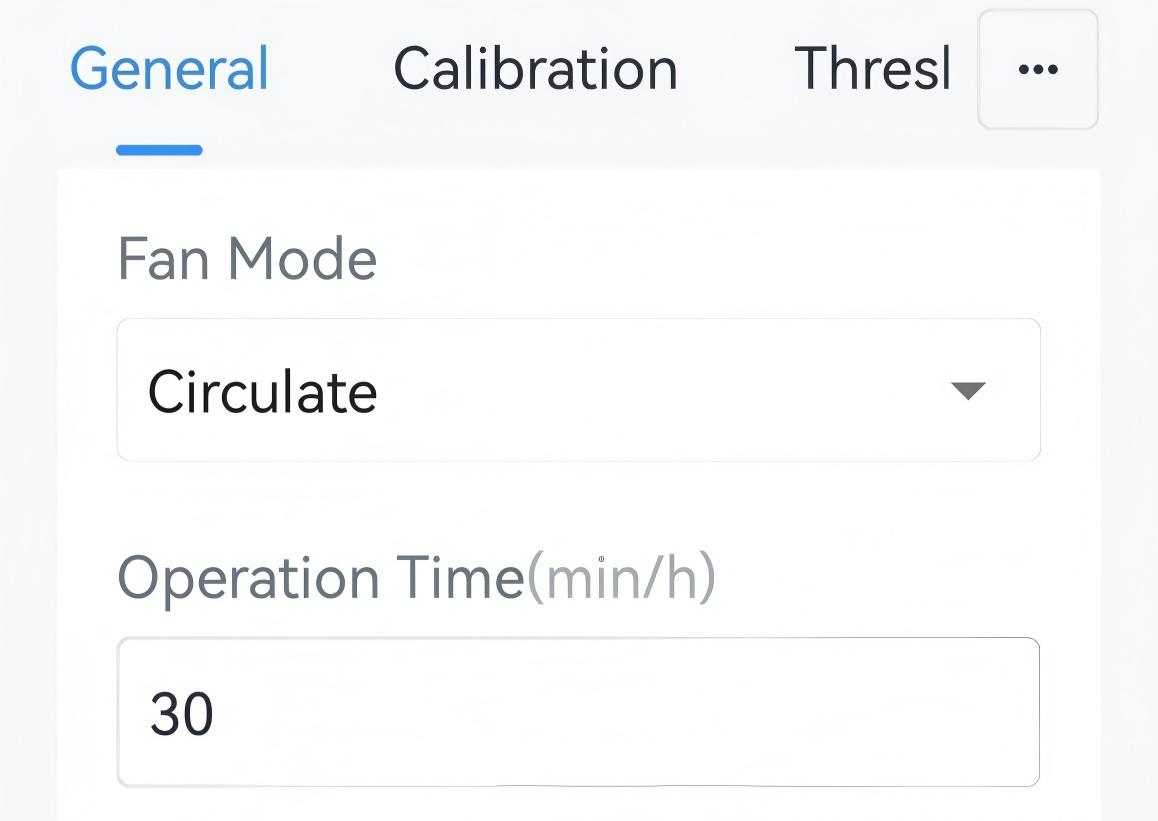 Optional: If the Fan Mode is Auto, configure Regulate Humidity as the following steps:
- Set the Target Humidity Range.
- Enable Regulate Humidity and configure the interval as
required. When the ambient humidity is outside the target
humidity range, the controller will open the fan for an interval
per hour to dehumidify or humidify.
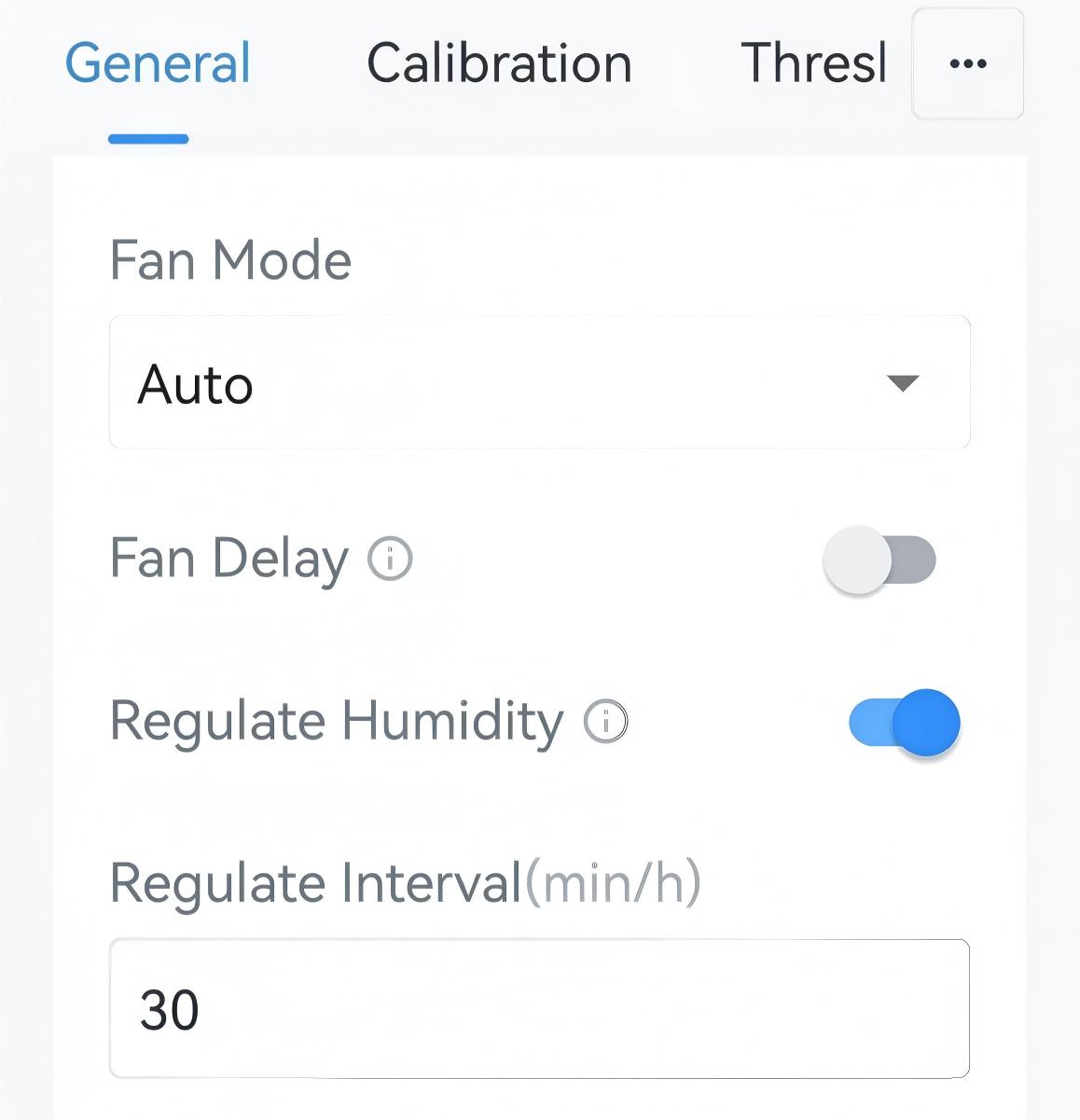
- (Optional) Enable Fan Delay and configure the time to delay the fan to close after the system stops cooling or heating.
- Tap Write to apply the configuration.
- BACnet: See UC711 BACnet Object List, Fan Mode and Related Objects.
- LoRaWAN Hex Command:
7000,7001,7002,7003,8200,8201. See UC711 Payload Protocol (HEX), Fan Mode and Related Commands.
Control Stage Switching
When connected to a HVAC system with multiple control stages, the controller can automatically switches stages according to temperature difference. This helps balance comfort and energy consumption.
- ΔT < ΔT1 → 1-stage heating, cooling or fan
- ΔT1 ≤ ΔT ≤ ΔT2 → 2-stage heating, cooling or fan
- ΔT > ΔT2 → 3-stage heating, cooling or fan
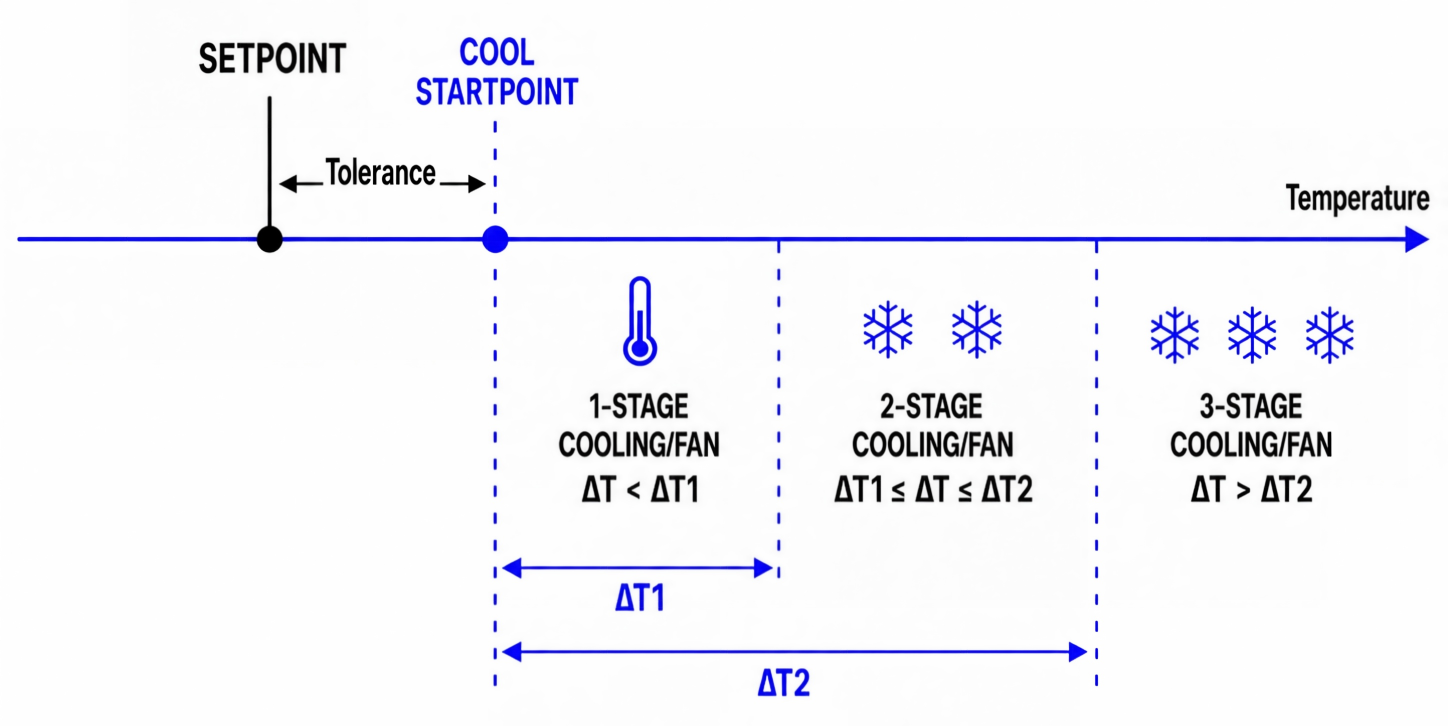
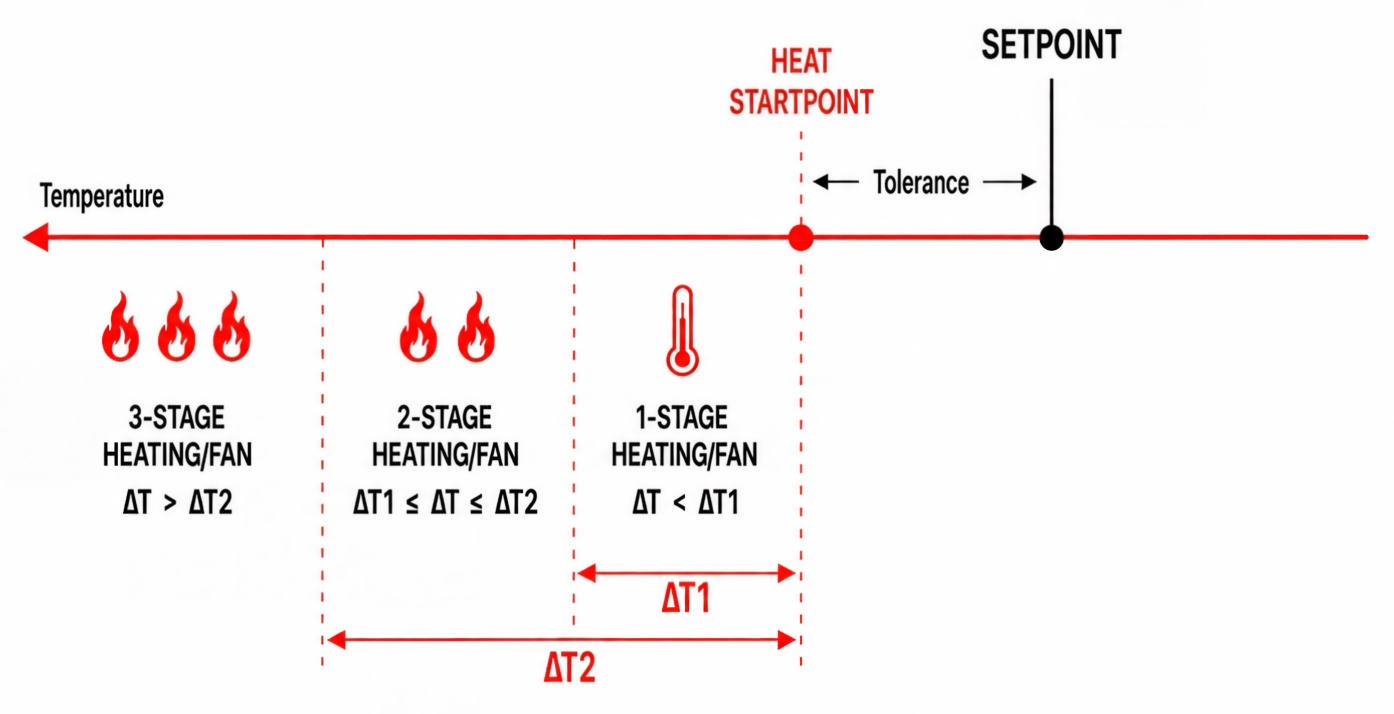
Setforward: When enabled, the controller automatically switches to the higher stage based on temperature delta values; when disabled, the controller uses only the initial stage determined by the temperature delta until the setpoint is reached. It's enabled by default.
Setback: When enabled, the controller automatically switches to the lower stage based on temperature delta values; when disabled, the controller uses only the initial stage determined by the temperature delta until the setpoint is reached. It's enabled by default.
Stage-up Switch: If the ambient temperature does not change by 1 °C within 5 minutes in the current stage & fan, the controller will switch to a higher stage & fan. The change value and the time can be adjusted as required.
- Remote Configuration Reference
-
- BACnet: See UC711 BACnet Object List, Control Stage Switching.
- LoRaWAN Hex Command:
8300-8307. See UC711 Payload Protocol (HEX), Control Stage Switch.