Upgrade the Device
Milesight ToolBox App can upgrade a device via NFC or Bluetooth. This chapter describes the basic steps to upgrade a device.
Prerequisites: Download firmware from the Milesight official website and save it to the smart phone. It is recommended to consult technical support before upgrading to ensure a safe and successful upgrade.
Step
- Navigate to Device page, tap
 in the upper right corner.

- Tap Upgrade to navigate to Upgrade
page.
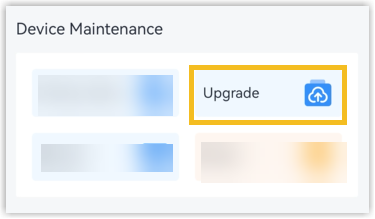
- Upgrade the device.
- Click Upload to select the firmware from the local path of the smartphone.
- Click Upgrade to upgrade the device.
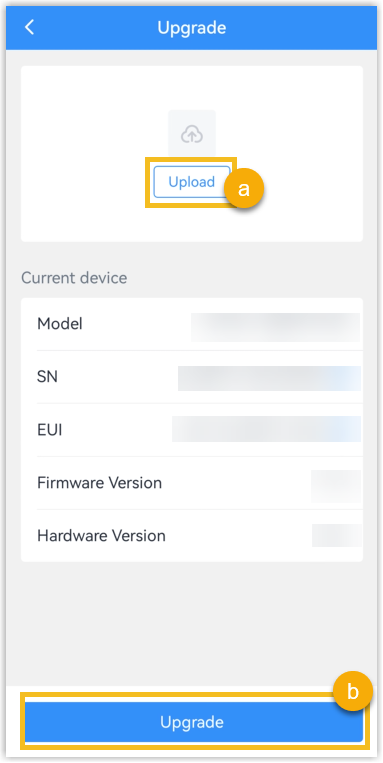
- If the reading mode is NFC, put the NFC detection area of the phone close to the NFC antenna of the device.
- Wait several minutes until the upgrade completes successfully. CAUTION: Do not perform any operations in ToolBox during the upgrade. Otherwise, the upgrade will be interrupted or the device may malfunction.