Configure Energy Saving Parameters
After communicating with the WT401 thermostat, the UC711 controller can receive the occupancy status detected by the WT401. The UC711 supports two levels of energy-saving settings. When the room is detected as vacant for a configurable duration, the controller applies a wider target temperature tolerance, which delays the activation of HVAC cooling and heating, thereby enhancing energy efficiency.
Prerequisites
- The controller is connected to a WT401 thermostat.
- The connected WT401 thermostat has enabled Occupancy Detection.
Configure by ToolBox
Note: Before configuring the device through
ToolBox, access it through NFC or Bluetooth. For the navigation path and write
operation conventions used in this guide, see Configure the Devices in ToolBox.
- Navigate to Device > General.
- Enable Energy Saving Settings and configure the related parameters.
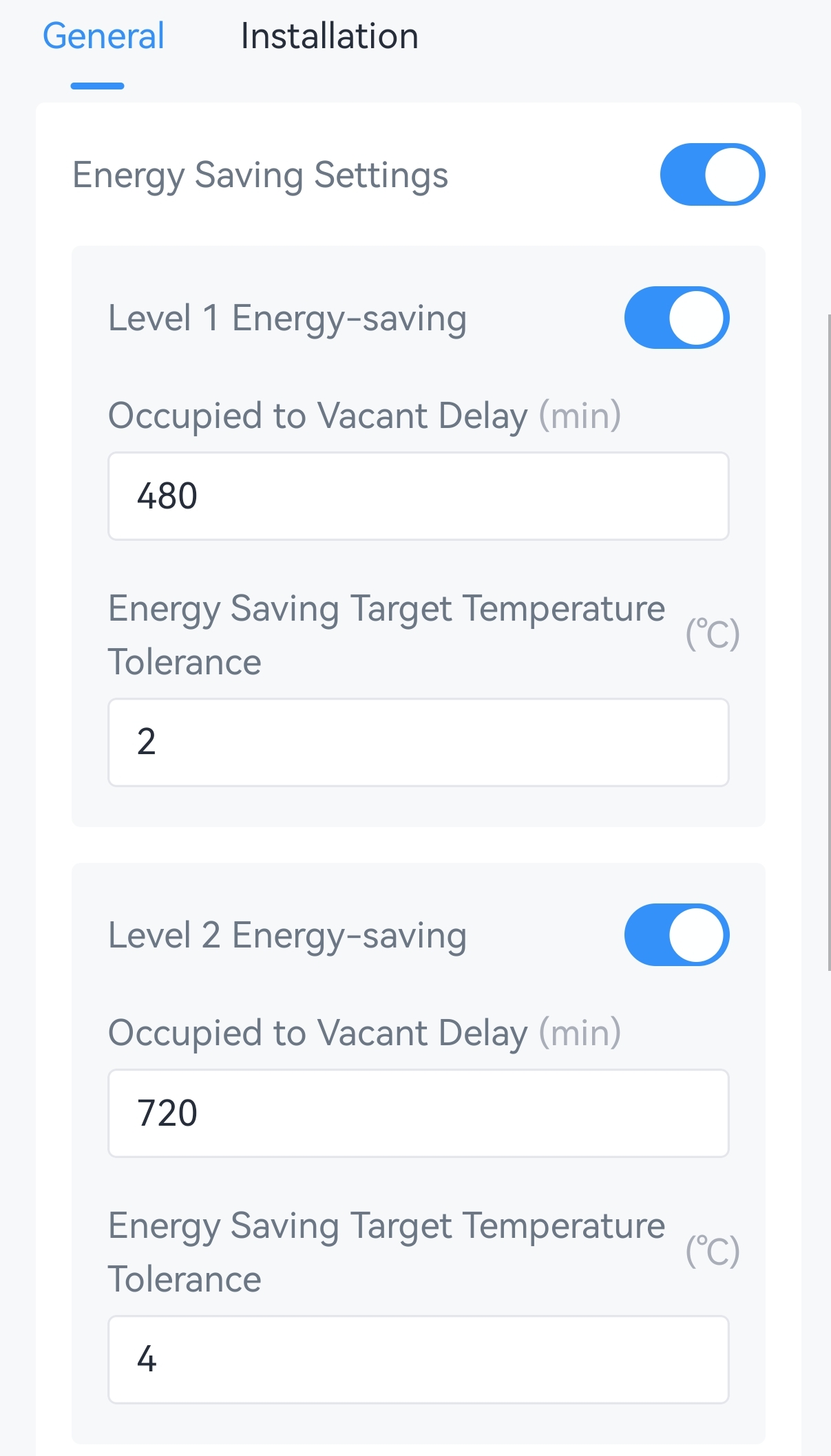
Parameter Description Level 1/Level 2 Energy-saving Enable or disable the energy-saving setting. Vacant Duration The duration after the occupancy status changes to vacant. Range: 1-1440, Unit: min, Default: 480 (Level 1), 720 (Level 2) Energy Saving Target Temperature Tolerance The target temperature tolerance after triggering the energy-saving conditions. Usually this value is larger than the tolerance value in basic parameters. - Tap Write to apply the configuration.
Remote Configuration Reference
- BACnet: See UC711 BACnet Object List, Energy-saving Parameters.
- LoRaWAN Hex Command:
84,850000,850100,850001,850101,850002,850102. See UC711 Payload Protocol (HEX), Configure Energy Saving Parameters.
Result
- When the occupancy status is vacant and the vacant time lasts for the preset duration, the controller uses the energy saving target temperature tolerance.
- When the occupancy status changes to occupied or the vacant time does not reach the preset duration, the controller uses the target temperature tolerance in General Settings.