Configure Time Parameters
This section describes how to configure the time parameters to ensure the correct time.
Note: Before configuring the device through
ToolBox, access it through NFC or Bluetooth. For the navigation path and write
operation conventions used in this guide, see Configure the Devices in ToolBox.
Synchronize the Device Time
Synchronize by ToolBox
- Tap
 to synchronize the time and the time zone with the smartphone.
 If the time is synchronized successfully, the following page is displayed.
Synchronize through a LoRaWAN® Network
Server
Prerequisites:
- The device has joined a LoRaWAN® network.
- The LoRaWAN® network server supports device time synchronization.
Limitation: Network-server synchronization retrieves UTC time only. It does not configure the device time zone.
- Set the LoRaWAN® version of the device to V1.0.3.
- Connect the device to the network server. Once the device successfully joins the network, it sends a MAC command to query the time from the network server.
Note: The device sends a DeviceTimeReq command every five days
after the last successful synchronization. To request synchronization
immediately, you can also send the downlink command.
Remote Configuration Reference
- BACnet: See UC711 BACnet Object List, Synchronize Time.
- LoRaWAN Hex Command:
B8. See UC711 Payload Protocol (HEX), Sync Time from LNS.
Configure the Time Zone
Configure by ToolBox
- Navigate to Device > General.
- Select Time Zone as required.
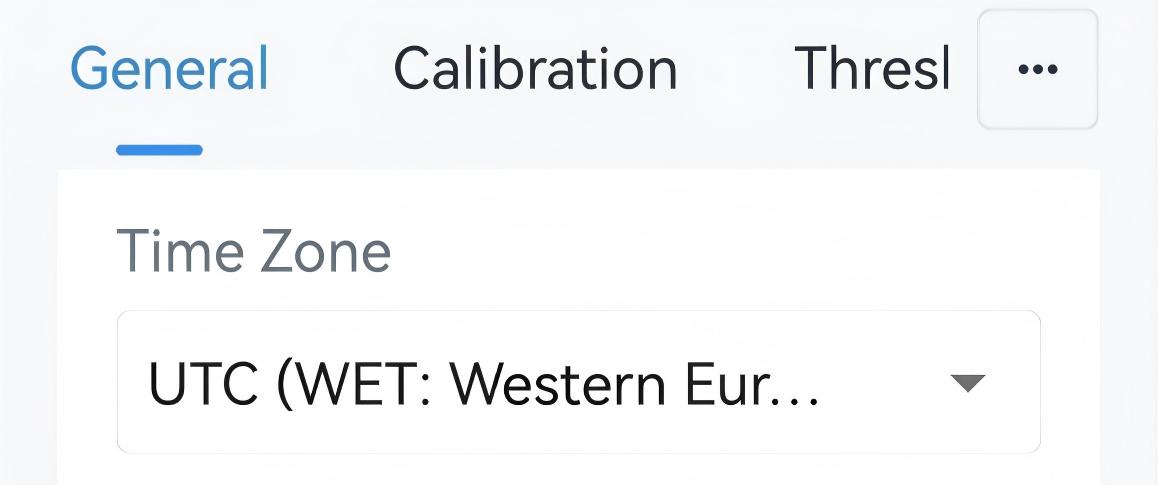
- Tap Write to apply the configuration.
Remote Configuration Reference
- LoRaWAN Hex Command:
C7. See UC711 Payload Protocol (HEX), UTC Time Zone.
Configure Daylight Saving Time
Configure by ToolBox
- Navigate to Device > General.
- Enable Daylight Saving Time and configure the related
parameters.
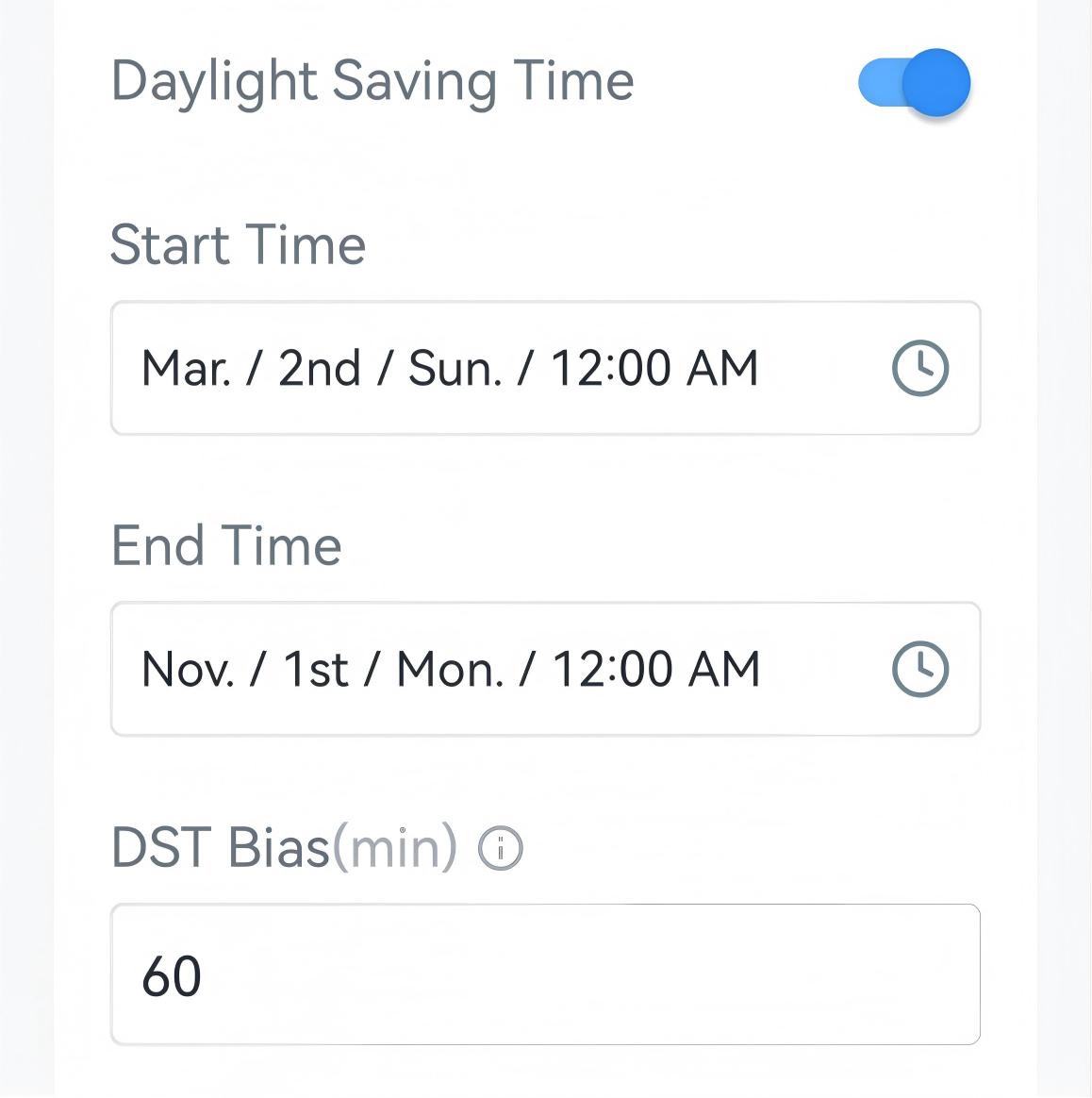
Parameter Description Start Time The start time of DST time range. End Time The end time of DST time range. DST Bias The DST time will be faster according to this bias. - Tap Write to apply the configuration.
Remote Configuration Reference
- LoRaWAN Hex Command:
C6. See UC711 Payload Protocol (HEX), Daylight Saving Time.