Configure Button Parameters
This section describes how to customize button functions, configure the child lock, and enable temporary unlocking.
Note: Before configuring the device through ToolBox,
access it through NFC or Bluetooth. For the navigation path and write operation
conventions used in this guide, see Configure the Device in ToolBox.
Configure Button Customization
The thermostat supports defining the features of Button 1, Button 2, and Button
3.
Tip: This configuration will not affect the
basic features.
Configure by ToolBox
- Navigate to Device > General.
- Enable Button Customization and select a function for each
button.
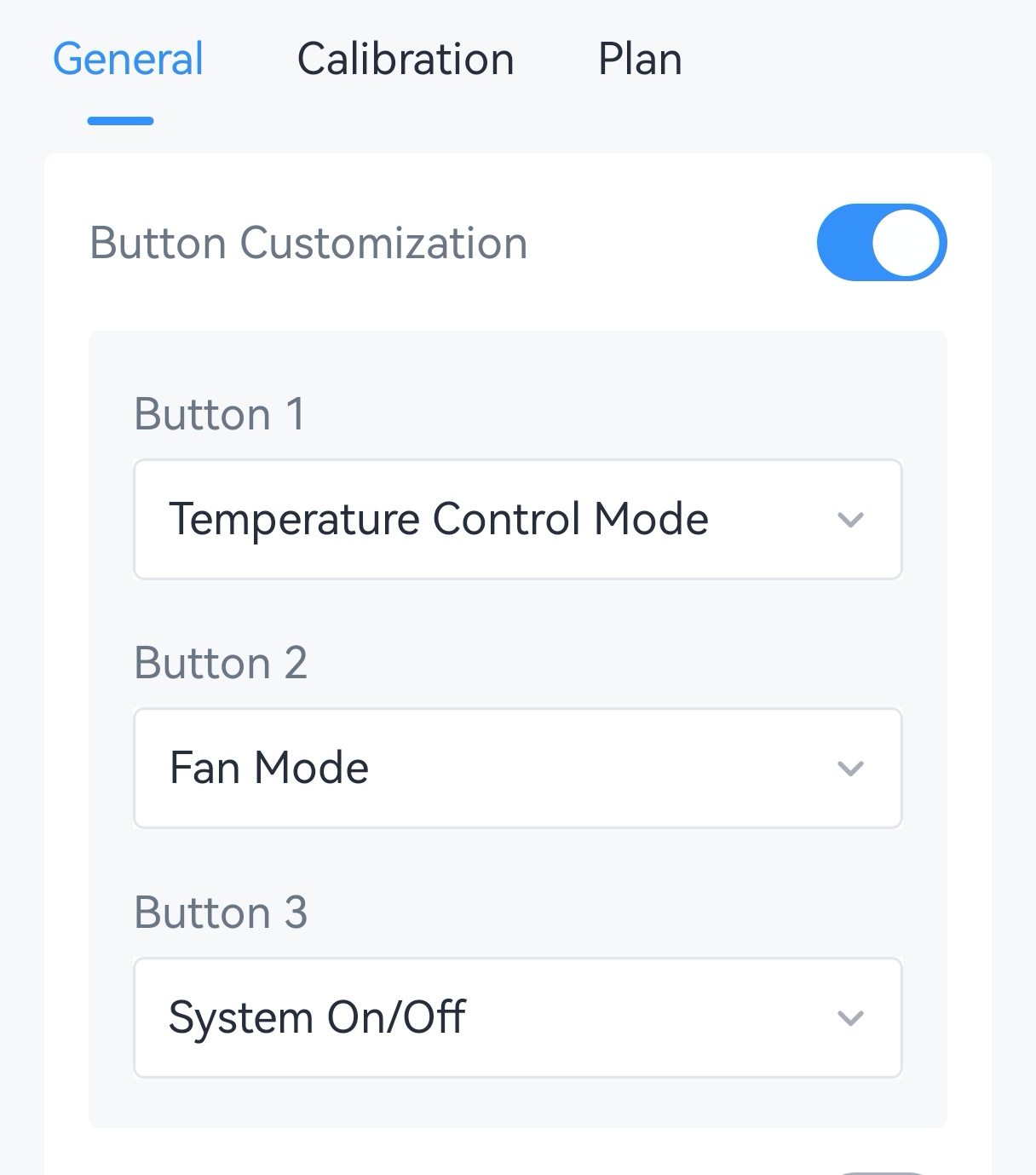
Button Available Functions Button 1 Temperature Control Mode (default), Fan Mode, Event 1 Report, °C | °F switch. Button 2 Fan Mode (default), Temperature Control Mode, Event 2 Report, °C | °F switch. Button 3 System On/Off (default), Event 3 Report, °C | °F switch. - Tap Write to apply the configuration.
Configure Child Lock
The thermostat supports a child lock feature to lock the buttons to prevent accidental operation. When a function is locked, it can only be changed only through ToolBox or a downlink command.
Configure by ToolBox
- Navigate to Device > General.
- Enable Child Locks and select the functions to lock.
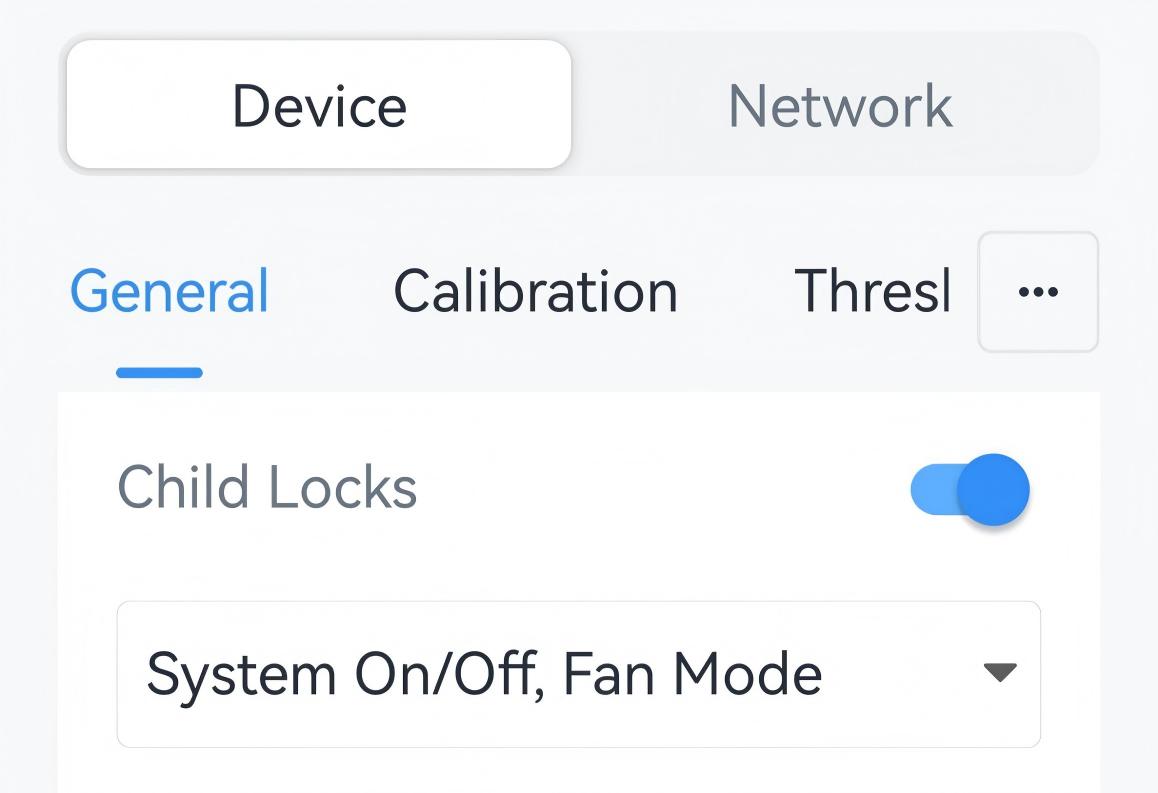
- Tap Write to apply the configuration.
Configure Temporary Unlock
Temporary unlock allows authorized personnel to press a configured combination of two to five buttons to release the child lock for a specified period.
Configure by Downlink
Important: Downlink
configuration is available only when the current communication mode includes LoRa
and the device has joined a LoRaWAN® network.
Use the following downlink commands:
- Temporary Unlock: Enable or disable temporary unlocking and set the unlock duration.
- Temporary Unlock Button: Select the button combination. At least two buttons must be selected.
For command formats, parameter ranges, and examples, see WT401 User Guide.