Hardware Introduction
Packing List
 |
 |
 |
| 1 × VS373 Device | 1 × Type-C Power Adapter | 4 × Ceiling Mounting Kits |
 |
 |
 |
| 2 × Spring Clips | 2 × Silicone Plugs | 1 × DO Wiring |
 |
 |
 |
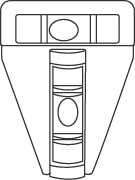
| 1 × T-shaped Spirit Level | 1 × Warranty Card | 1 × Installation Guide |
Note: If any of the above items is missing or damaged, please
contact your sales representative.
Hardware Overview
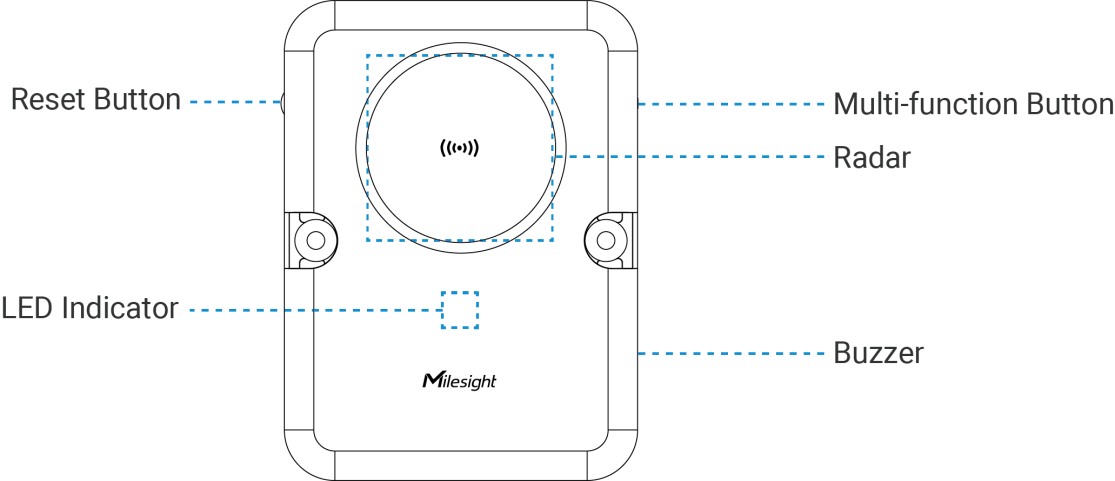
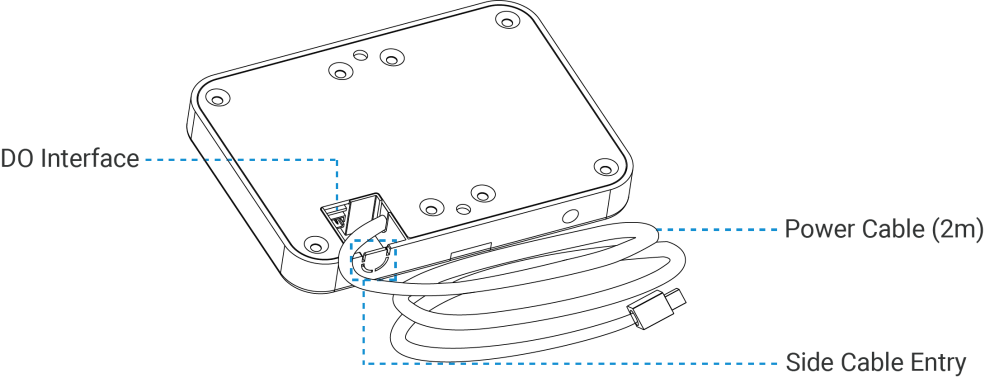
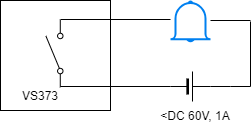
DO Wiring
When alarms are confirmed, the DO will trigger a high level signal (connected) until the alarm is released. For customizable alarm types, please see Hardware Settings.
Button and LED Descriptions
Note: Remove the silicone plug from the reset button before
use.
| Function | Action & Description | LED Indication |
|---|---|---|
| Turn On/Off Wi-Fi | Press and hold the Multi-function button for 2~5 seconds | Wi-Fi On: Green Light on |
| Wi-Fi Off: Green Light Blinks Slowly | ||
| Enable Wi-Fi STA Mode | Press and hold the Multi-function button for 2~5 seconds | Blue Light on |
| Turn On Radar | Radar Initializing | Green Light Blinks Quickly |
| Reset to Factory Default | Press and hold the reset button for 10 seconds | Blue Light Blinks Quickly |
| Fall Alarm | Fall event occurred | Red Light Blinks Quickly |
| Stop Alarm | Press and hold the reset button for 6~9 seconds | Green Light Stays On or Blinks Slowly |
| Device Abnormality | Radar anomaly; WiFi anomaly | Red Light Stays On |
Dimensions (mm)