Configure Room and Targets Parameters
Setting Room Parameters
After successful access to the device, you need to set up the detection space.
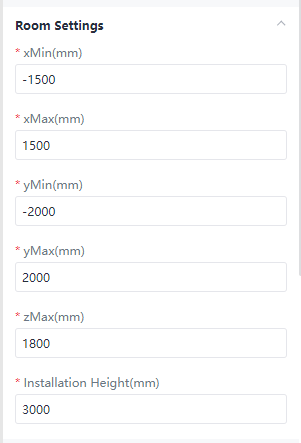
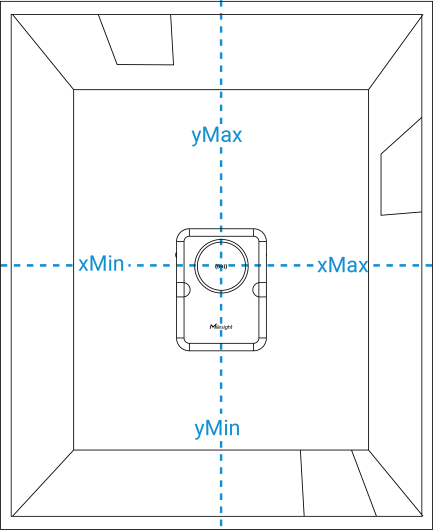
Navigate to Rule→General Settings→Room, define the cuboid detection space by configuring the distance coordinates (with the radar center as the origin), the space detection height, and the device installation height.
Note: These parameters should be accurately measured using tools such as
a rangefinder or tape measure before setting; otherwise, missed or false detections may
occur.
| Parameters | Description |
|---|---|
| xMin/xMax | Corresponding to the short side of the detection space, since the maximum detection width of the device is 4m, the maximum value is ±2000mm. |
| yMin/yMax | Corresponding to the long side of the detection space, since the maximum detection width of the device is 5m, the maximum value is ±2500mm. |
| zMax | Corresponding to the height of the
detection space. Assuming a ceiling fan is located 2.8 meters within the detection space, set zMax to 2500 mm to exclude interference from the ceiling fan. |
| Installation Height | Installation height of the device. |
Configuring Targets Detection Parameters
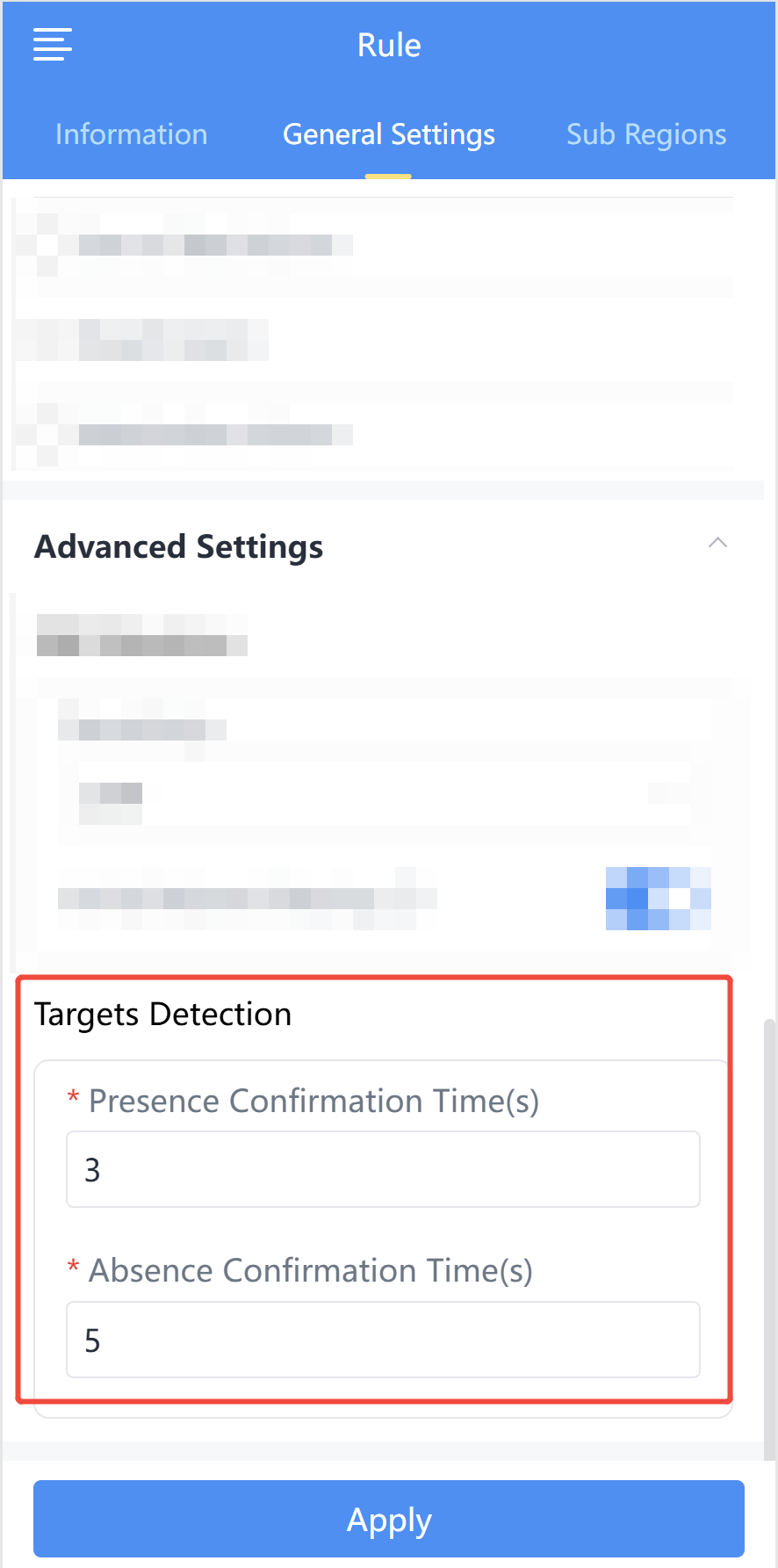
After setting the detection space size, scroll down to Advance Settings to configure the target appearance and disappearance timing parameters.
| Parameters | Description |
|---|---|
| Presence Confirmation Time(s) | When the target appearance time reaches this value, it is recognized as present in the detection space. |
| Absence Confirmation Time(s) | When the target disappearance time reaches this value, the target is recognized as having disappeared from the detection space. |