General Settings
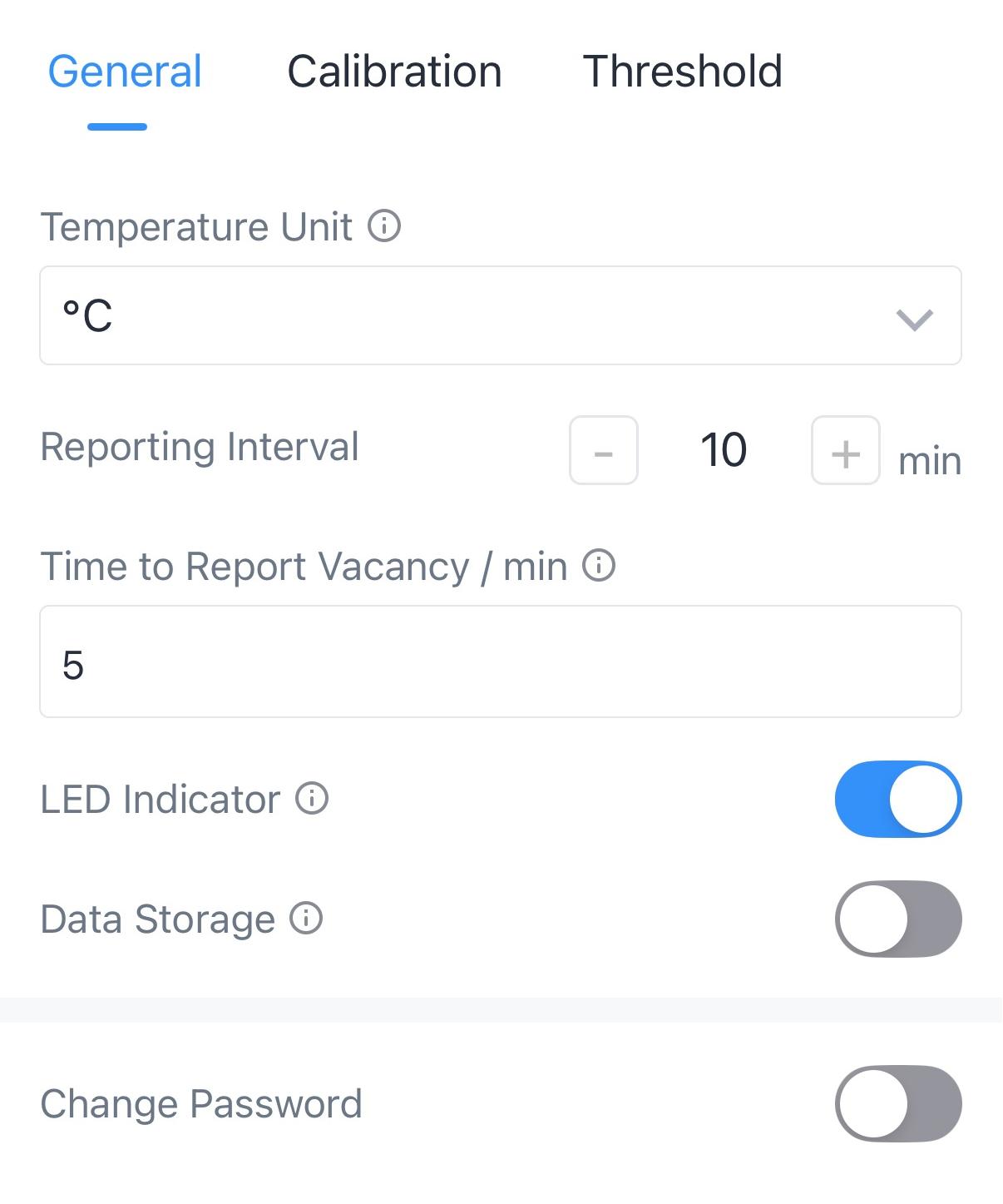
| Parameters | Description |
|---|---|
| Temperature Unit | Set the unit of temperature displayed on the status page. |
| Reporting Interval | The time interval for reporting PIR status,
temperature, humidity, and battery level to the network server. Range: 1 - 1440min,
Default: 30 minutes Note: The device will report PIR “Occupied”
status trigger packet immediately when it detects motions and the reporting interval
will be re-calculated. |
| Time to Report Vacancy/min | A “Vacant” status trigger packet will be reported if
the device does not detect motion within a certain period of time and the reporting
interval will be re-calculated. Default: 5 min, Range: 1~60 min |
| LED Indicator | Enable or disable the LED Indicator to indicate PIR status. |
| Data Storage | Disable or enable to store periodic
report data locally. The stored data can be exported as CSV format file and
saved to smartphone via ToolBox.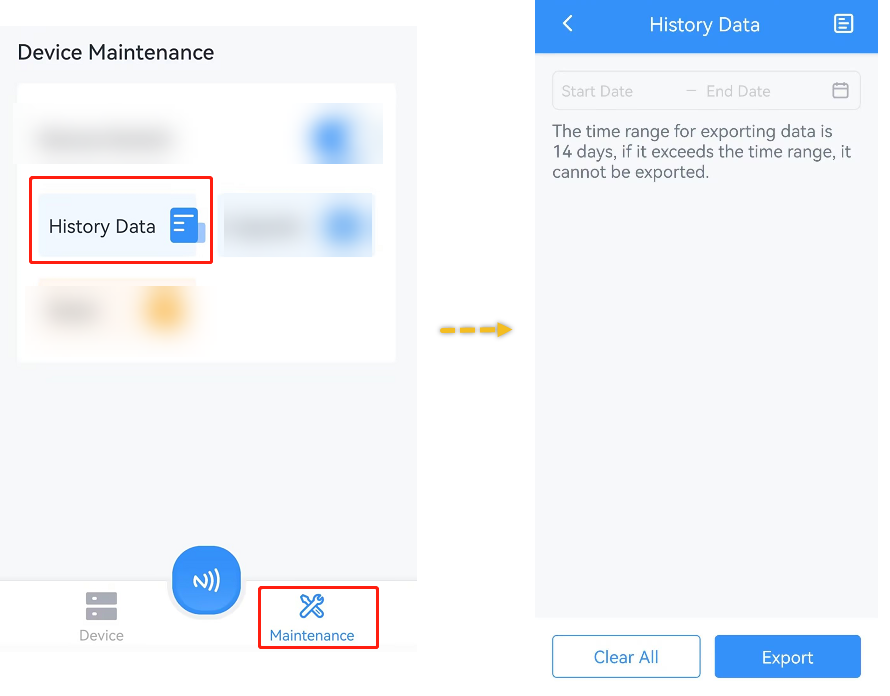 Note:
|
| Data Retransmission | Disable or enable data retransmssion. When the
device detects the network status is de-activated via Rejoin Mode, the device will
record a data lost time point and re-transmit the lost data after device re-connects
to the network. Note:
|
| Change Password | Change the password for ToolBox App to write this device. |