Deregister an Enterprise
This topic describes how to deregister an enterprise.
Important: After deleting your enterprise, all the data in
Milesight Development Platform will be permanently removed and cannot be restored.
Prerequisites
- Your account is the holder of the enterprise.
- All devices under this enterprise are deleted.
Procedure
- Log in to Milesight Development Platform.
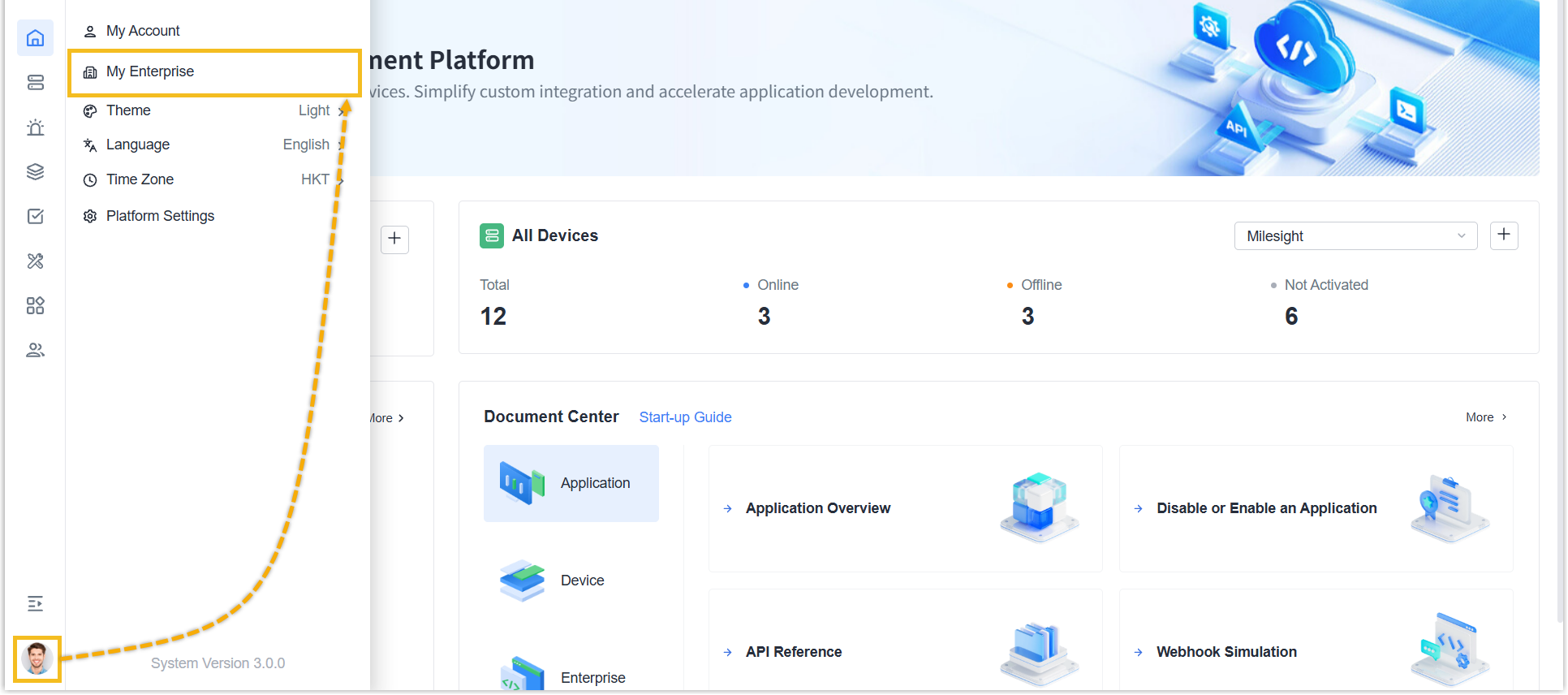
- Click the account button at the
bottom-left corner, and select My
Enterprise.
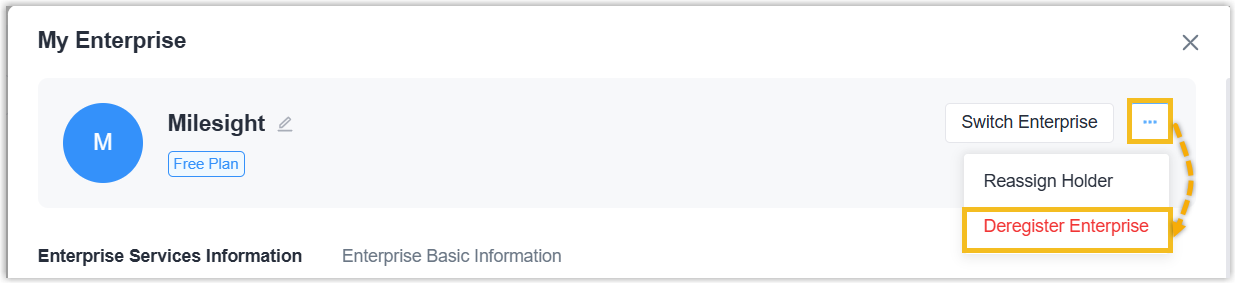
- Click the dots, select Deregister Enterprise.
- Delete the enterprise.
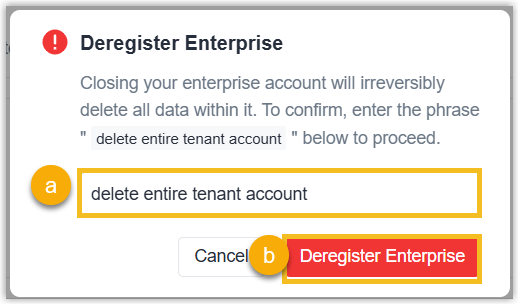
- Enter delete entire tenant account to confirm.
- Click Deregister Enterprise.
Result
This account is unbound from the enterprise, and the enterprise has been deleted from Milesight Development Platform, along with the associated data.