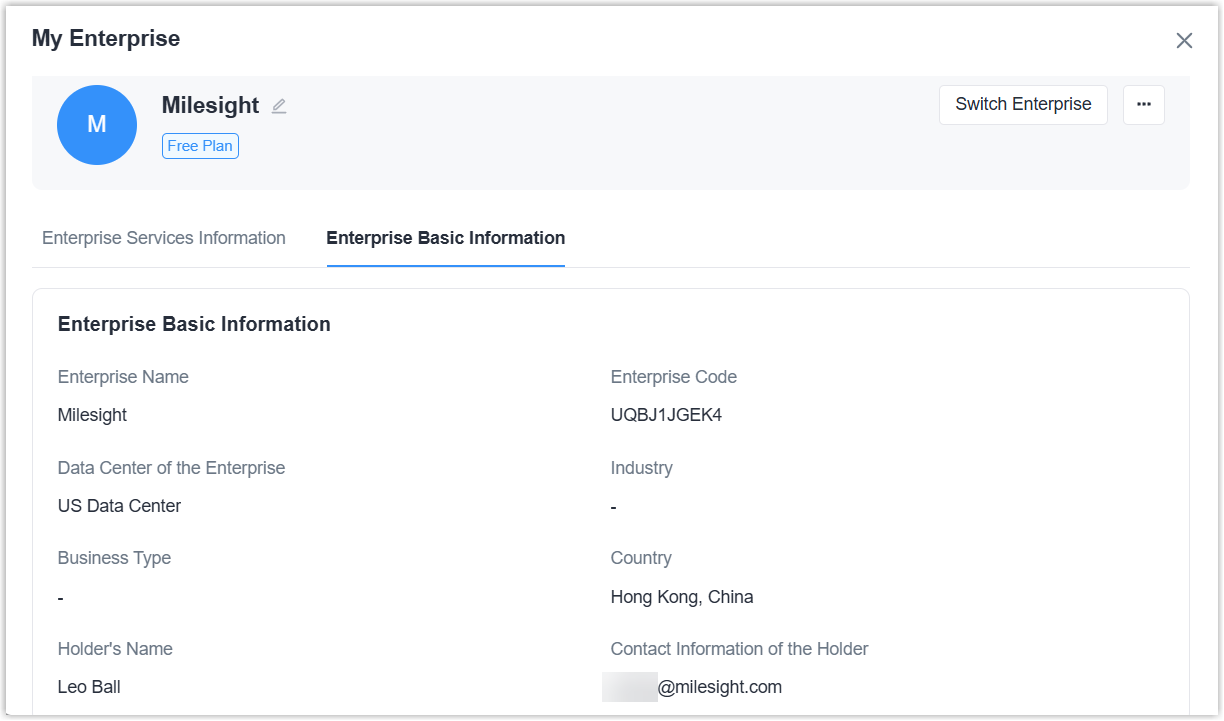
Check Enterprise Information
This topic describes how to check the information about the enterprise to which this account currently belongs.
Check Service Information
Milesight Development Platform provides free plan and professional plans for
enterprises. and all accounts belong to this enterprise share the same plan.
- Prerequisites
- You are the holder of this enterprise.
- Procedure
-
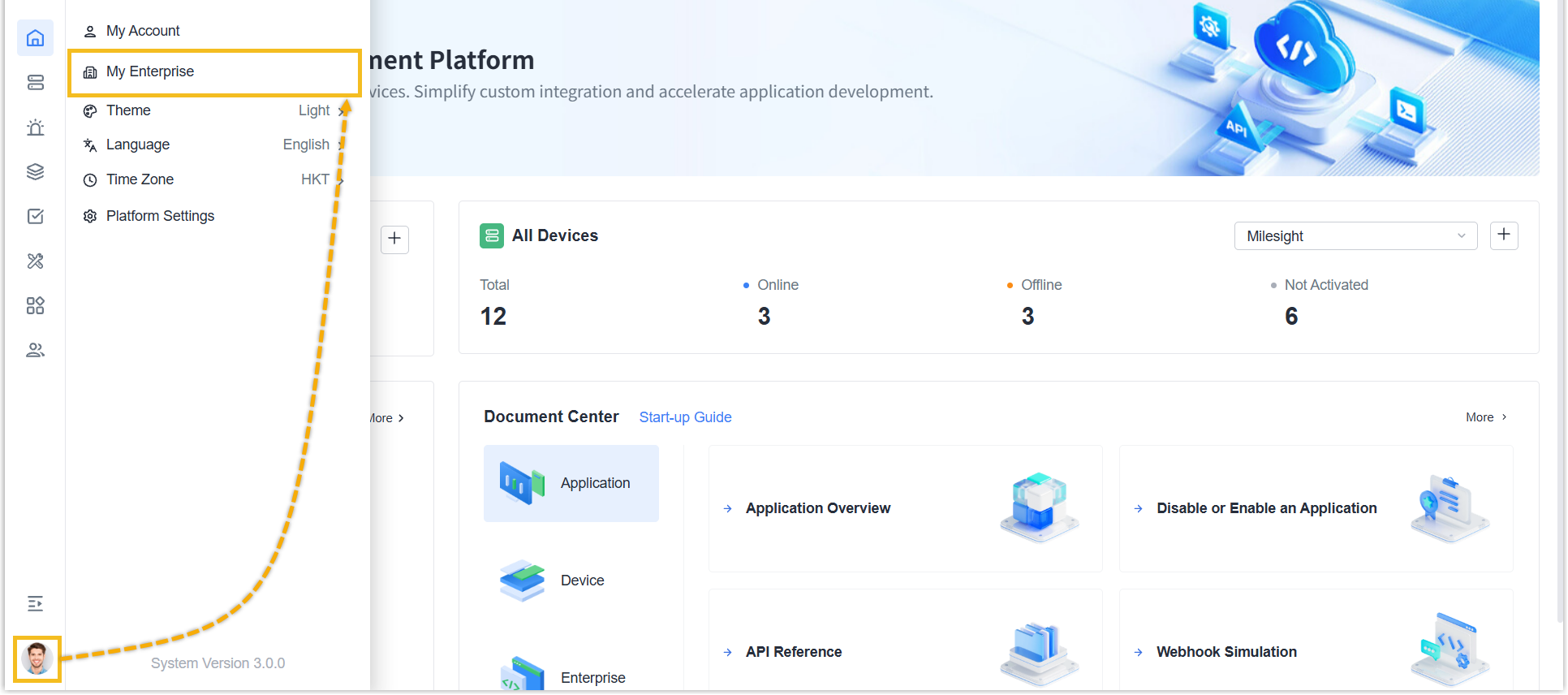
- Log in to Milesight Development Platform.
- Click the account button at the
bottom-left corner, and select My
Enterprise.
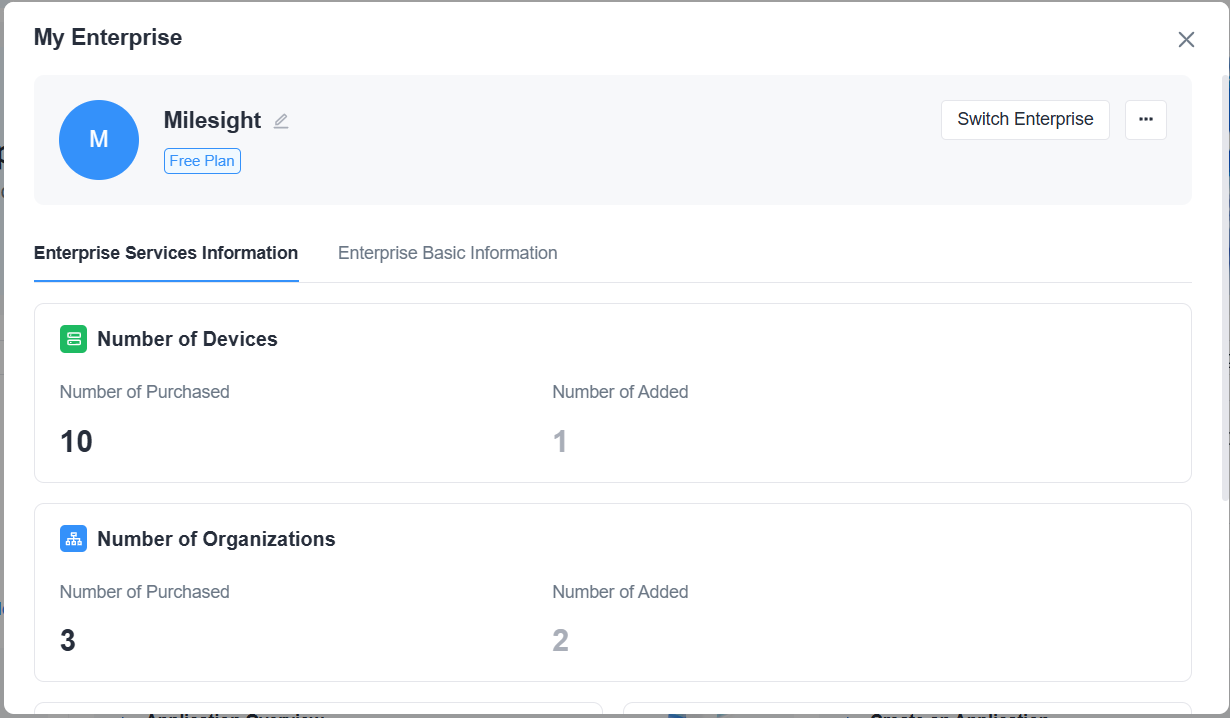
- Select Enterprise Services Information tab.
- Result
-
You can check the supported plans and services of your account under current enterprise. Click here to know the details of different plans or upgrade the plans.
Check Basic Information
- Procedure
-
- Log in to Milesight Development Platform.
- Click the account button at the
bottom-left corner, and select My
Enterprise.
- Select Enterprise Basic Information tab.
- Result
-
You can check current enterprise basic information.