Configure Communication Parameters
Configure Communication Mode
Select how the controller communicates with other devices.
- Navigate to Network > Communication.
- On the Communication page, select the communication mode and
configure the related parameters.
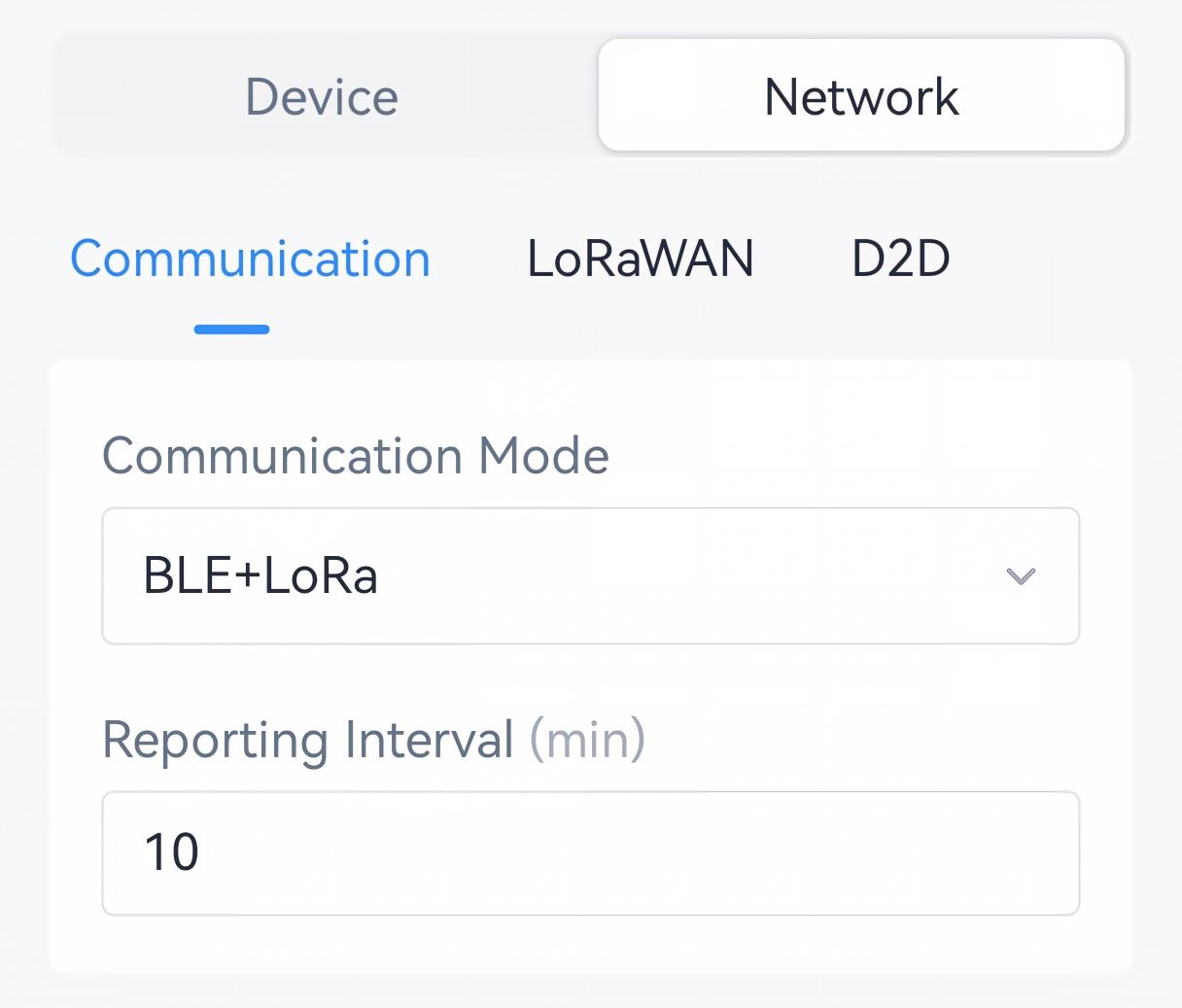
Communication Mode Description BLE + LoRa Communicates with a Milesight thermostat via Bluetooth while also communicating with LoRaWAN® gateways and network servers. Reporting Interval: The interval to report data to the LoRaWAN® gateway. Range: 1-1440 min, Default: 10 min.
- Tap Write to apply the configuration.
- BACnet: See UC701 BACnet Object List, Reporting Interval.
- JSON Command: See UC701 Payload Protocol (JSON), Reporting Interval.
- LoRaWAN Hex Command:
66. See UC701 Payload Protocol (HEX), Reporting Interval.
Change or Reset Bluetooth Name
It is suggested to change the Bluetooth name as the target air conditioner name or space name.
Change by ToolBox- Navigate to Network > Communication.
- In the Bluetooth Name field, enter the new name.
- Tap Write to apply the configuration.
- BACnet: See UC701 BACnet Object List, Bluetooth Name.
- JSON Command: See UC701 Payload Protocol (JSON), Reset Bluetooth Name.
- LoRaWAN Hex Command:
B400. See UC701 Payload Protocol (HEX), Reset Bluetooth Name.
Configure Bluetooth Advertising Mode
By default, Bluetooth continues to advertise. It is suggested to disable it if using battery power or for security purpose.
- Navigate to Network > Communication.
- On the Communication page, disable Keep Bluetooth Advertising
and configure the advertising duration as required.
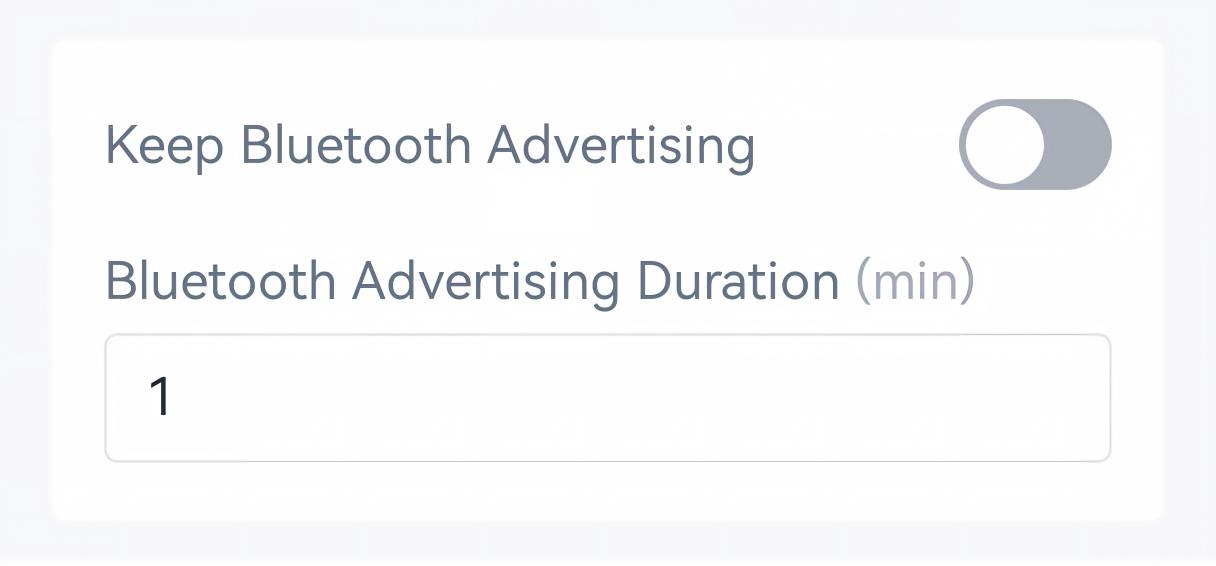
- Tap Write to apply the configuration.
- BACnet: See UC701 BACnet Object List, Bluetooth Advertising Time Settings.
- JSON Command: See UC701 Payload Protocol (JSON), Bluetooth Advertising Time Settings.
- LoRaWAN Hex Command: See UC701 Payload Protocol (HEX), Configure Communication Parameters.
Result: The Bluetooth will turn off after the preset duration, and it need to be activated by pressing and holding the Reboot & Reset button for 3s to reboot.
Pair the Controller with WT401 Thermostat
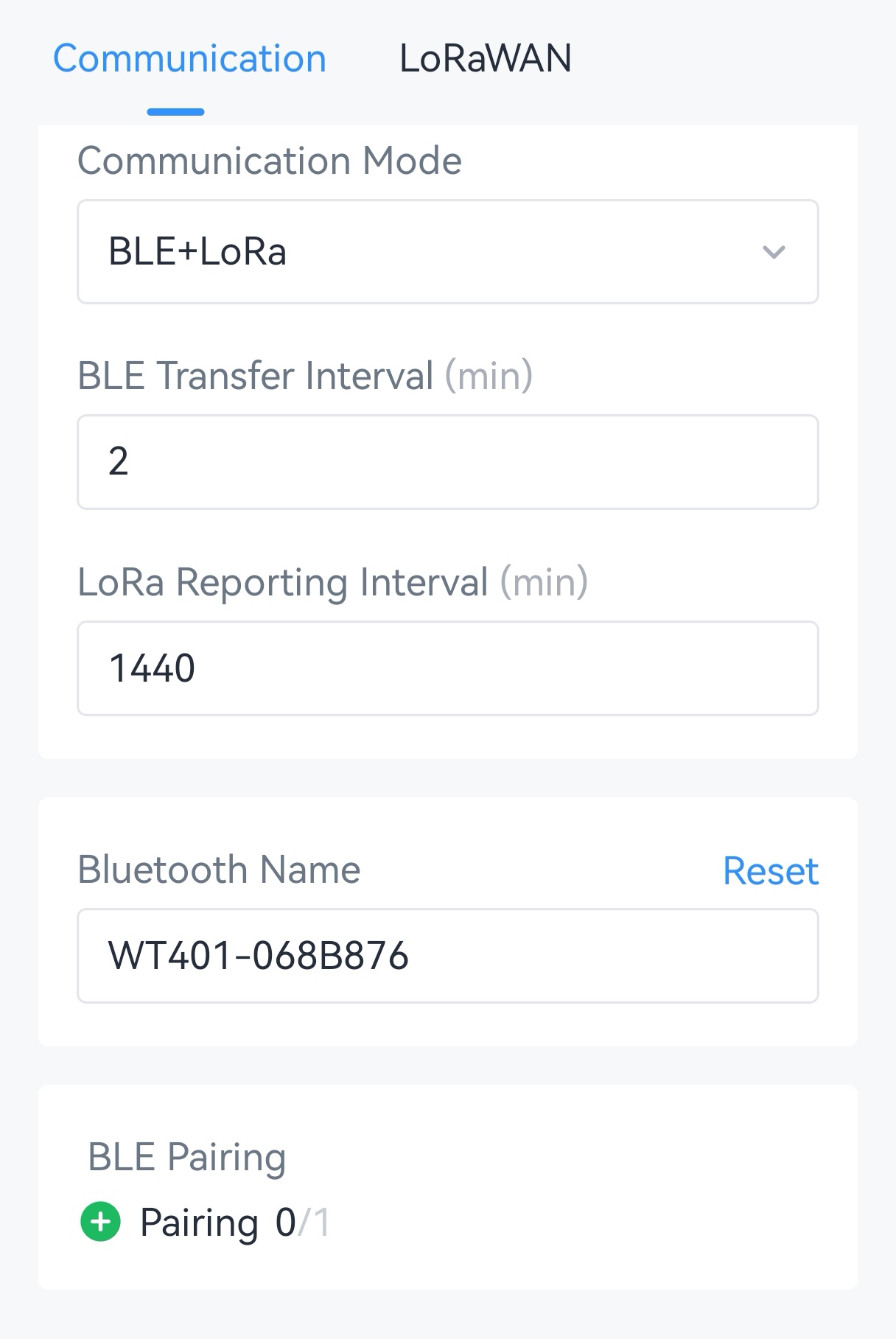
- Navigate to Network > Communication.
- Select the communication mode as BLE + LoRa or BLE.

- Select the UC701 controller to pair with. There are two methods:Pairing via ToolBox: Tap
 to scan for nearby devices, and
select the target device to pair with.
Pairing via Button: Press any button to scan the UC701 controllers around, and pair the device with the best signal.
Note: Bluetooth advertising is enabled by default on the UC701. If Keep Bluetooth Advertising is disabled and the Bluetooth advertising is off, press and hold the Reboot & Reset button 3s to reboot the controller. - If pairing is successful, the WT401 screen will display
 statically when system status is on. Press the
thermostat buttons to test if the air conditioner responds accordingly.