Device Management
This chapter describes how to connect the device to Milesight remote management platform.
Prerequisites
For Milesight Development Platform
- The device has accessed the Internet network.
- Milesight Development Platform account and enterprise have been created, and device addition is supported.
For Milesight DeviceHub Platform
- A DeviceHub platform is deployed.
- The device can access the DeviceHub platform.
Steps
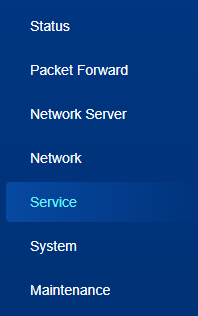
- On the left bar, select Service page.
- Configure the platform related parameters.
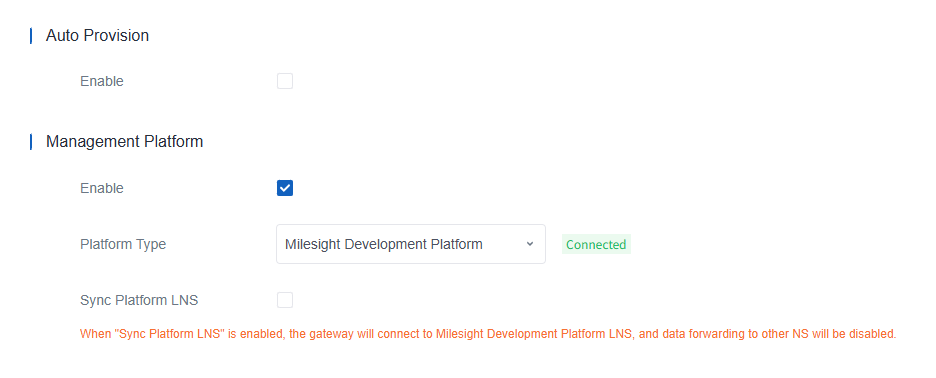
Parameter Description Auto Provision Enable Enable to receive the configurations from Milesight Development Platform once after the device is connected to Internet. This will work even Management Platform is disabled. Management Platform Enable Enable the device to be managed by Milesight management platforms. Platform Type Milesight DeviceHub 2.0 or Milesight Development Platform is optional. DeviceHub Address Fill in the DeviceHub server IP address or domain name. Sync Platform LNS After enabled, the gateway will use the platform LNS, and the packet forwarder type will be switched to Milesight Development Platform LNS or DeviceHub LNS. - Click Save & Apply to save the settings.
- Add the device to the platform. For more details, refer to Milesight Development Platform Guide or Milesight DeviceHub User Guide.
- Check if connection status changes to Connected on the platform and the gateway.