Change Password
This topic describes how to change your password of your Milesight Development Platform account.
Procedure
- Log in to Milesight Development Platform.
- Click the account button at the
bottom-left
corner, and select My Account.
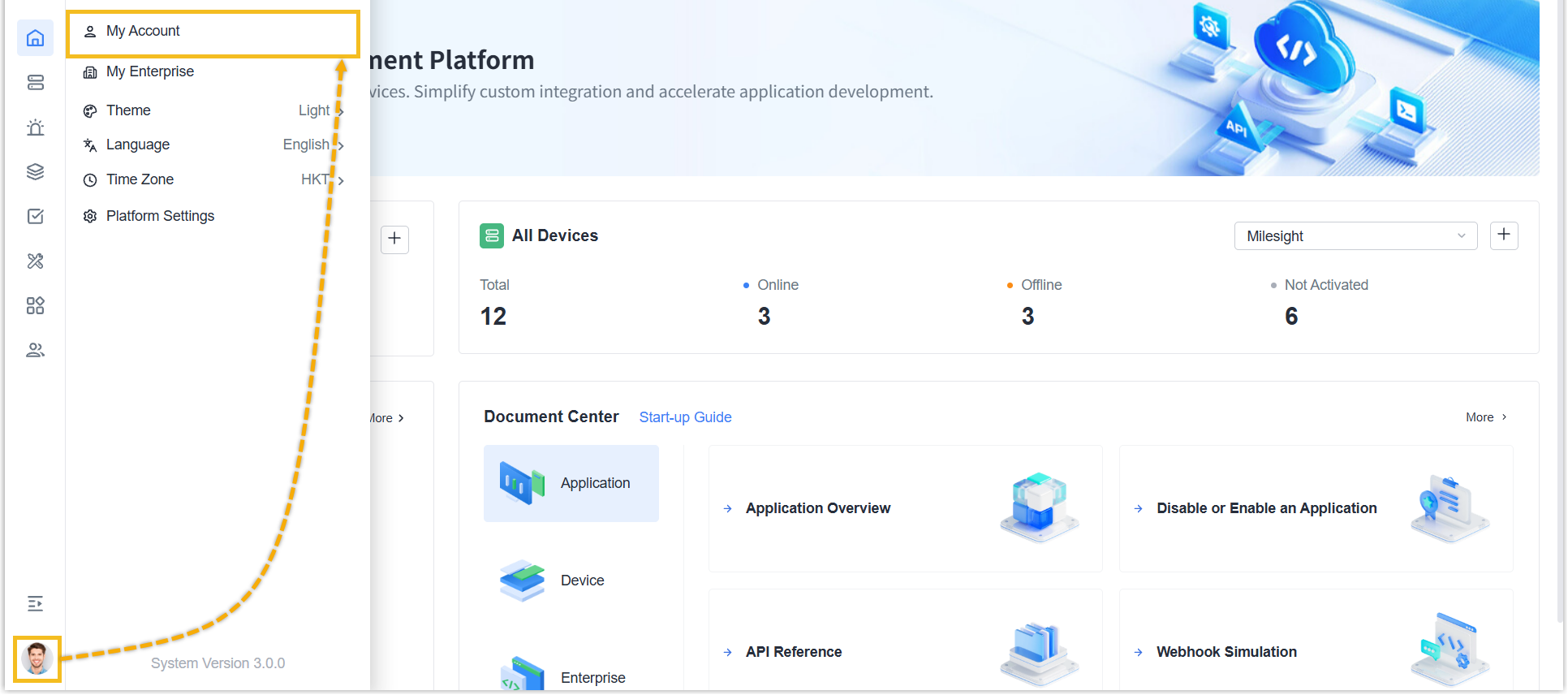
- In the Account Setting section, click
Manage Account and select Change
Password.
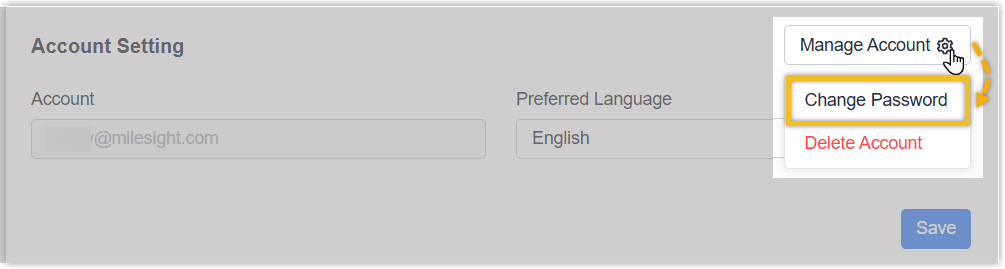
- In the pop-up window, set the new password.
- Enter your current password and set a new one.
- Click OK.
Result
You have changed the password successfully. You need to log in to Mielsight Development Platform with your new password.