Configure Air Conditioner Control Parameters
This section describes the settings related to the air conditioner direct control.
Note: Before configuring the device through ToolBox, access it through
Bluetooth. For the navigation path and write operation conventions used in this guide,
see Configure the Devices in ToolBox.
Prerequisites
- IR code learning is completed.
Configure Air Conditioner Parameters
The controller supports controlling the air conditioner directly.
Configure by ToolBox
- Navigate to Device > General.
- Select the Temperature Control Mode Enable options according to the air conditioner's capacity. After selected, the controller can only switch the modes among these options.
- Configure the related parameters to control the air conditioner.
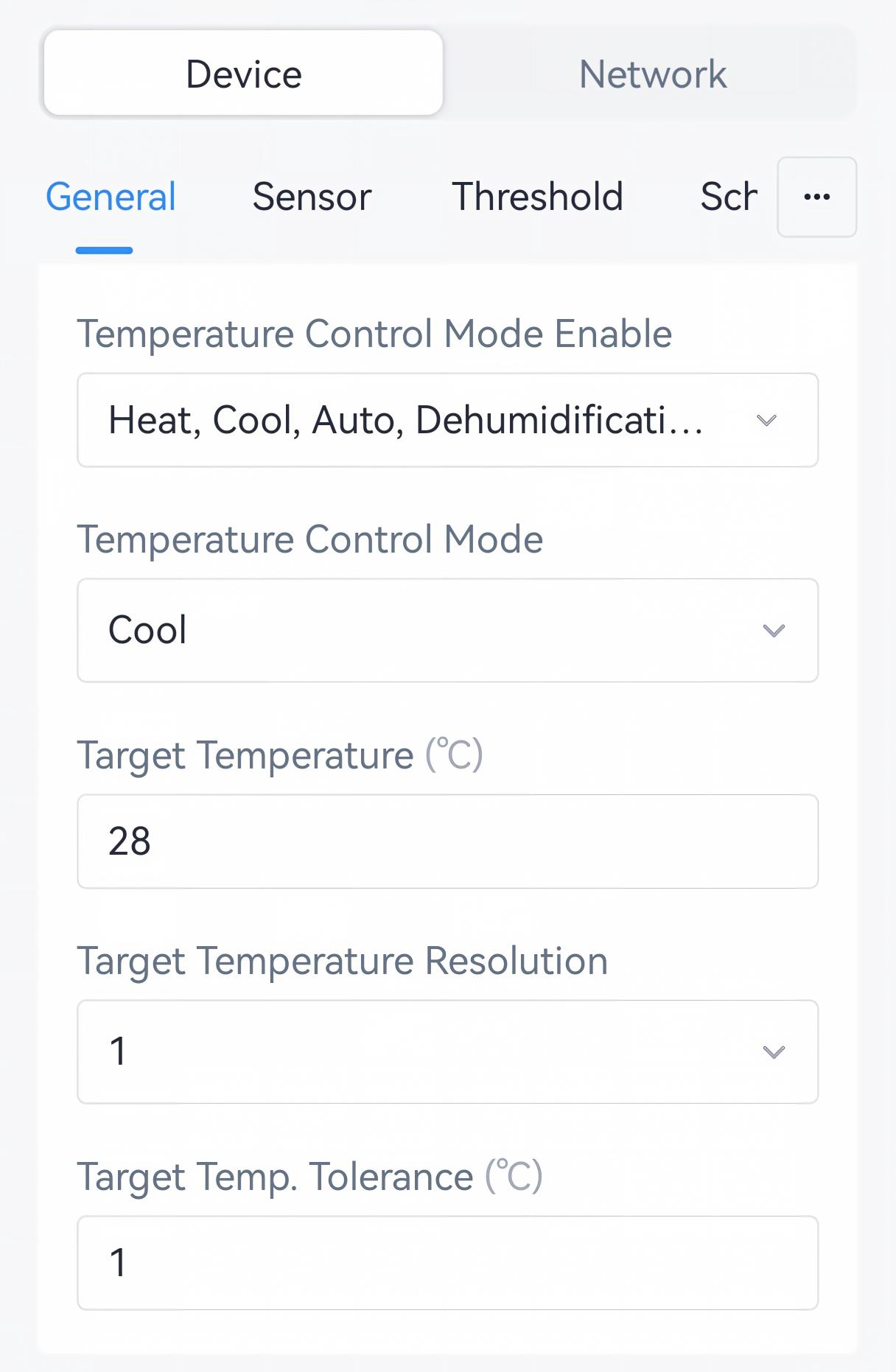
Parameter Description Temperature Control Mode Select from: Cool, Heat, Auto, Dehumidification, Ventilation. Target Temperature Set the target temperature of Cool, Heat or Auto. Range: 16 - 30 °C. Target Temperature Resolution Select the adjustment step of target temperature. It's fixed as 1. 1: Increase or decrease target temperature by 1 each step.
Target Temperature Tolerance Defines the temperature difference allowed for temperature threshold alarm. Range: 0.1-5°C. Tip: Users can also control the air conditioner's on/off status, temperature, mode and fan speeds under Device page.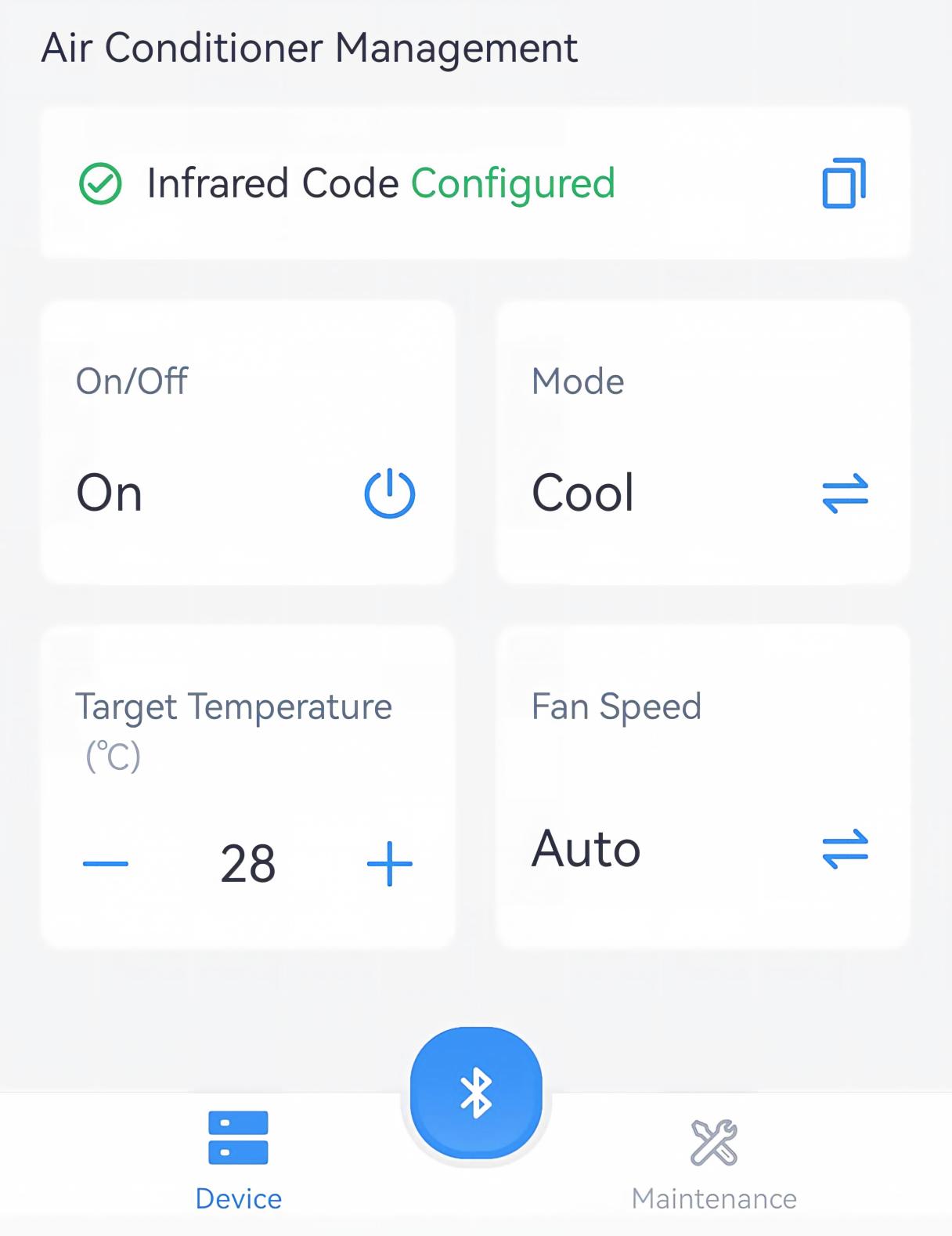
- Tap Write to apply the configuration.
Remote Configuration Reference
- BACnet: See UC701 BACnet Object List, Air Conditioner System Control.
- JSON Command: See UC701 Payload Protocol (JSON), Configure Air Conditioner System Parameters.
- LoRaWAN Hex Command:
6f,6000,75,61,62,7000. See UC701 Payload Protocol (HEX), Configure Air Conditioner System Parameters.
Configure Open Window Detection
The controller supports detecting the window open status to turn off the air conditioner, thus saving energy.
Prerequisites: Temperature data source is selected.
Configure by ToolBox
- Navigate to Device > General.
- Enable Open Window Detection and configure the related
parameters.
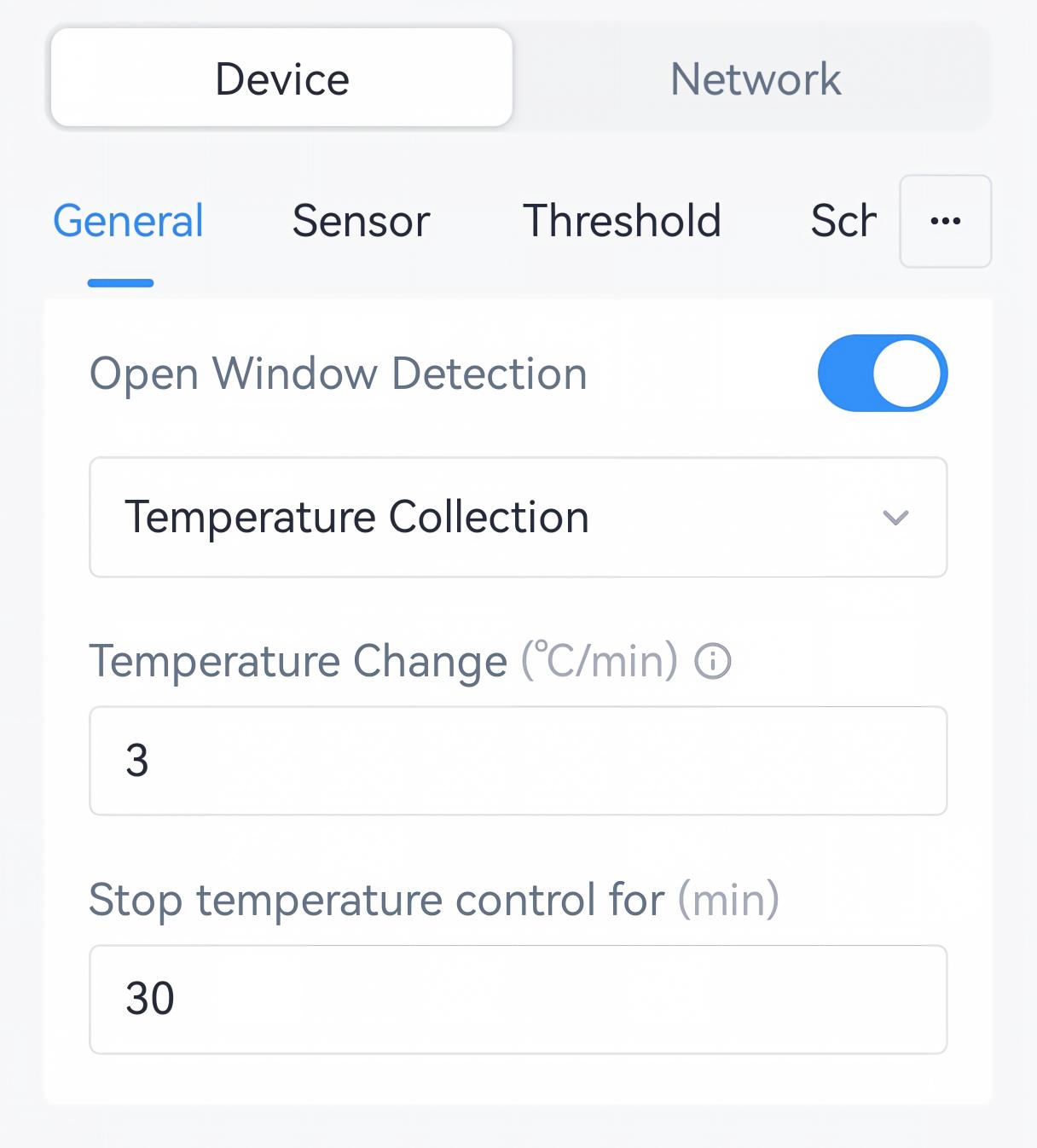
Parameter Description Temperature Change Set the changing ambient temperature per minute. When the rate reaches the preset value, it is considered a window-open status. Range: 1 - 10 °C. Stop temperature control for The interval to stop air conditioner after detecting a window-open status. If the temperature change rate stays below the preset threshold for 10 consecutive minutes, the device will release the window-open status. Range: 1 - 1440 min, Default: 30 min. - Tap Write to apply the configuration.
Remote Configuration Reference
- BACnet: See UC701 BACnet Object List, Open Window Detection.
- JSON Command: See UC701 Payload Protocol (JSON), Configure Open Window Detection.
- LoRaWAN Hex Command:
6800,6802,6803,5a. See UC701 Payload Protocol (HEX), Configure Open Window Detection.
Configure Filter Cleaning Alarm
The controller supports enabling filter cleaning alarm to send alarms after a specific time range.
Prerequisites: Ensure the device time is synchronized.
Configure by ToolBox
- Navigate to Device > General.
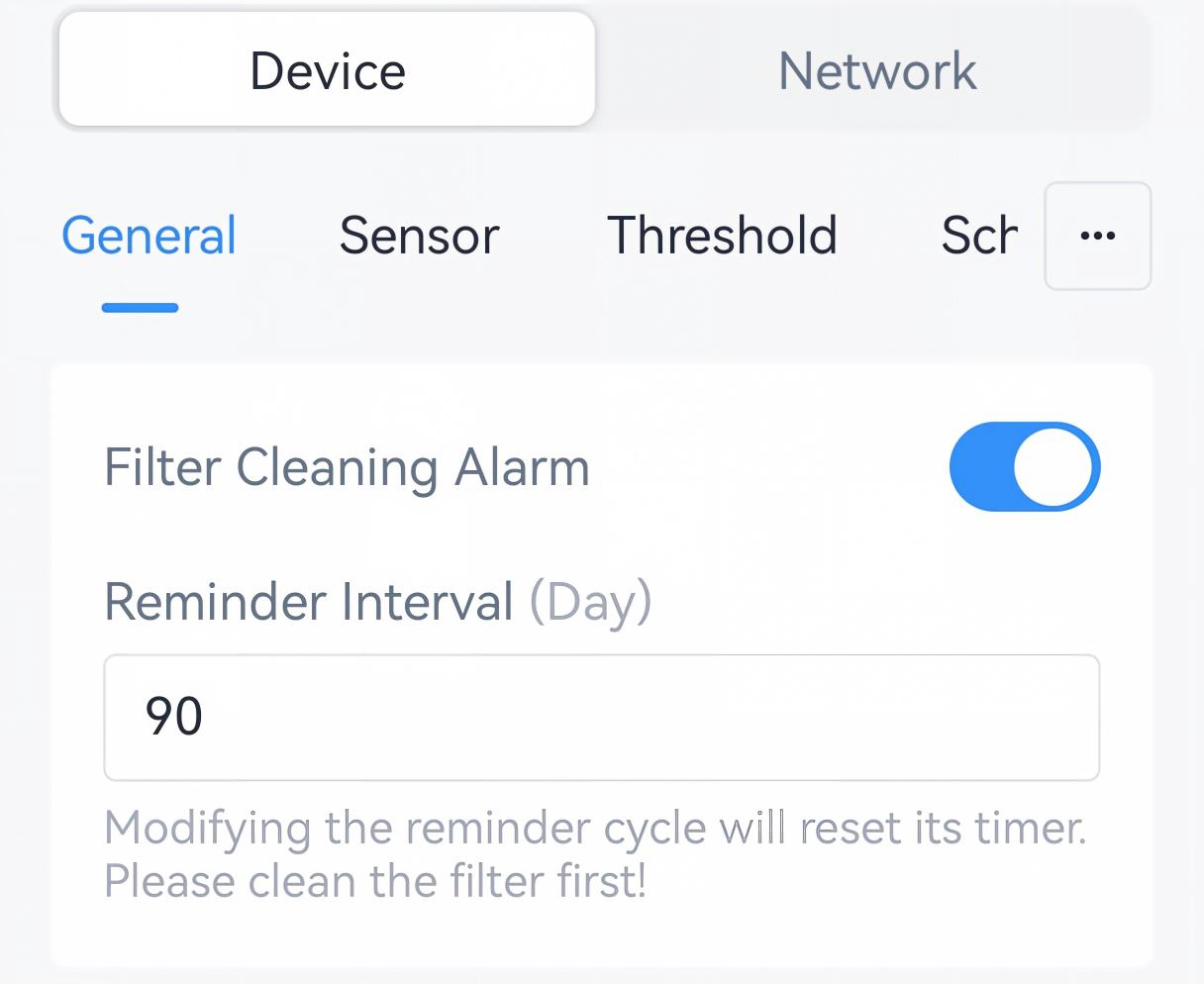
- Enable Filter Cleaning Alarm and set the reminder day to send the
alarm.
- Tap Write to apply the configuration.
Remote Configuration Reference
- BACnet: See UC701 BACnet Object List, Open Window Detection & Filter Clean Alarm.
- JSON Command: See UC701 Payload Protocol (JSON), Configure Filter Cleaning Alarm.
- LoRaWAN Hex Command:
8b00,8b01,5b. See UC701 Payload Protocol (HEX), Configure Filter Cleaning Alarm.