Configure Schedule Parameters
This section describes how to add and manage control schedule plans.
Prerequisites: Ensure the device time is synchronized.
Configure by ToolBox
Note: Before configuring the device through ToolBox, access it through
Bluetooth. For the navigation path and write operation conventions used in this guide,
see Configure the Devices in ToolBox.
- Navigate to Device > Schedule.
- Tap Add New Schedule to create a schedule plan. Each device can add up to
8 schedule plans.
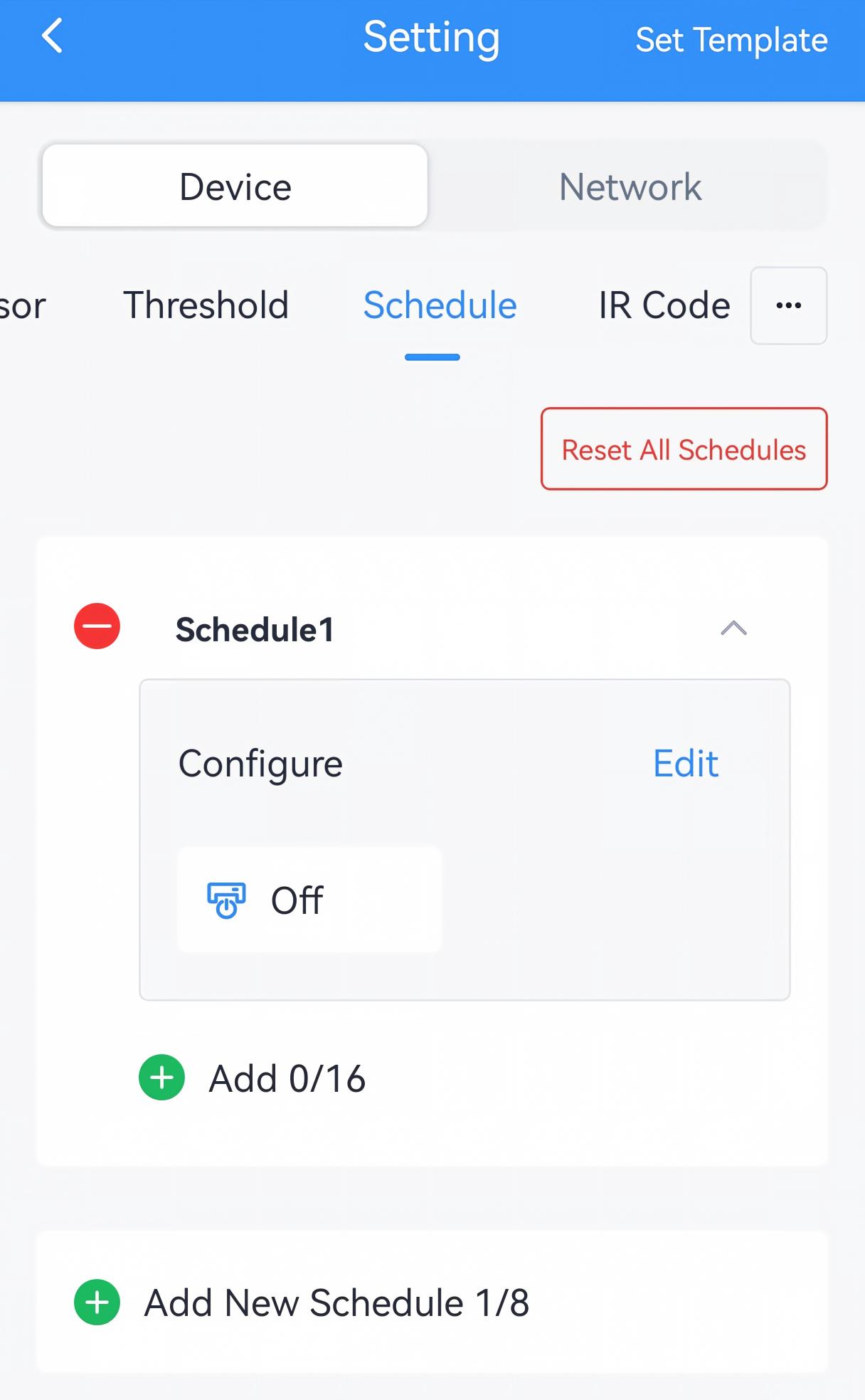
- Configure the rule parameters of this plan.
Parameter Description Schedule Name The schedule name can only include letters(a-z, A-Z), numbers, and spaces, with a maximum length of 10 characters. Air Conditioner On/Off Select the air conditioner on/off status. - Add a time period to execute a schedule event. Each plan can add up to 16 time
periods.Tip: If the time period is not added, the schedule event can be switched via direct command, D2D agent setting, etc.
- Click Add New to add a time period.
- Configure the time and repeat days. If the repeat day is not selected,
it means the time period is only executed once.
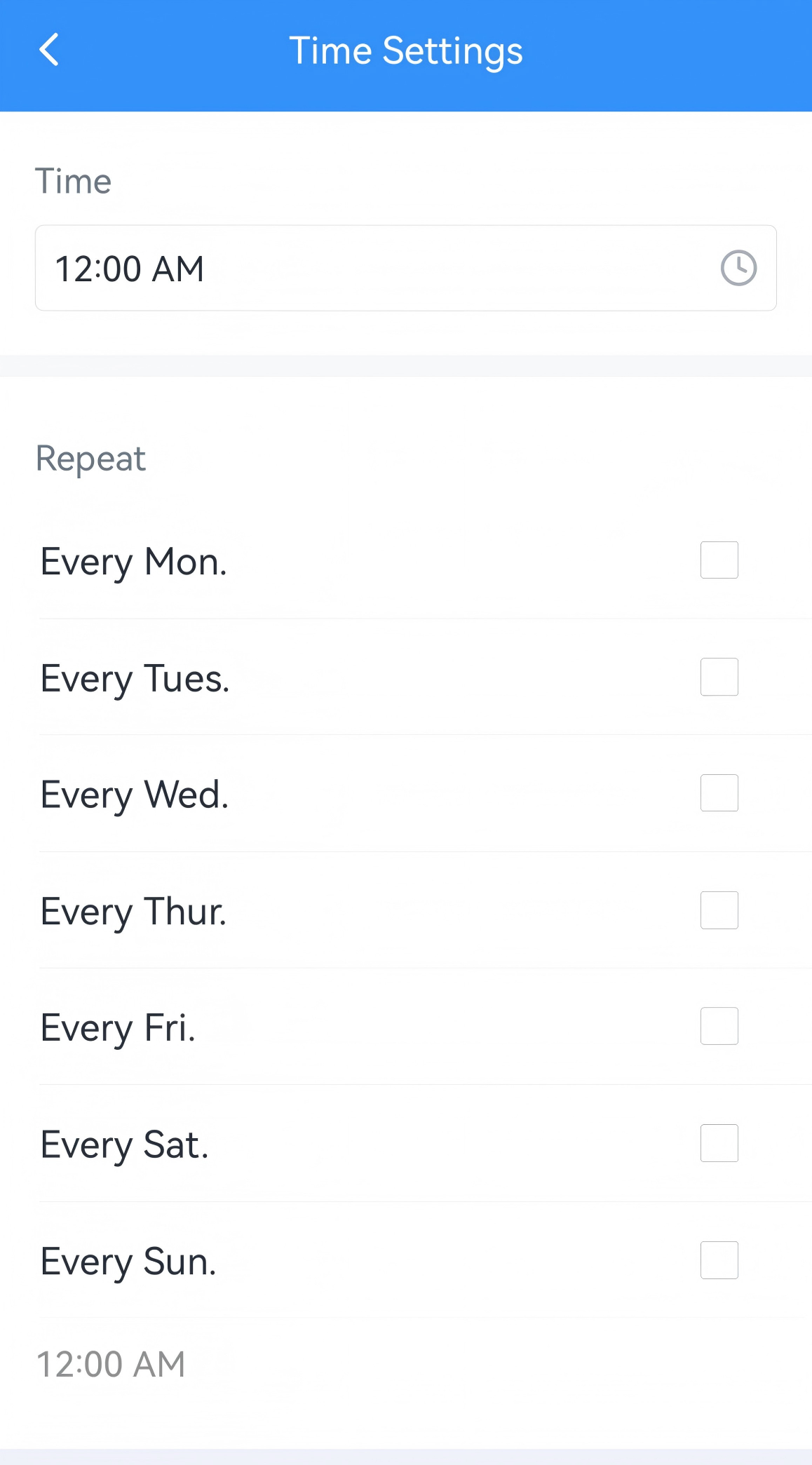
- Click Confirm to save this time period setting.
- Enable or disable the time period as required.
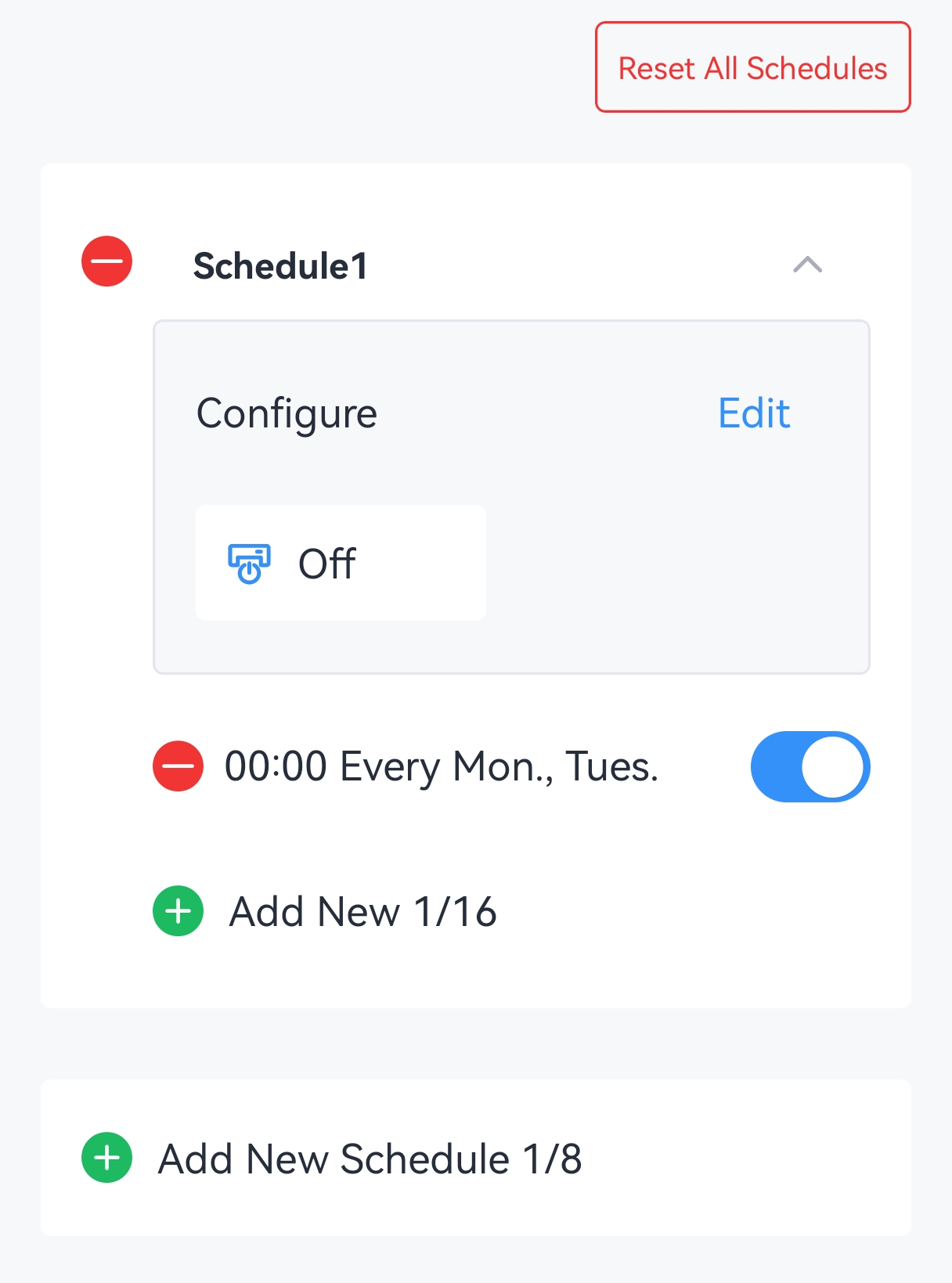
- (Optional) Click
 to delete the selected plan, or tap Reset All Schedules to restore all
plans to their factory settings.
- Tap Write to apply the configuration.
Remote Configuration Reference
- JSON Command: See UC701 Payload Protocol (JSON), Configure Schedule Parameters.
- LoRaWAN Hex Command: See UC701 Payload Protocol (HEX), Configure Schedule Parameters.