Configure Saving Energy Parameters
This section describes the task settings to send IR control commands to save the energy of air conditioners.
Note: Before configuring the device through ToolBox, access it through
Bluetooth. For the navigation path and write operation conventions used in this guide,
see Configure the Devices in ToolBox.
Configure Temp Limit Mode
Prerequisites
- Temperature data source is selected.
Configure by ToolBox
Remote Configuration Reference- Navigate to Device > Saving Energy.
- Click Edit of Temp Limit Mode.
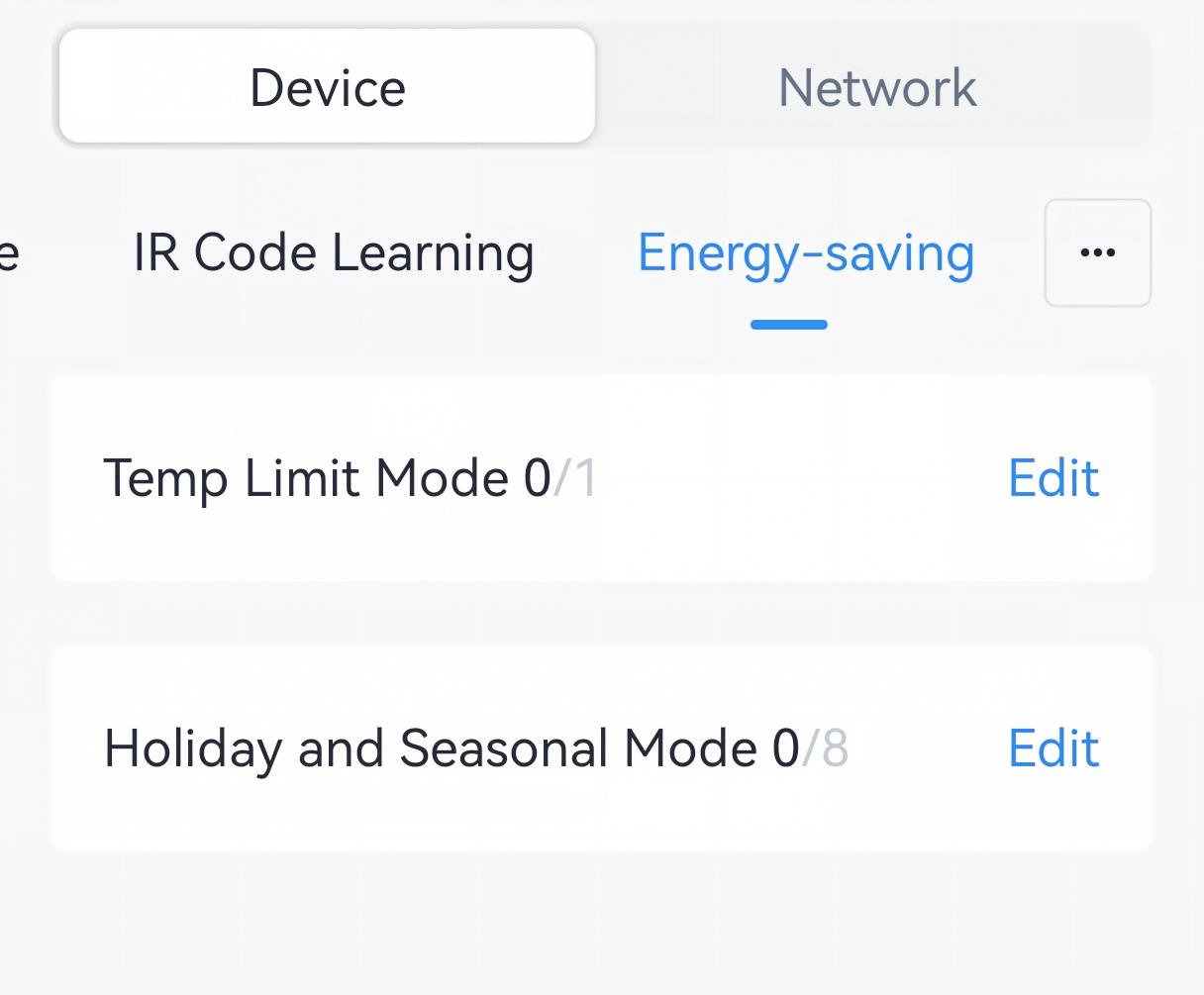
- Click Add to a temp limit task, and configure the temperature range
and the valid time range.
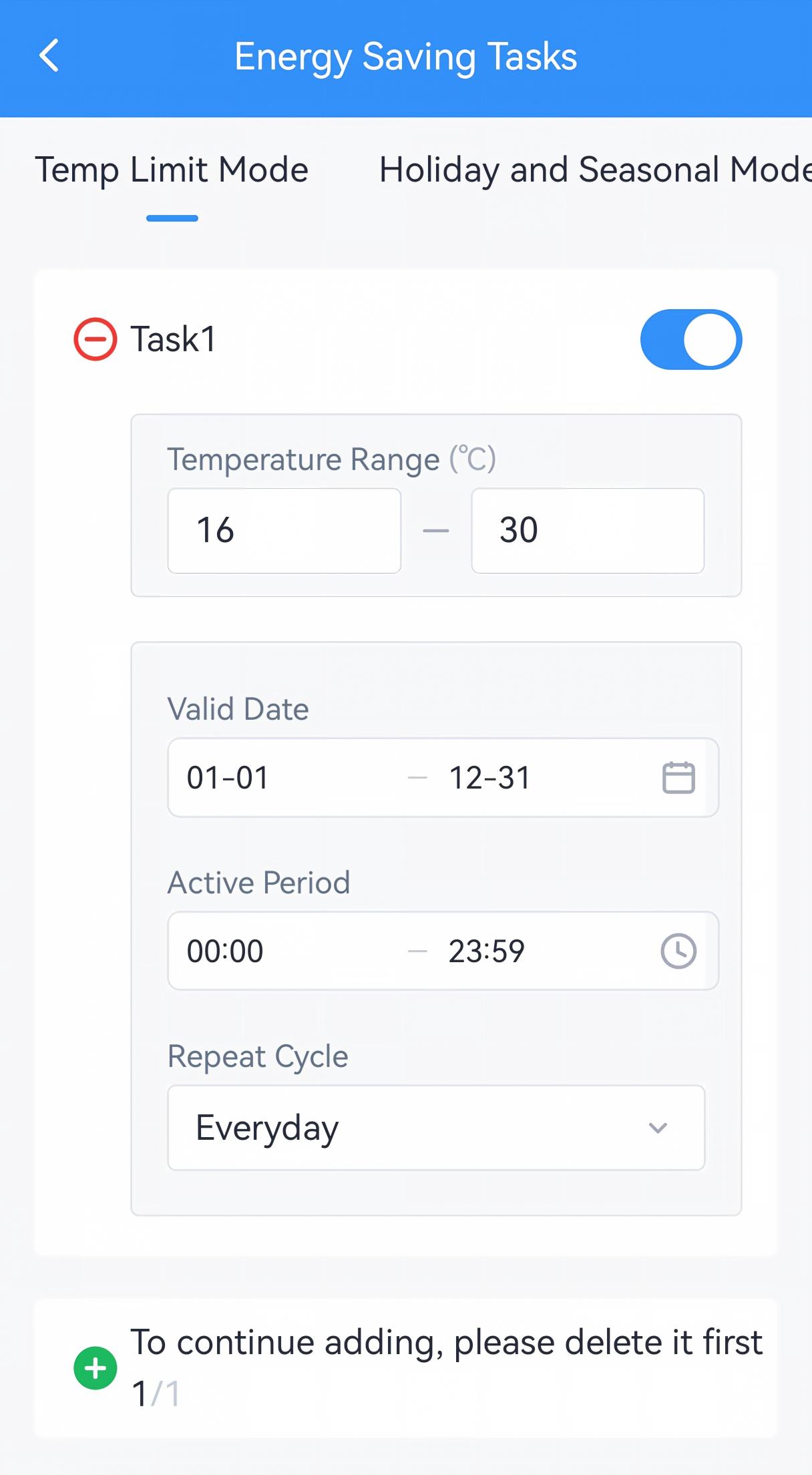
- Enable the task as required.
- Click Save.
- Tap Write to apply the configuration.
- BACnet: See UC701 BACnet Object List, Energy-saving Parameters.
- JSON Command: See UC701 Payload Protocol (JSON), Configure Energy-saving Parameters.
- LoRaWAN Hex Command:
58,830000 - 830005. See UC701 Payload Protocol (HEX), Configure Energy Saving Parameters.
Result: When the controller receives a remote target temperature command of Cool, Heat, or Auto mode, or detects the ambient temperature under Cool or Heat mode outside the temperature range within the preset time range, the controller will report an alarm packet and send an IR command to the air conditioner to limit the temperature to the highest or lowest value of the temperature range.
Configure Holiday and Seasonal Mode
Configure by ToolBox
Remote Configuration Reference- Navigate to Device > Saving Energy.
- Click Edit of Holiday and Seasonal Mode.
- Click Add to a holiday and seasonal task, and configure the settings
and the valid range. Each device can add up to 8 tasks.
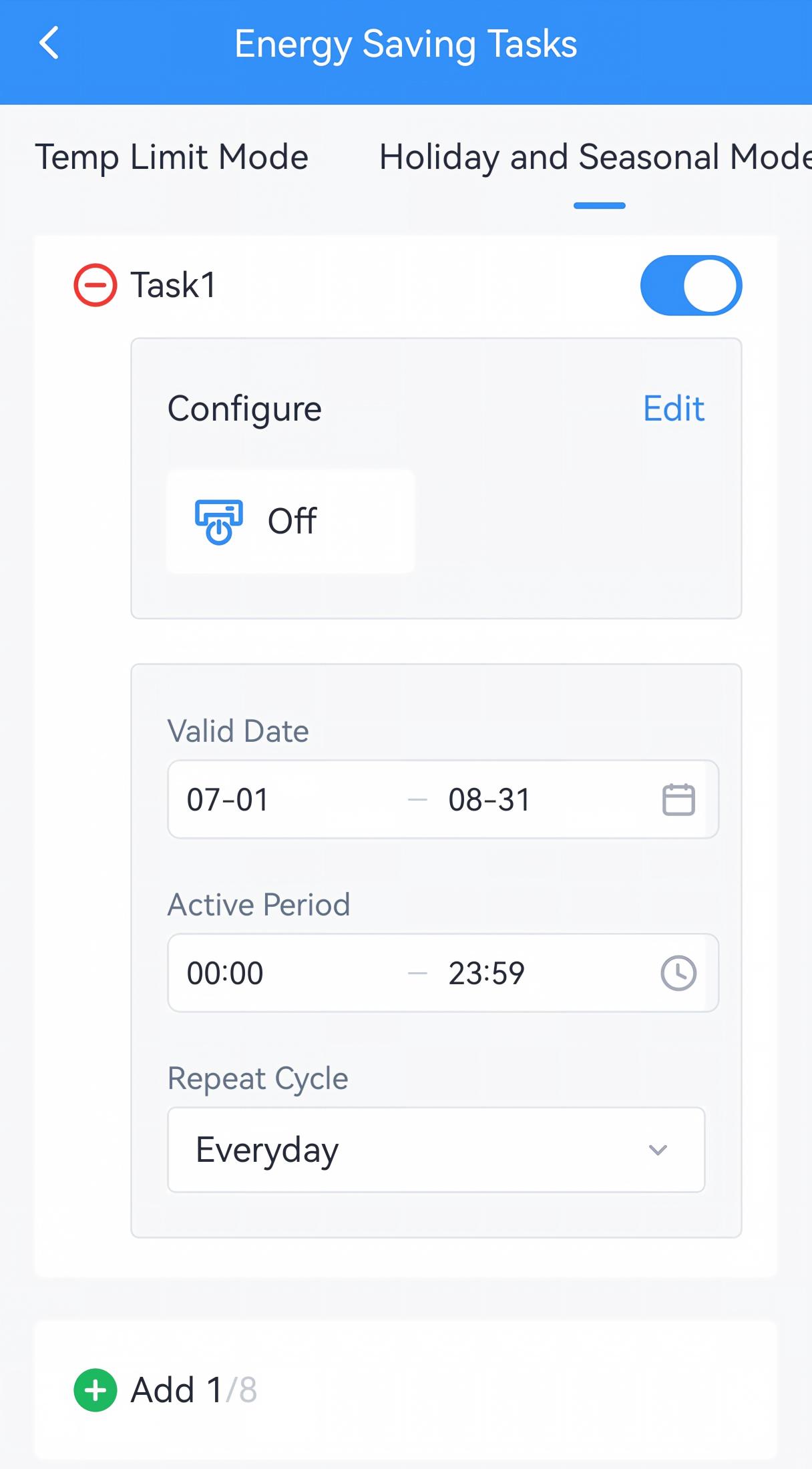
- Enable the task as required.
- Click Save.
- Tap Write to apply the configuration.
- JSON Command: See UC701 Payload Protocol (JSON), Configur Energy-saving Parameters.
- LoRaWAN Hex Command:
56,850x00 - 850x07. See UC701 Payload Protocol (HEX), Configure Energy Saving Parameters.
Result: The controller will send an IR command to control the air conditioner when reaching the start day of the valid date range.