Configure General Parameters
This section describes the general device parameters and provides links to the detailed configuration procedures for related features.
Configure by ToolBox
Note: Before configuring the device through ToolBox, access it through
Bluetooth. For the navigation path and write operation conventions used in this guide,
see Configure the Devices in ToolBox.
- Navigate to Device > General.
- Configure the related parameters.
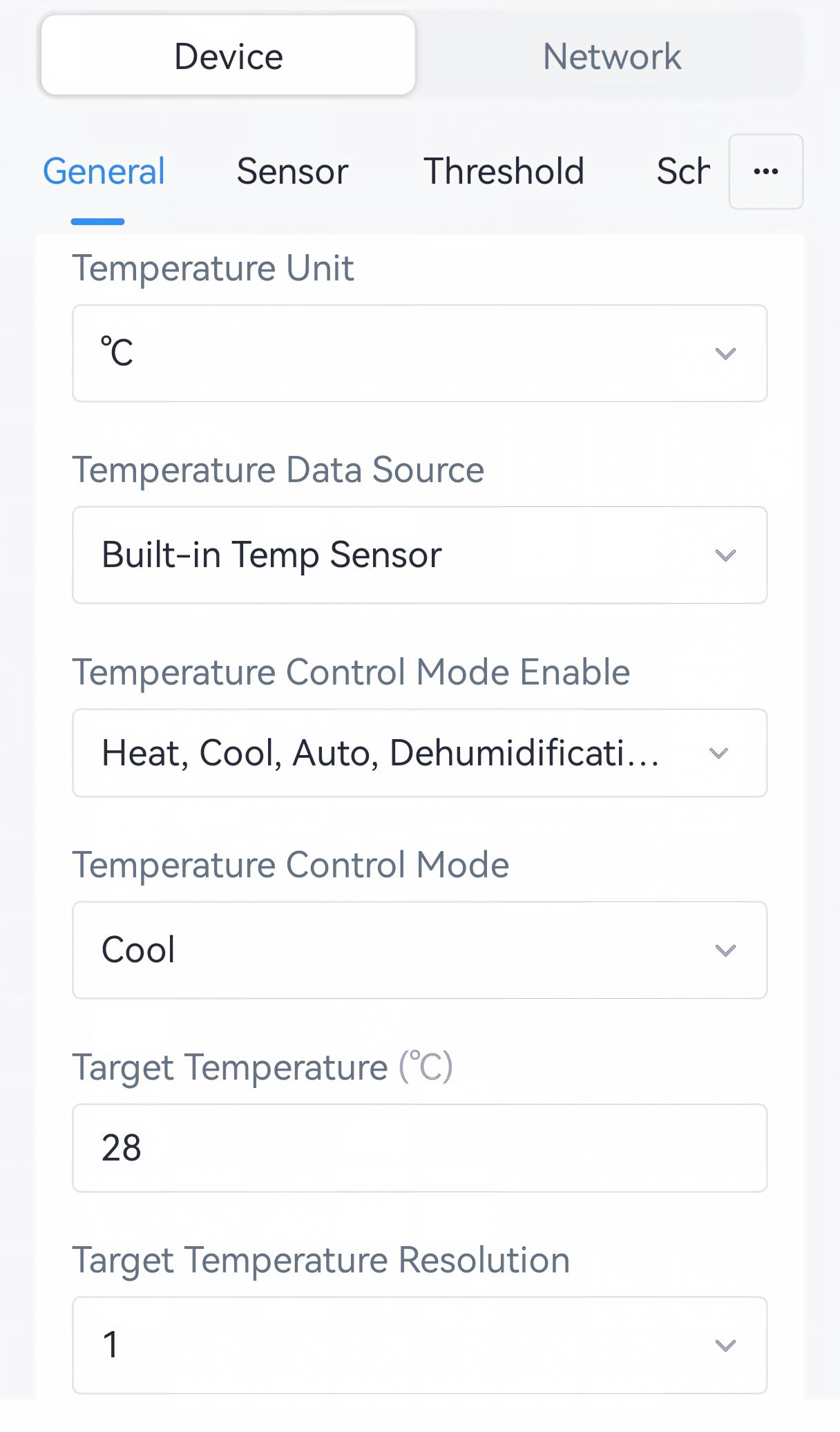
Parameter Description Temperature Unit Select the temperature unit displayed in ToolBox. It is suggested to select the unit the same as the air conditioner settings. Default: °C. Note: After changing the unit, it is necessary to modify the temperature-related settings.Temperature Data Source Select the data source for auto control features. Temperature Control Mode Enable For details, see Configure Air Conditioner Control Parameters. Temperature Control Mode Target Temperature Target Temperature Resolution Target Temperature Tolerance Enhance IR Emission Enable if the controller or external IR emitter is more than 5 meters away from the air conditioner. Enable Battery Compartment When the battery compartment is connected to the controller, this option will be enabled automatically. When enabled, the work mode will switch to Class B, and Keep Bluetooth Advertising will be disabled. Note: Only when using the battery compartment with the default cable can this option be enabled automatically. If using non-standard accessories, it's necessary to enable this option manually.Sleep Duration: Configure and enable a date range to save battery power. During this range, the device only reports a periodic packet per day, and does not respond any commands.
Open Window Detection Enable or disable open window detection. For more details, see Configure Open Window Detection. Filter Cleaning Alarm Enable or disable filter cleaning alarm. For more details, see Configure Filter Cleaning Alarm. Time Zone For details, see Configure Time Parameters. Daylight Saving Time AC Cooling Power Enter the AC cooling rated power for power consumption calculation. AC Heating Power Enter the AC heating rated power for power consumption calculation. Indicator Auto-Off When enabled, the LED indicator turns off automatically after 10 minutes of inactivity. Change Password Change the password used for authenticated access and configuration through ToolBox. For details, see Change the Device Password. - Tap Write to apply the configuration.
Remote Configuration Reference
- BACnet: See UC701 BACnet Object List, General Parameters.
- JSON Command: See UC701 Payload Protocol (JSON), Configure General Parameters.
- LoRaWAN Hex Command: See UC701 Payload Protocol (HEX), Configure General Parameters.