Configure Digital Output Triggering
This section describes how to configure Digital Output Triggering function.
If the Trigger Digital Output function is enabled, the device can send pulse signals when the target passes through the detection line.
Prerequisite:
The device is connected to the corresponding external device using the multi-interface cable according to the wiring diagram.
Steps:
- In the main page, click Rule from the navigation tree on the left.
- In the I/O Settings area on the right , enable Trigger
Digital Output.
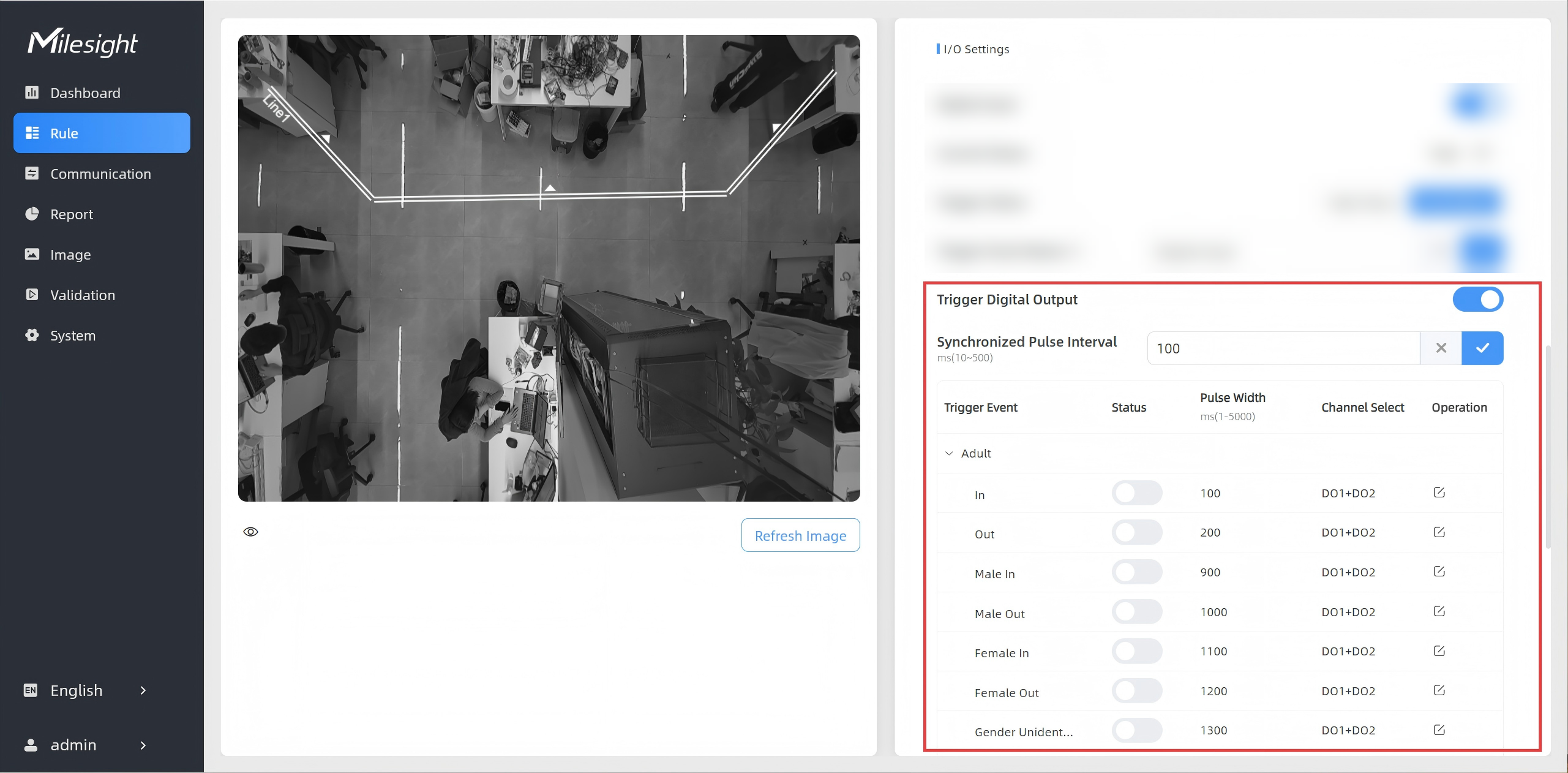
- Enter a value in the Synchronized Pulse Interval text box
and click
 .
.Parameters Description Synchronized Pulse Interval The interval between multiple pulses when several people pass through or multiple events trigger simultaneously. - Enable a specific trigger event. For a description of
each parameter, refer to the following table.
- Click
 .
. - Click
 for the events.
 - Set Pulse Width.
- Select a channel from the Channel Select drop-down list.
- Click
 . The device outputs high-level signals
through the multi-interface automatically.
. The device outputs high-level signals
through the multi-interface automatically.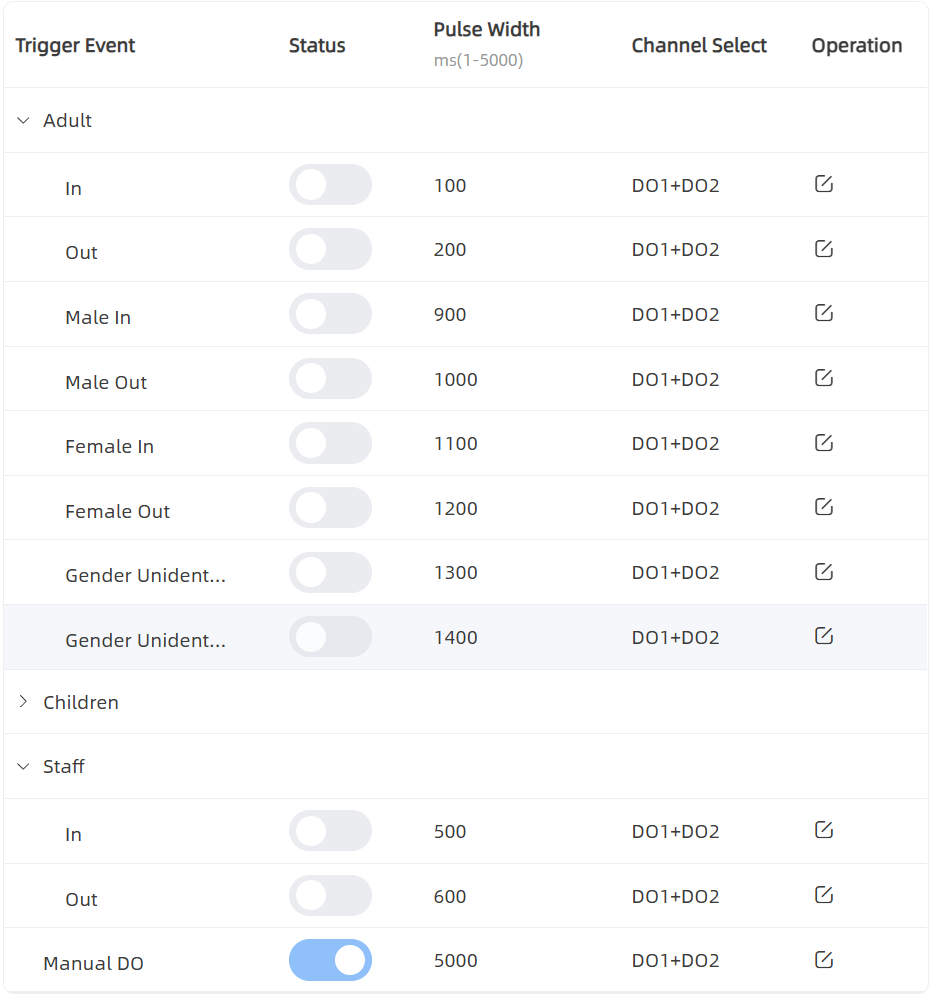
Parameters Description Trigger Event Events to trigger the DOs to send pulse signals. Note: When staff events trigger pulse signals, the device does not initiate synchronized outputs for gender or adult detection events.Status Enable or disable the event to trigger pulse signal output. Pulse Width Pulse signal duration. Channel Select Select which DO port to output the pulse signal. Operation Click to edit the
above-mentioned parameters.
- Click