Motion Detection
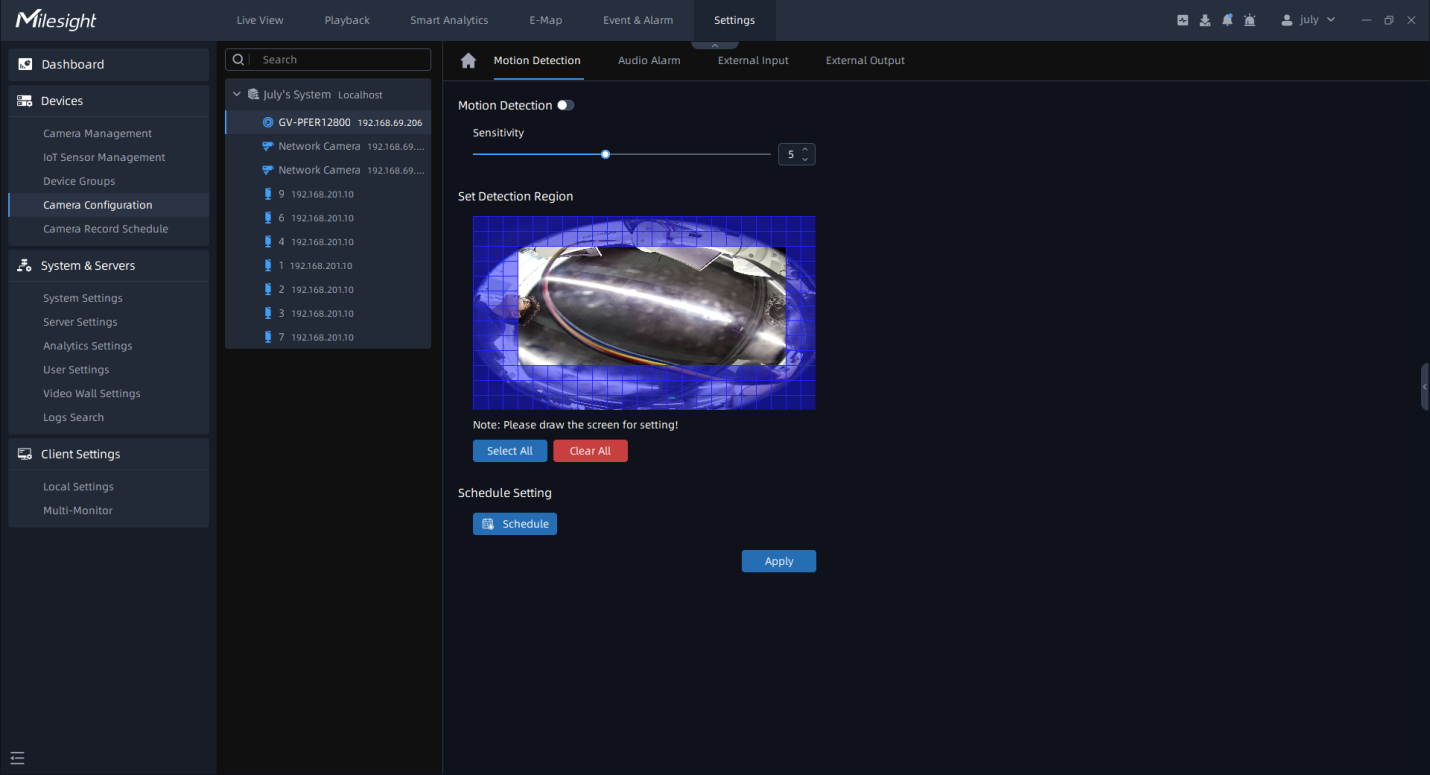
User can do the alarm settings here. The page is as shown below:

Step 1: Select the camera on the left tree which you want to set motion
detection. Make sure button is enabled and draw certain areas by
left-click mouse;
button is enabled and draw certain areas by
left-click mouse;
Step 2: Set Sensitivity and click  to set schedule;
Step 3: Click button to send the settings to camera to
save.
button to send the settings to camera to
save.
The meanings of the parameters on the page can be referred to the table below:
|
Parameters |
Function Introduction |
|---|---|
|
Click to enable Motion Detection function. |
|
Sensitivity |
Sensitivity level, 1~10 |
|
Select All |
Click the button, and the motion in the area will be detected. |
|
Clear All |
Click the button, and the area drawn before will be removed. |
|
Click the button to set schedule, a window will pop up as below:
|
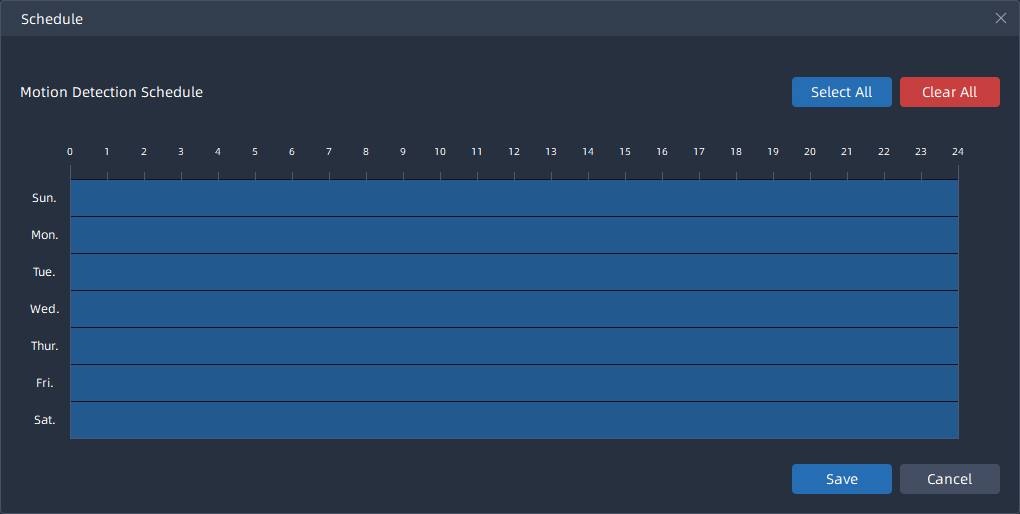
Note: It will show the real-time trigger status of the event in the configuration
page.