Region Exiting
Region exiting is to make sure that any person or object won't exit the monitored area. Any exit of people or objects will trigger an alarm.
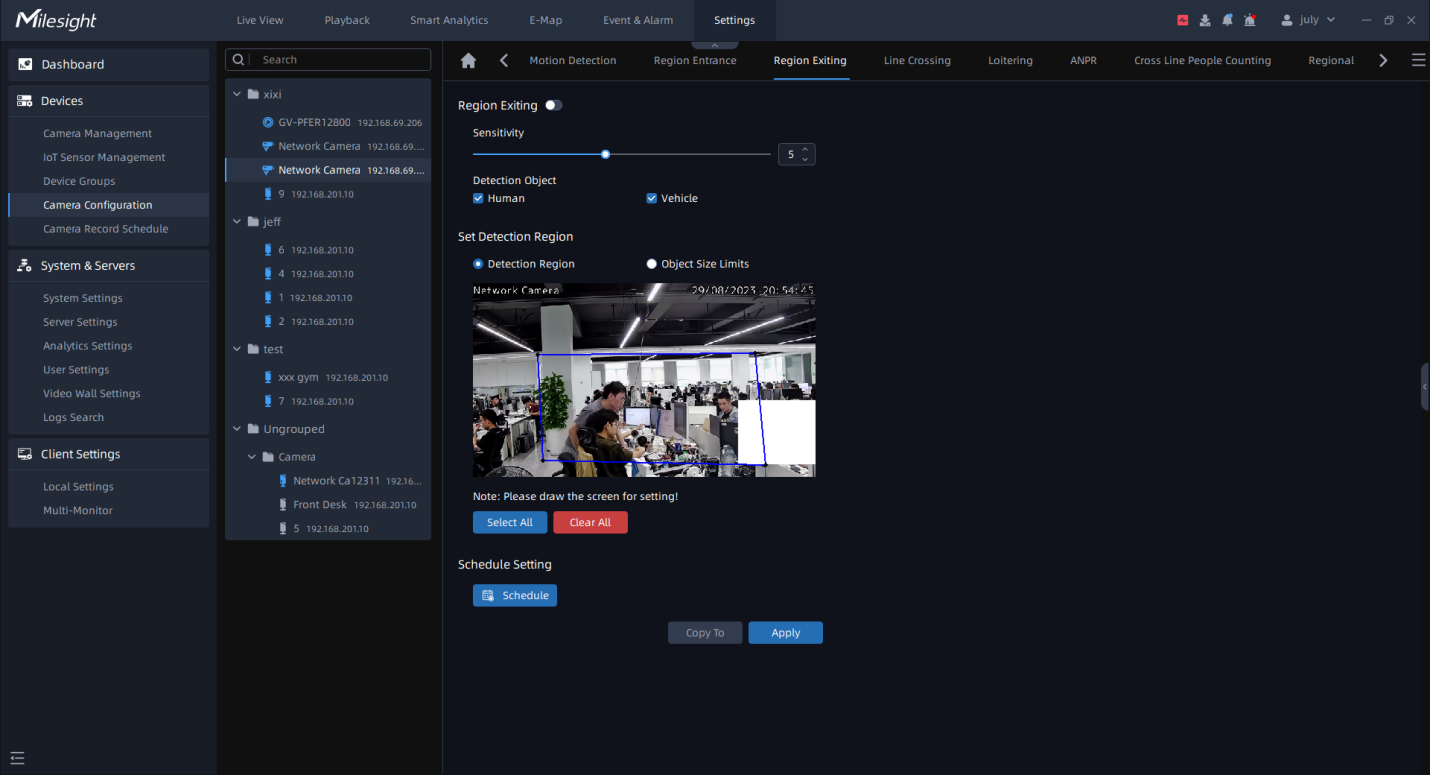
Step1: Select the camera and enable Region Exiting function;
Step2: Set detecting sensitivity;
Step3: Set Detection Object. Set up the Detection Object. Check Human or Vehicle attribute, and the camera will alarm and trigger related events once people or vehicle is detected;
Step4: Draw the detection region, it supports polygon areas.
Step5: Set Object Size Limit.
• Minimum Size: Draw the screen or input pixel number to set the minimum size of the detected object. When the object is smaller than this size, it will not be detected. The default minimum size is 3*3.
Step6: Set detection schedule, then click to save the settings.