ANPR
This part is to enable the ANPR server-based algorithm, making it possible to use ANPR solutions whether it is an LPR camera or not.
Before setting, you need to confirm the following items:
• There is a license for ANPR in the system, and the license quantity is sufficient. For more information, please refer toLicense Activation
• The Video Analytics Server has been installed and running. For more information about the analytics server, please refer to3.3.3 Analytics Settings
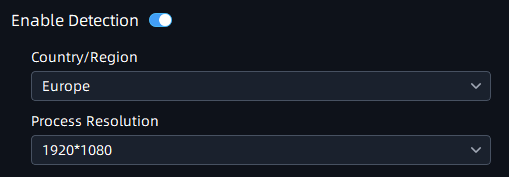
Step1: Click  button to enable Detection, the camera can start
detecting the license plates;
button to enable Detection, the camera can start
detecting the license plates;
|
Parameters |
Function Introduction |
|---|---|
|
Click the button to enable detection function. |
|
Country/Region |
Select Country/Region to detect the license plate. |
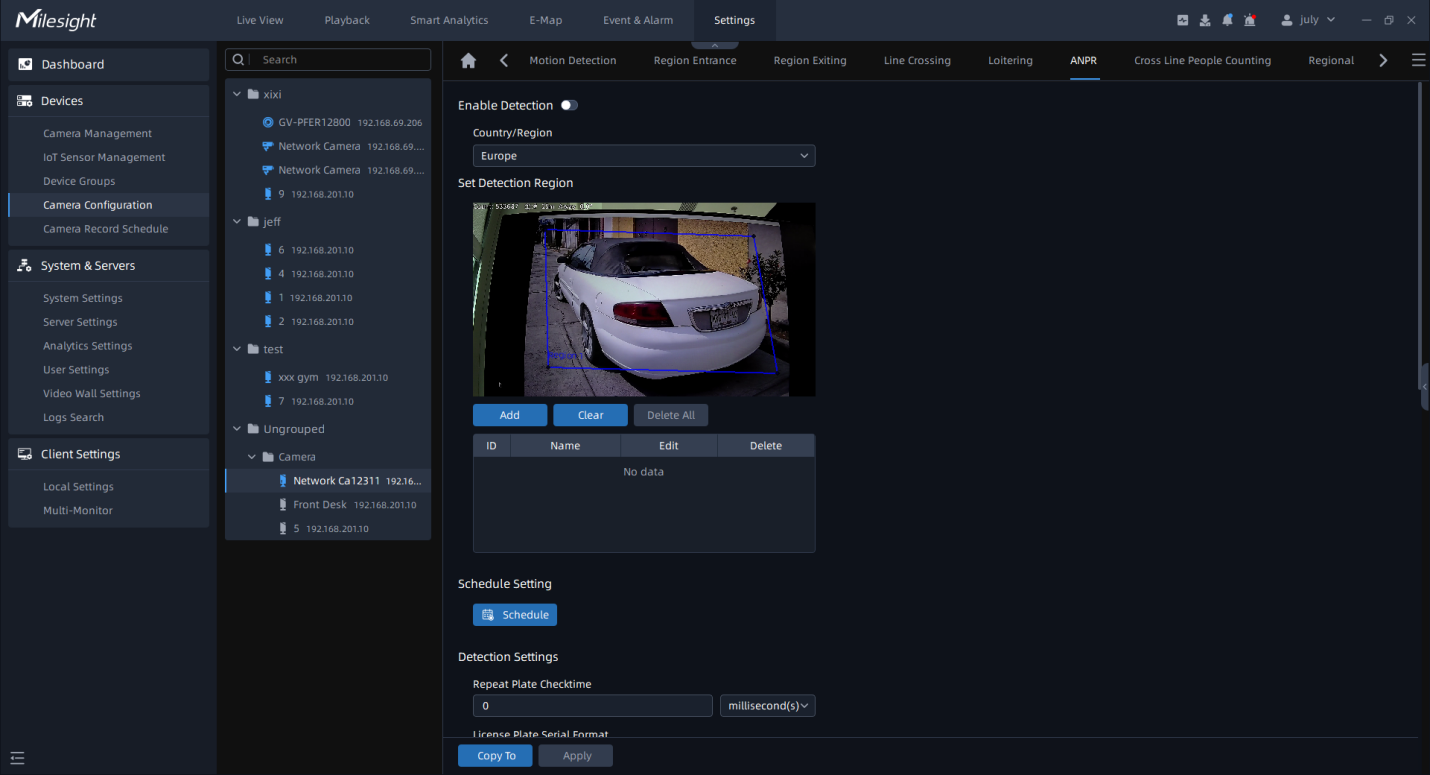
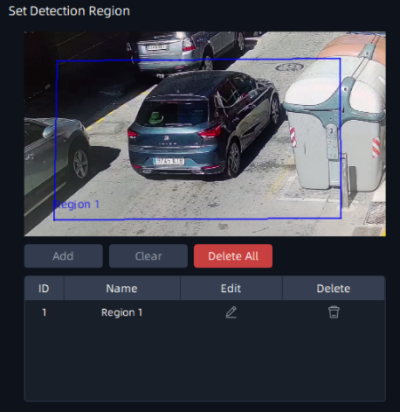
Step2: Set Detection Region. You can draw the screen to select interested areas;
|
Parameters |
Function Introduction |
|---|---|
|
Effective Region Settings |
Normal: Configure the LPR detection regions for the current area. Advanced: Configure different LPR detection regions for different PTZ presets(Only support Preset 1~4 so far). |
|
Add |
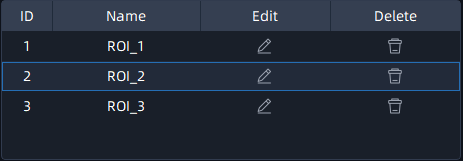
Draw the screen to select the interested areas, then click “Add”button to add the area, and only four recognition areas can be added. You can edit the name of the areas or delete the areas in the list below.
Note: Minimum width of detection area is 150 pixels, and Minimum height
of detection area is 40 pixels.
|
|
Clear |
Click the "Clear" button to clear the area being drawn. |
|
Delete All |
Click the "Delete All" button to delete all the added areas. |
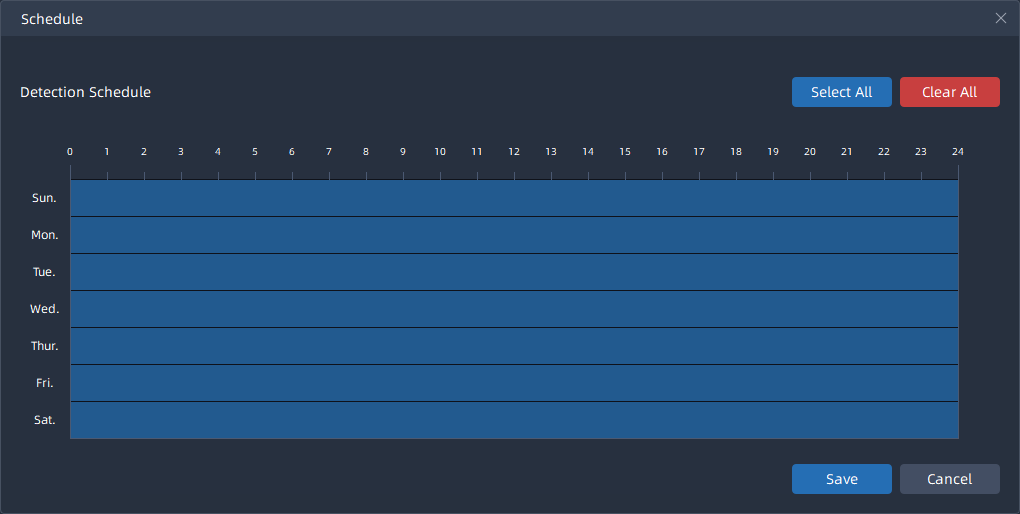
Step3: Schedule Settings. You can draw the schedule by clicking  button;
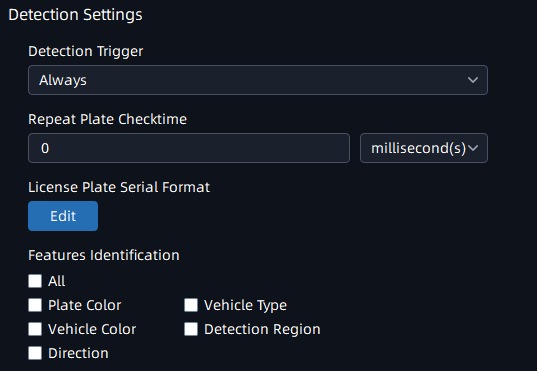
Step4: Set Detection Settings, Snapshot OSD and LPR Message Post Settings, then click “Apply” button.
|
Parameters |
Function Introduction |
|---|---|
|
Repeat Plate Checktime |
Set the time interval for repeatedly reading license plates to effectively avoid duplicate identification of parking vehicles. You can set Repeat Plate Checktime from 0 to 60min or 0 to 60000ms. |
|
License Plate Serial Format |
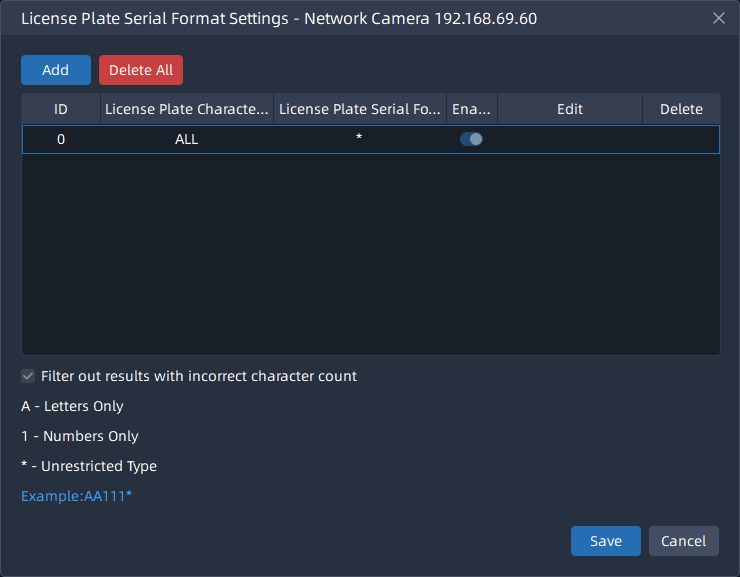
Click
|
|
Features Identification |
Check All, Plate Color, Vehicle Type, Vehicle Color, Detection Region, Direction, or Region(Only for LPR2) to enable Feature Identification, and it will display the corresponding information on the ANPR Search interface. |
|
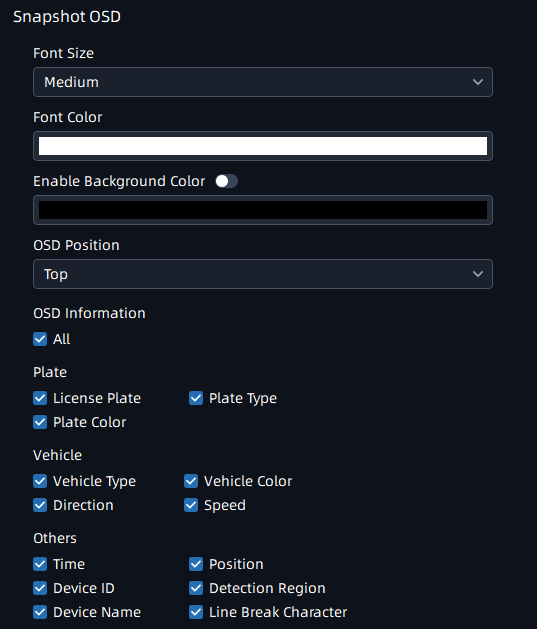
Font Size |
Small/Medium/Large are available. |
|
Font Color |
Set different colors for the image OSD. |
|
Enable Background Color |
Enable to set different colors for display information background on screen. |
|
OSD Position |
OSD display position on the image . |
|
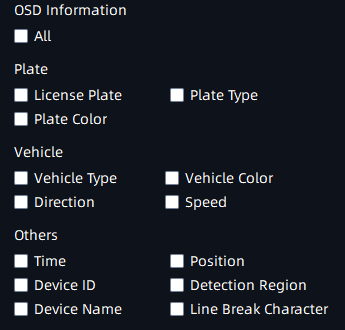
OSD Information |
Customize the OSD content. You can set OSD Information as shown below:
|
 button to customize the
license plate serial format. It supports formulating identification
rules and can automatically do further processing, filter license
plates in non-compliant formats to achieve more intelligent and
accurate license plate recognition.
button to customize the
license plate serial format. It supports formulating identification
rules and can automatically do further processing, filter license
plates in non-compliant formats to achieve more intelligent and
accurate license plate recognition.