Storage Management
Here you can see that every server’s storage disk information includes local disk storage and network storage in this system. And you can enable storage disk which you are interested to store recordings and images of VMS system.
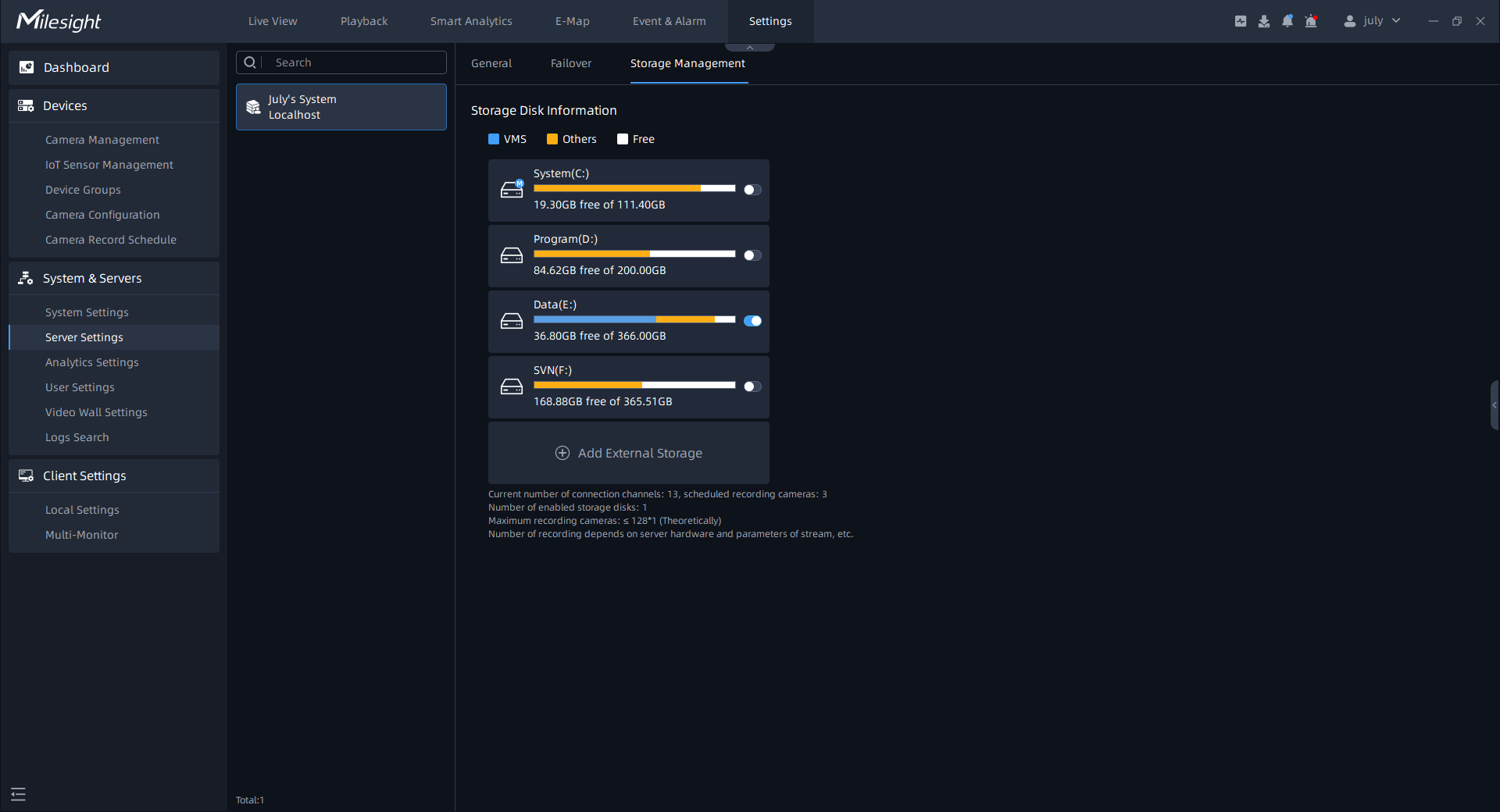
You can also add external storage according to following steps:
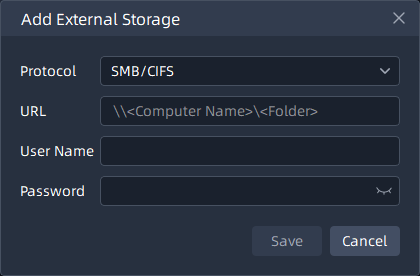
Step1: Click the “Add External Storage” button, a window will pop up as shown below:
SMB/CIFS window:
NFS window:
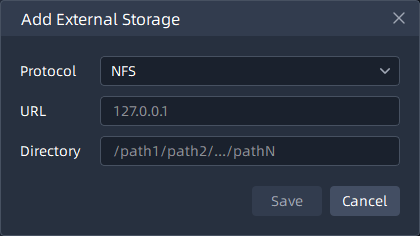
The meanings of the items on the page can be referred to the table below:
|
Items |
Function Introduction |
|---|---|
|
Protocol |
Choose protocol, including SMB/CIFS and NFS. |
|
URL |
Fill correct URL format. For SMB/CIFS, e.g. “\\192.168.7.25\share”. You can fill the URL according to your settings for NFS. |
|
User Name |
This option is available for SMB/CIFS, the account name for network disk which you set. |
|
Password |
You can set the password for network disk to guarantee the security if SMB/CIFS is selected. |
|
Path |
Input the NFS file path, e.g. “/path1/path2/.../path N”. |
Step2: Finish the setting and click “Save” button. Then the disk will be added into the server storage disk list as shown below:
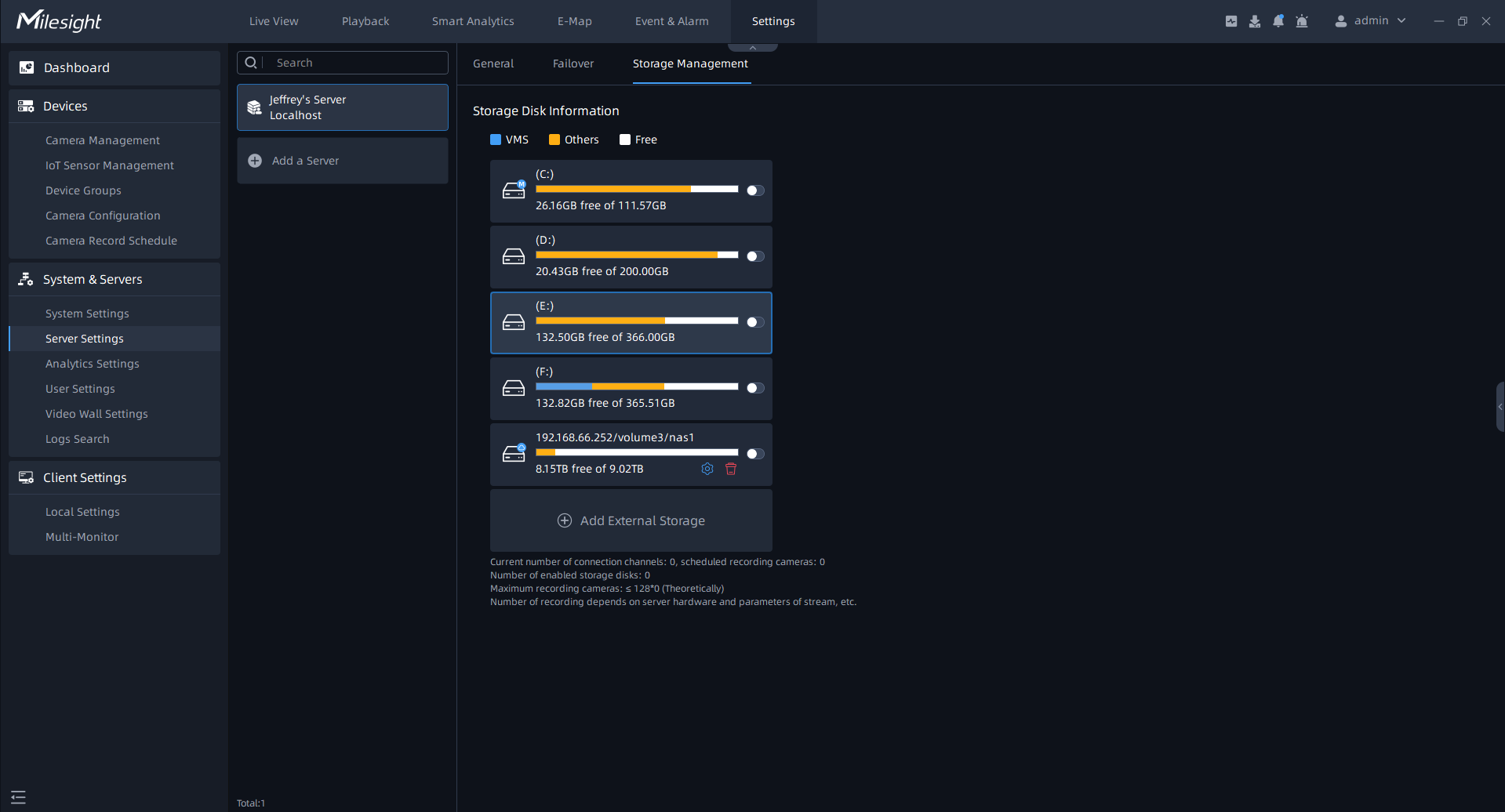
- Before adding the external storage, please make sure that the network disk is available within the network and properly configured to store the recorded files, etc.
- The network disks can be deleted, but local storage disk can’t be deleted from VMS system.