Assign Template to Group
This topic describes how to assign a Config template to groups to share it with users in the groups.
Prerequisites
Confirm with your enterprise administrator whether current account role permits access to this feature.
Restrictions
- Only Enterprise Holder and Group Administrator can assign Config templates to groups.
Procedure
- Log in to Milesight Development Platform.
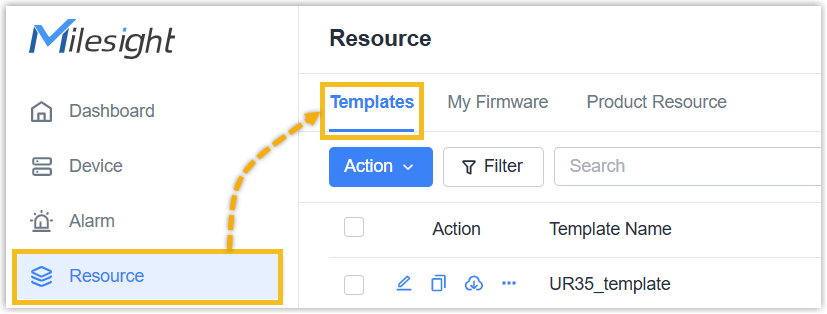
- On the
left
bar, click Resource, then select the
Templates
tab.
- In the Action column of the desired Config template,
click
 and select Assign
Group.
and select Assign
Group.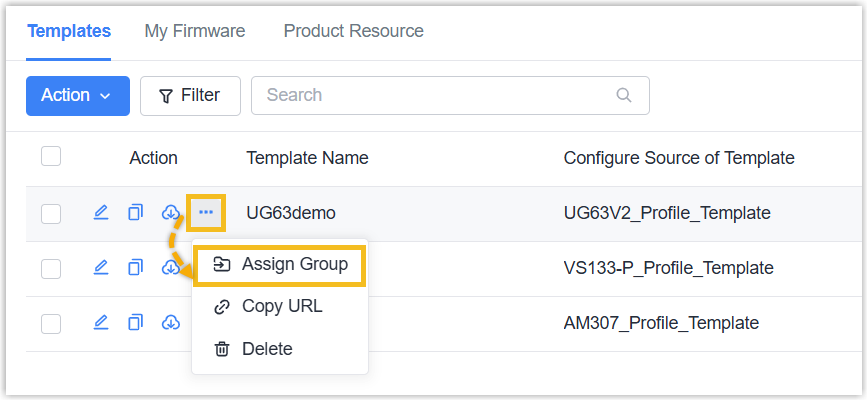
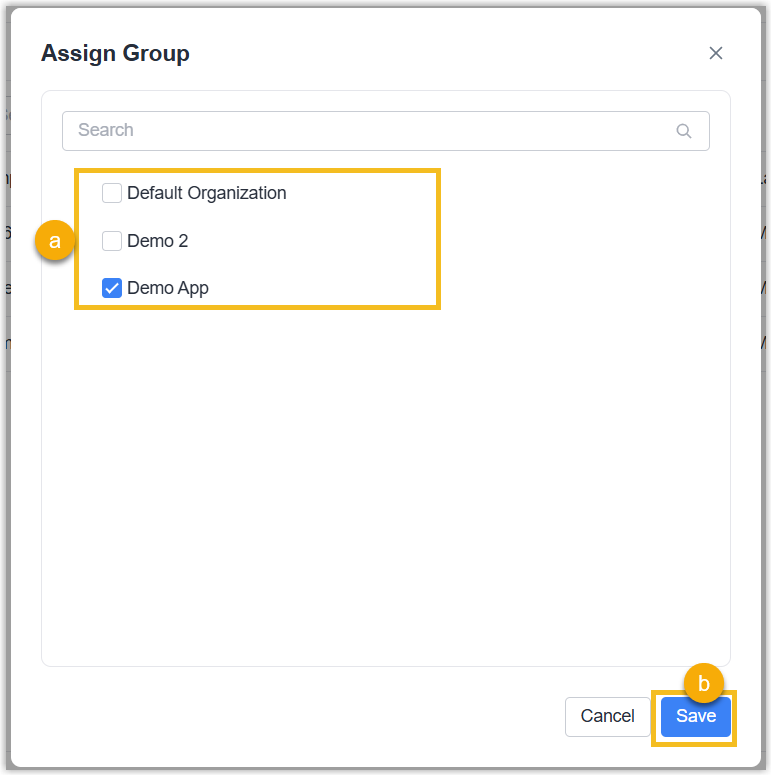
- In the pop-up window, select the groups to which this template is visible,
and click Save.
Result
The template is shared to the selected groups. Users in the groups can view the template information. You can assign the template to groups again at any time to modify its visible scope.