Download Custom Config Templates
This topic describes how to download custom Profile templates.
Prerequisites
Confirm with your enterprise administrator whether current account role permits access to this feature.
Procedure
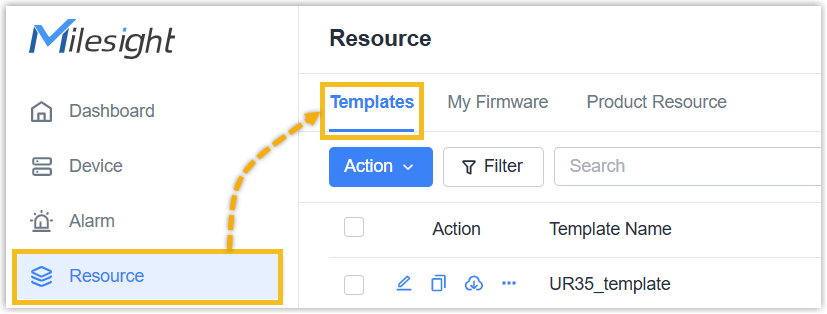
- Log in to Milesight Development Platform.
- On the
left
bar, click Resource, then select the
Templates
tab.
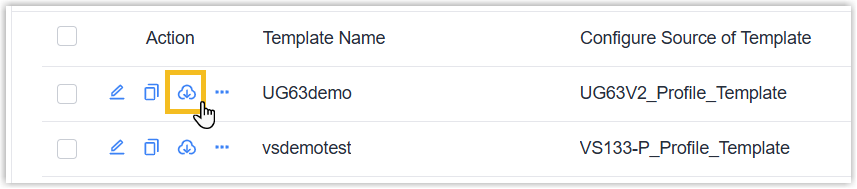
- In the
Actioncolumn
of the desired template, click
 .
.
Result
A JSON file that contains the device settings is saved to your
computer.