Edit or Delete Custom Config Templates
This topic describe how to edit or delete custom Config templates.
Prerequisites
Confirm with your enterprise administrator whether current account role permits access to this feature.
Edit a custom Config template
- Log in to Milesight Development Platform.
- On the
left
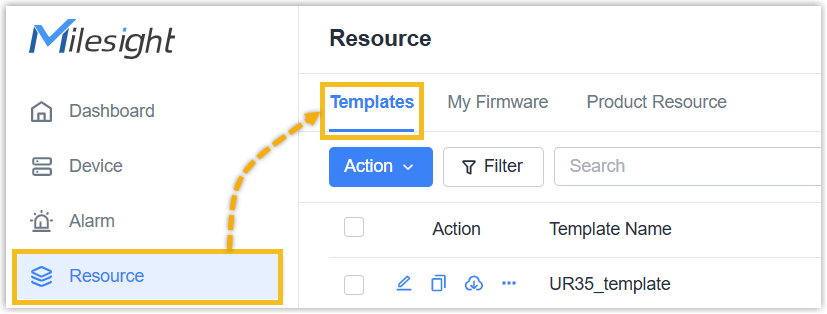
bar, click Resource, then select the
Templates
tab.
- In the
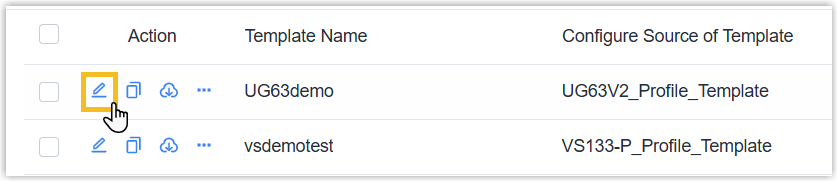
Action column of the
desired Config template, click
 .
.
- Edit the Config template as needed, then click Save.
Delete custom Config templates
- Log in to Milesight Development Platform.
- On the
left
bar, click Resource, then select the
Templates
tab.
- Select the desired Config template(s) to
Delete.
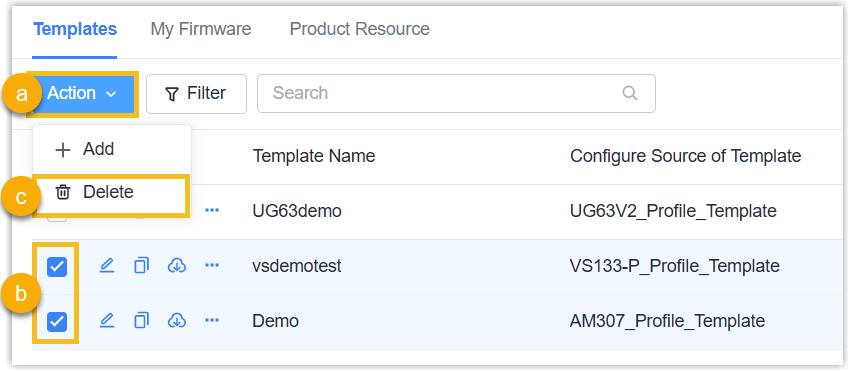
Delete Templates in Bulk: Select the templates (s), move to Action button and select Delete.
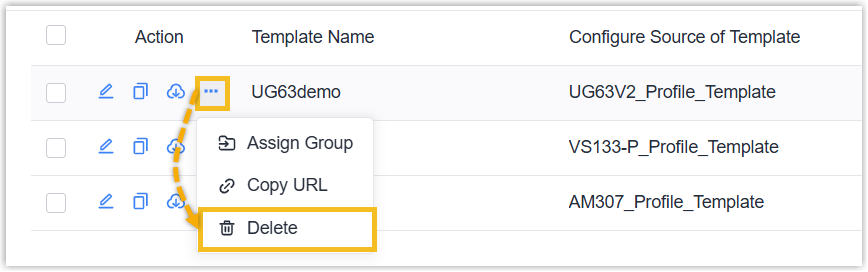
Delete a Template Individually: Click Delete of a template.