Configure Global Alarm
This topic describes how to configure the alarm for all devices in this enterprise.
Prerequisites
Confirm with your enterprise administrator whether current account role permits access to this feature.
Procedure
- Log in to Milesight Development Platform.
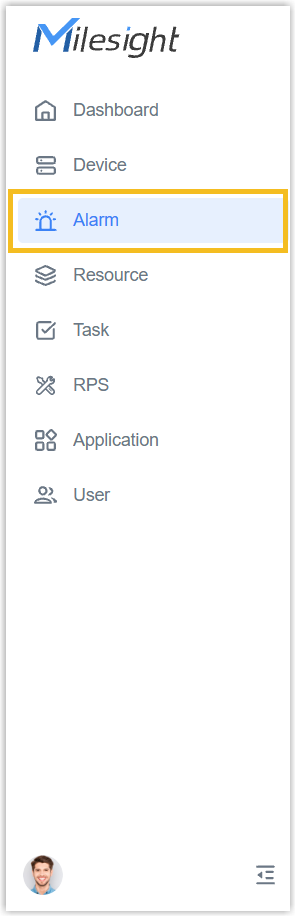
- On the
left
bar, select the Alarm tab.
- Click Global Alarm Configuration to go to the global alarm page.
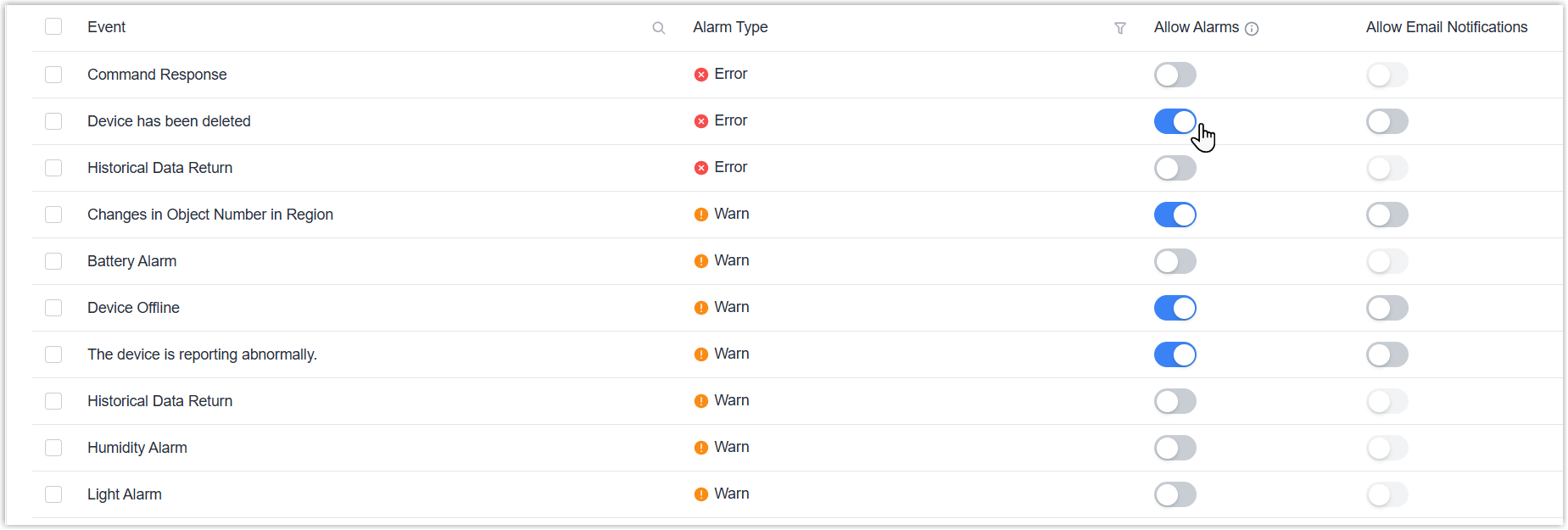
- Enable Allow Alarms to record this alarm event, and enable Allow Email
Notifications to send alarms to this account email
address.Configure Individually: Tap the buttons to enable or disable the desired alarm event.
 Configure in Bulk: Select desired events and click Batch Edit to enable or disable alarm events.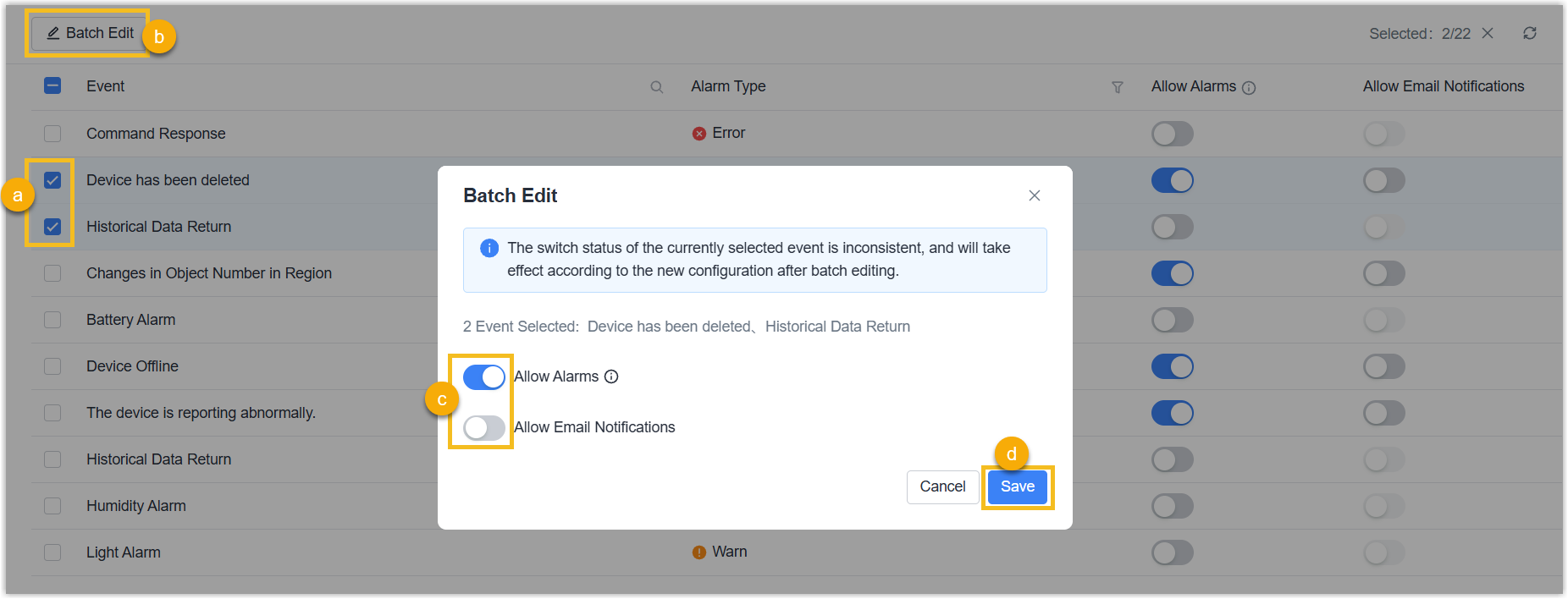
Result
When the event of devices in this enterprise are triggered, the alarm event will be
pushed to alarm list and account email address as required.
Note:
- If an alarm configuration for a specific device conflicts with the global alarm configuration, only the corresponding device's alarm configuration will be executed.
- If any device is deleted, the alarm event will not be pushed to the alarm list; only the alarm email will be sent.