Configure a Node Device
This section describes how to configure node devices.
Steps:
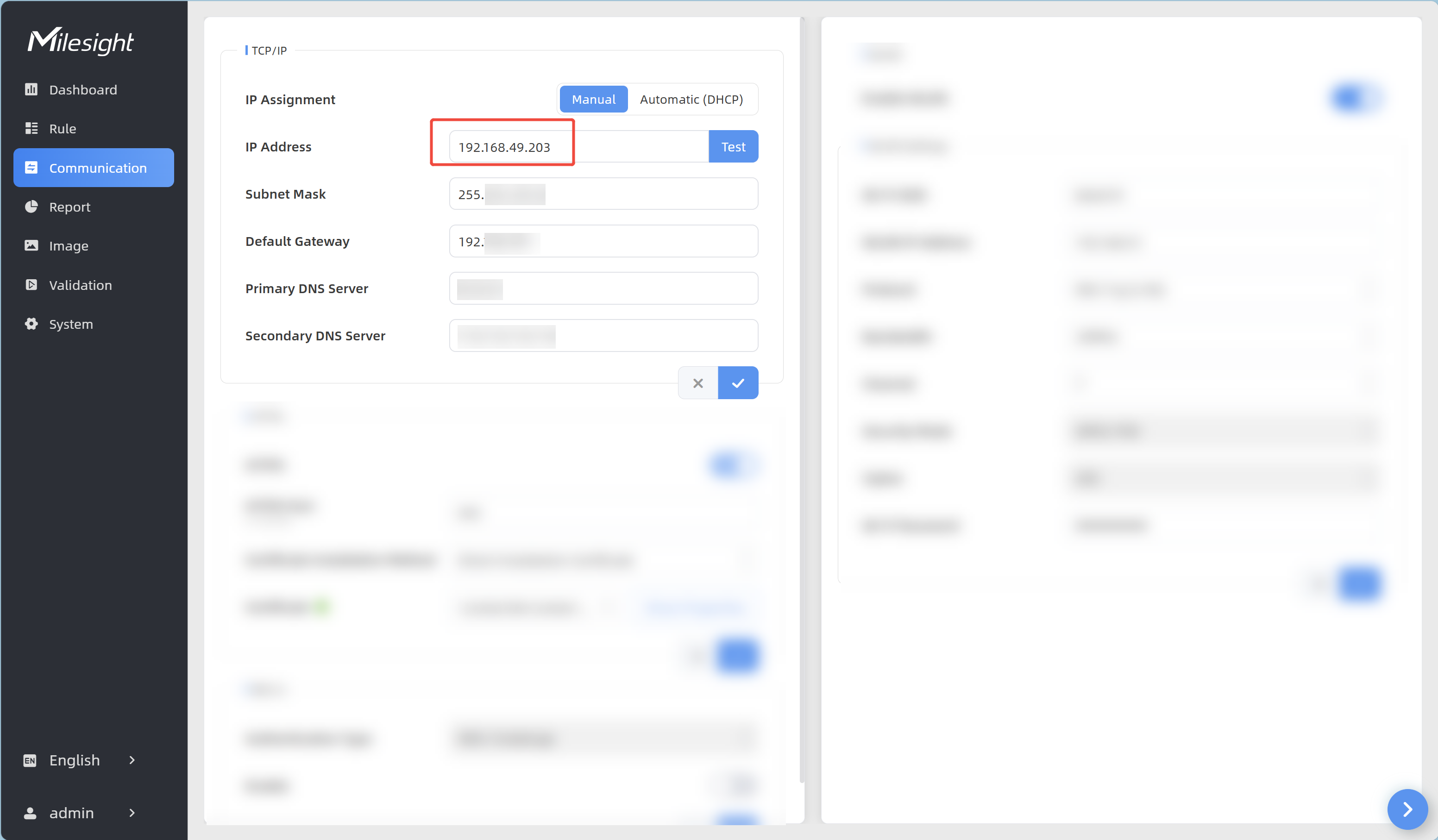
- Log into the web GUI of the node device, and click Communication from the left navigation tree.
- In the IP Address text box in the TCP/IP area, enter
the IP address of the node device.
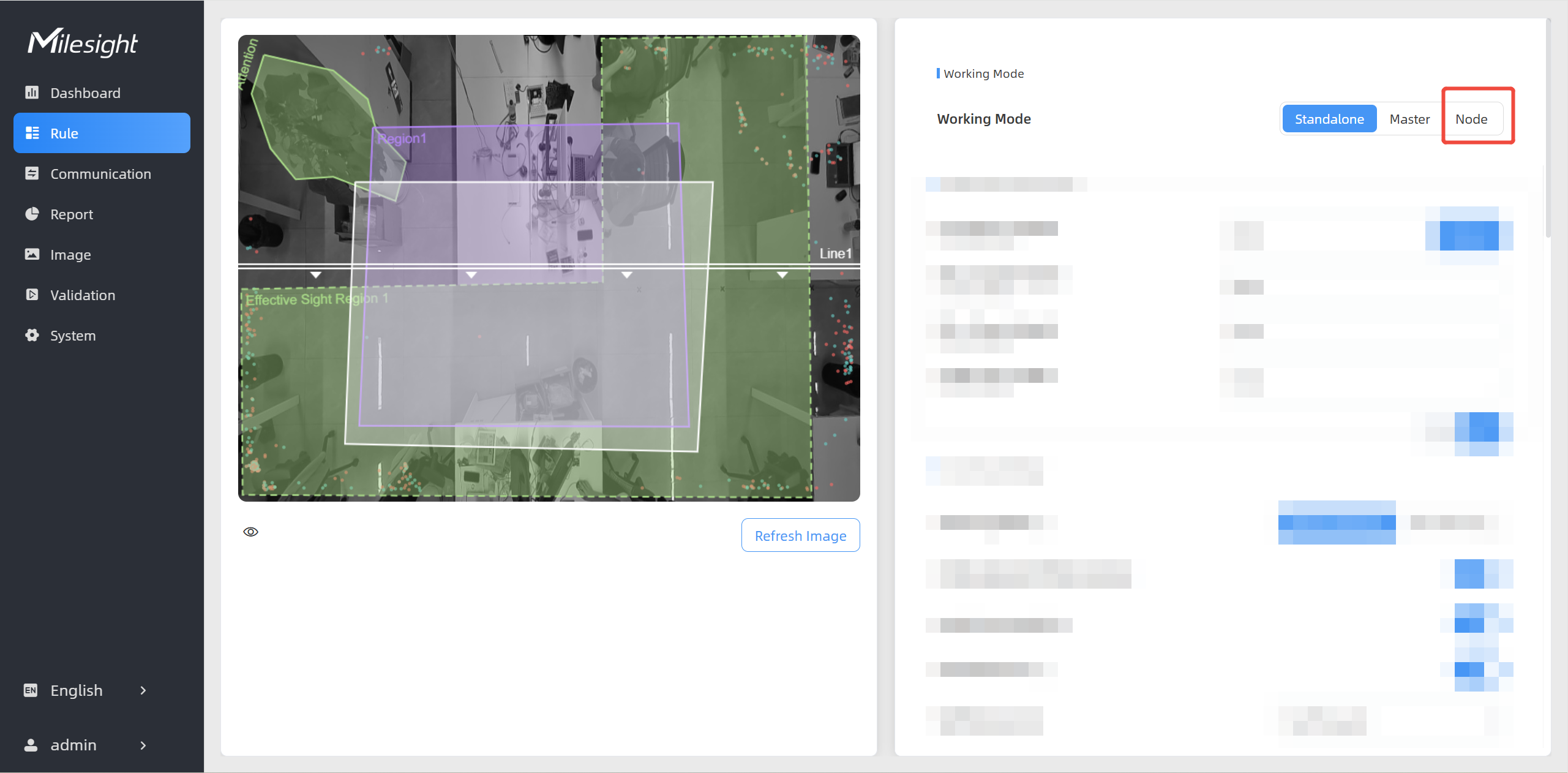
- Click Rule from the left navigation tree.
In the Working Mode area on the right, click
Node.
- The Tips information box is displayed. Click
 to wait for the device to reboot.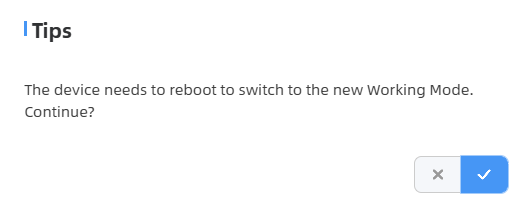
- The following page is displayed after successful stitching. For
parameter description in the Master Device Info. area, refer to
the following table.
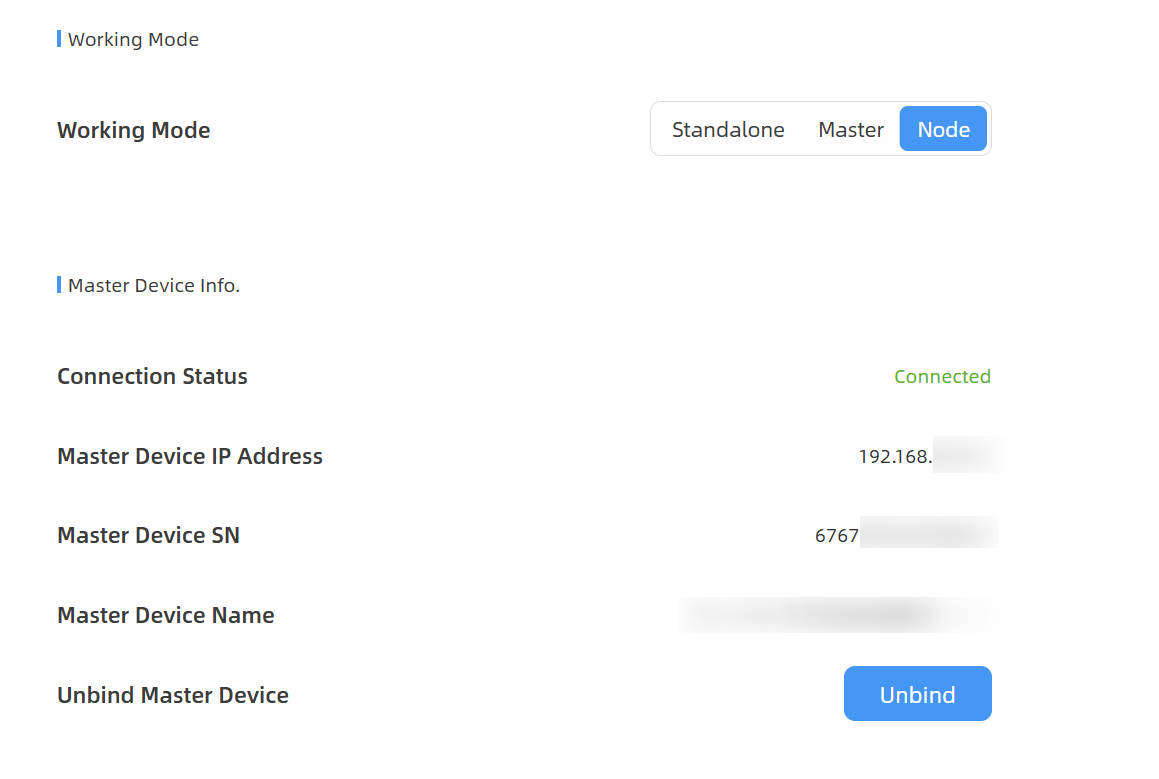
Parameters Description Connection Status Connection status between the node device and master device. Master Device IP Address Master device IP address. If this IP address is within the same subnet as the node device, the node device can be bound to the master device. Master Device SN Master device serial number. Master Device Name Master device name. Unbind Master Device Click Unbind to release the connection. This device will be deleted from the list of the master device.