5.4.6 Configure Calibration Parameters
This section describes how to configure the temperature and humidity calibration parameters.
Prerequisites: Ensure the data source is Embedded.
Configure by ToolBox
- On the homepage of ToolBox, click Setting to enter the Setting page.
- On the top bar, select Device tab.
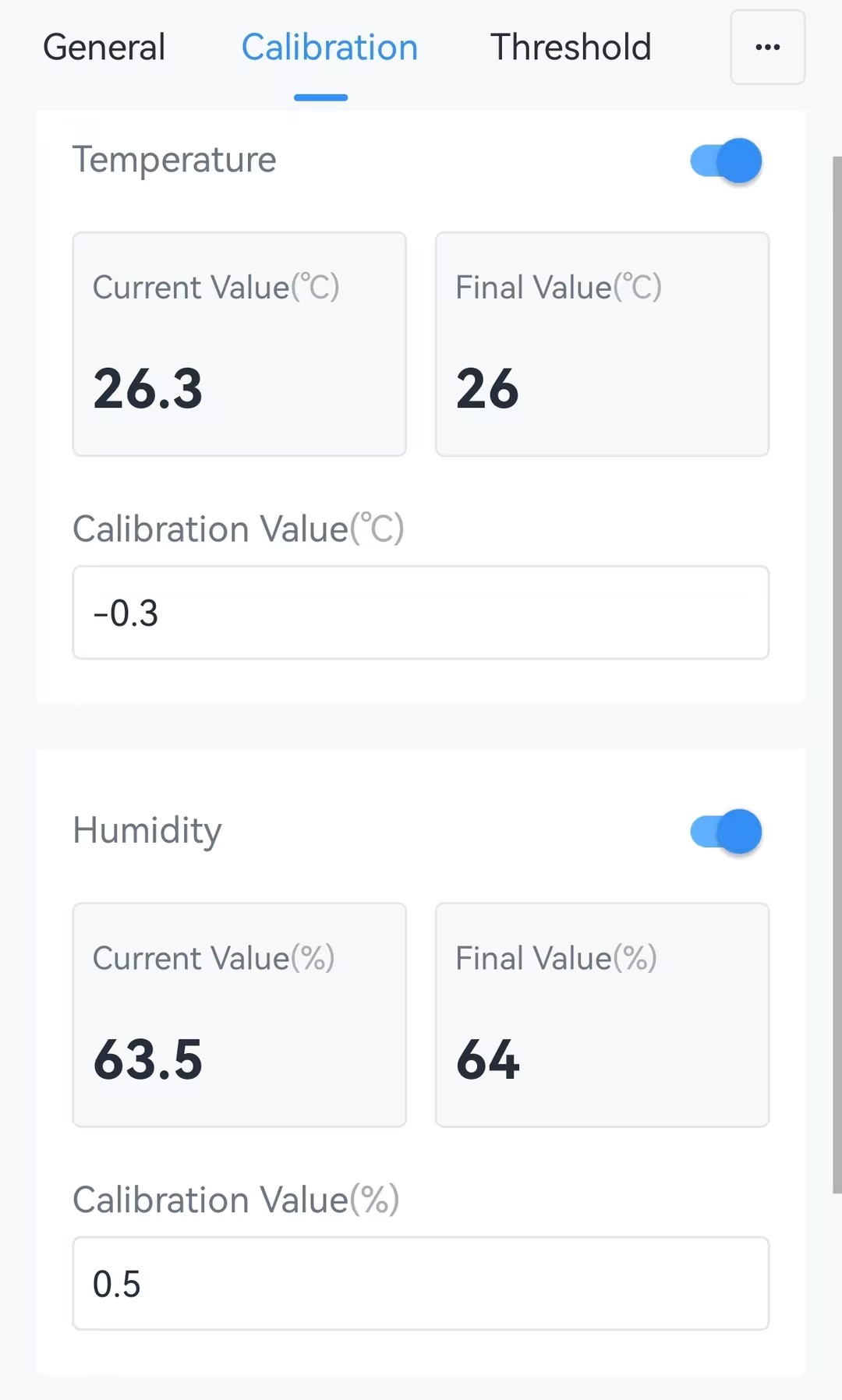
- In the Calibration page, enable Temperature or Humidity as
required, and enter a Calibration Value. The following page is
displayed.
- Click Write in the lower right corner, and
put the NFC detection area of the phone close to the NFC antenna of device.
If the configuration succeeds, the following page is displayed.

Configure by Downlink
- JSON Command: temperature_calibration_settings, humidity_calibration_settings
- Raw Hex Command: Temperature Calibration, Humidity Calibration