Audio
This Audio function allows to configure audio interface parameters for camera.
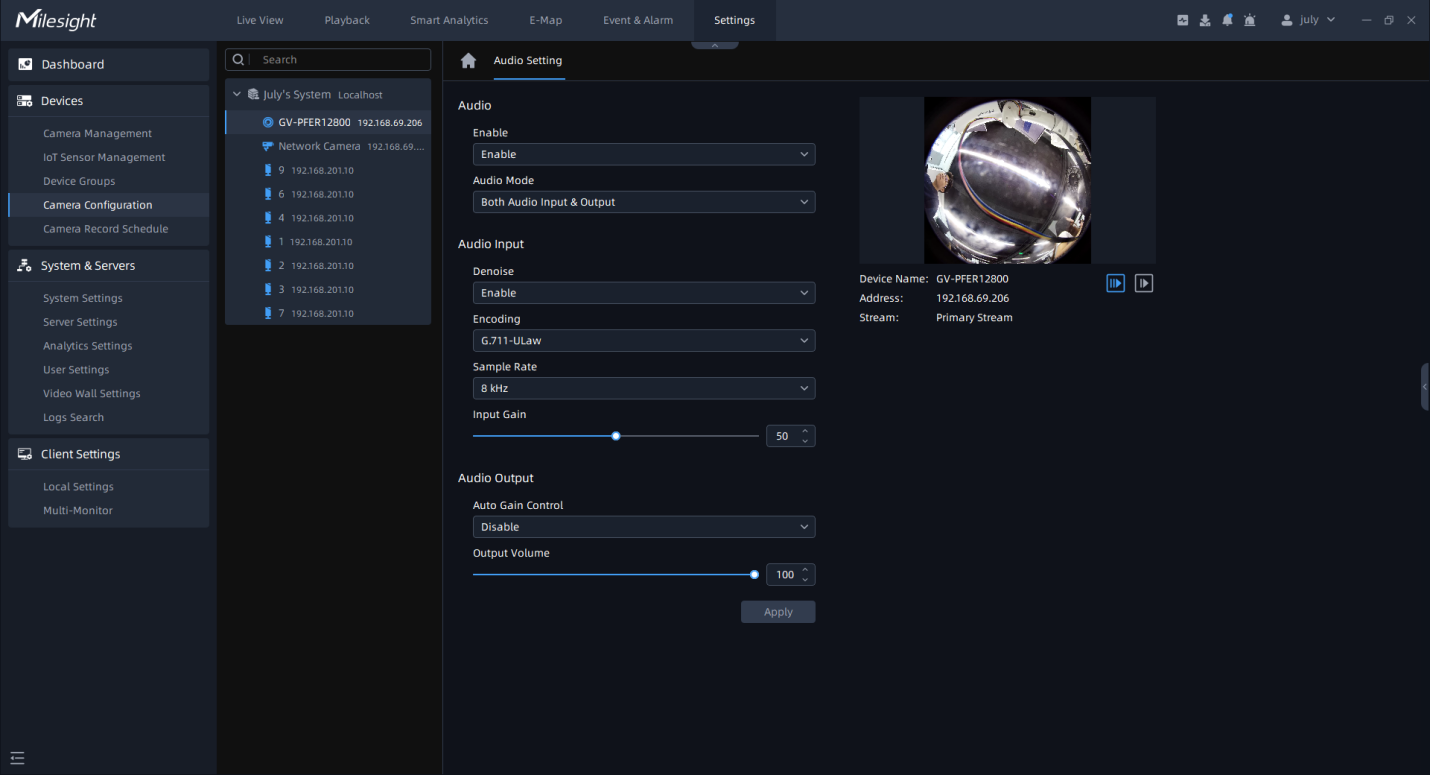
The meanings of the parameters on Audio page can be referred to the table below:
|
Parameters |
Function Introduction |
|---|---|
|
Audio |
Enable: Enable audio feature. Audio Mode: Only Audio Input, Only Audio Output, Both Audio Input & Output are available. |
|
Audio Input |
Denoise: Set it as Enable/Disable. When you enable the function, the noise detected can be filtered. Encoding: G.711-ALaw, AAC LC, G.722 and G.726 are available. Sample Rate: 8KHz, 16KHz, 32KHz, 44.1KHz, and 48KHz are available. Audio Bit Rate: The function is available only for AAC LC, and supports up to 256kbps. Input Gain: Input audio gain level, 0-100. |
|
Audio Output |
Auto Gain Control: This function improves the quality of audio, and it’s available for H.265 series only. Output Volume: Adjust volume of output. |