Data Stream
This page is used to view communication packets between the connected devices and the gateway.
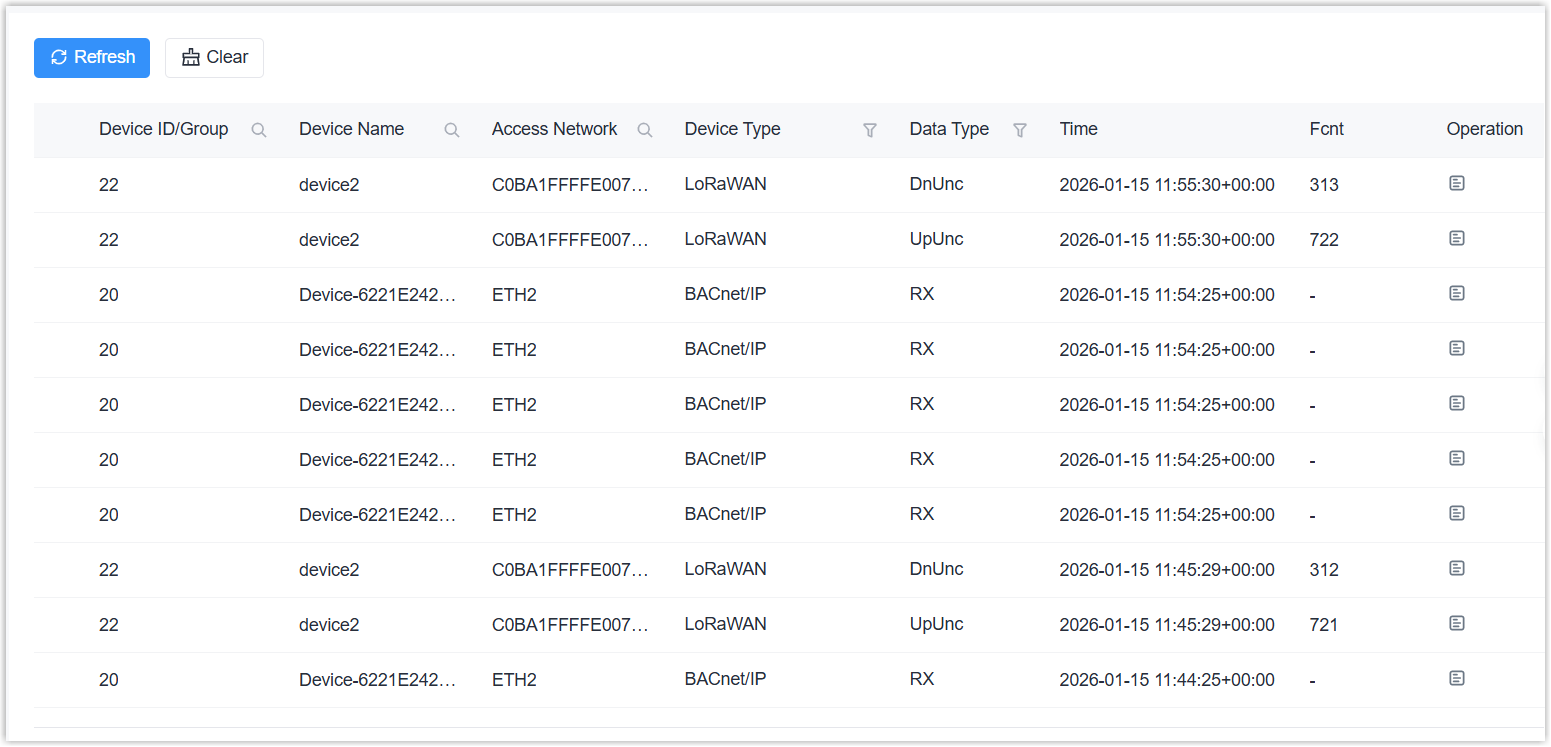
| Parameter | Description |
|---|---|
| Refresh | Click to update the latest data stream records. |
| Clear | Click to clear all data stream records. |
| Device ID/Group | Display the device ID or multicast group name. |
| Device Name | Display the device name or multicast group name. |
| Access Network | Display the LoRaWAN® device EUI or the used interface name. |
| Device Type | Display the device protocol type. |
| Data Type | Display the data type. LoRaWAN® devices display JnAcc (Join Accept), JnReq (Join Request), UpUnc (Uplink Unconfirmed), UpCnf (Uplink Confirmed), DnUnc (Downlink Unconfirmed), or DnCnf (Downlink Confirmed), while other devices display TX or RX. |
| Time | Display the time to receive or send this data packet. |
| Fcnt | Display the Fcnt of the LoRaWAN® packet. |
| Operation | Click  to check packet details including the
data content. to check packet details including the
data content. |