Application Authentication
Before you send API requests to Milesight Development Platform, you need to get the authentication information to request an Access Token for connecting with Milesight Open API. This topic describes how to get authentication information from applications.
Restrictions & Prerequisites
- Restriction
- Confirm with your enterprise administrator whether current account role permits access to this feature.
- Prerequisites
- If you want to subscribe events by webhook, you need to collect the Webhook callback URI.
Procedure
- Log in to Milesight Development Platform.
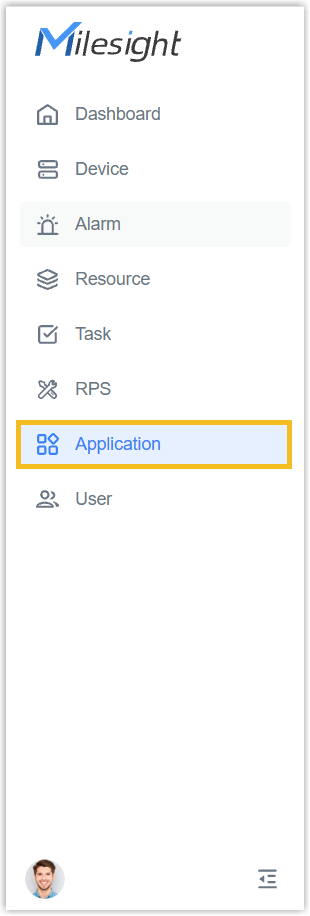
- On the left bar, select the
Application
tab.
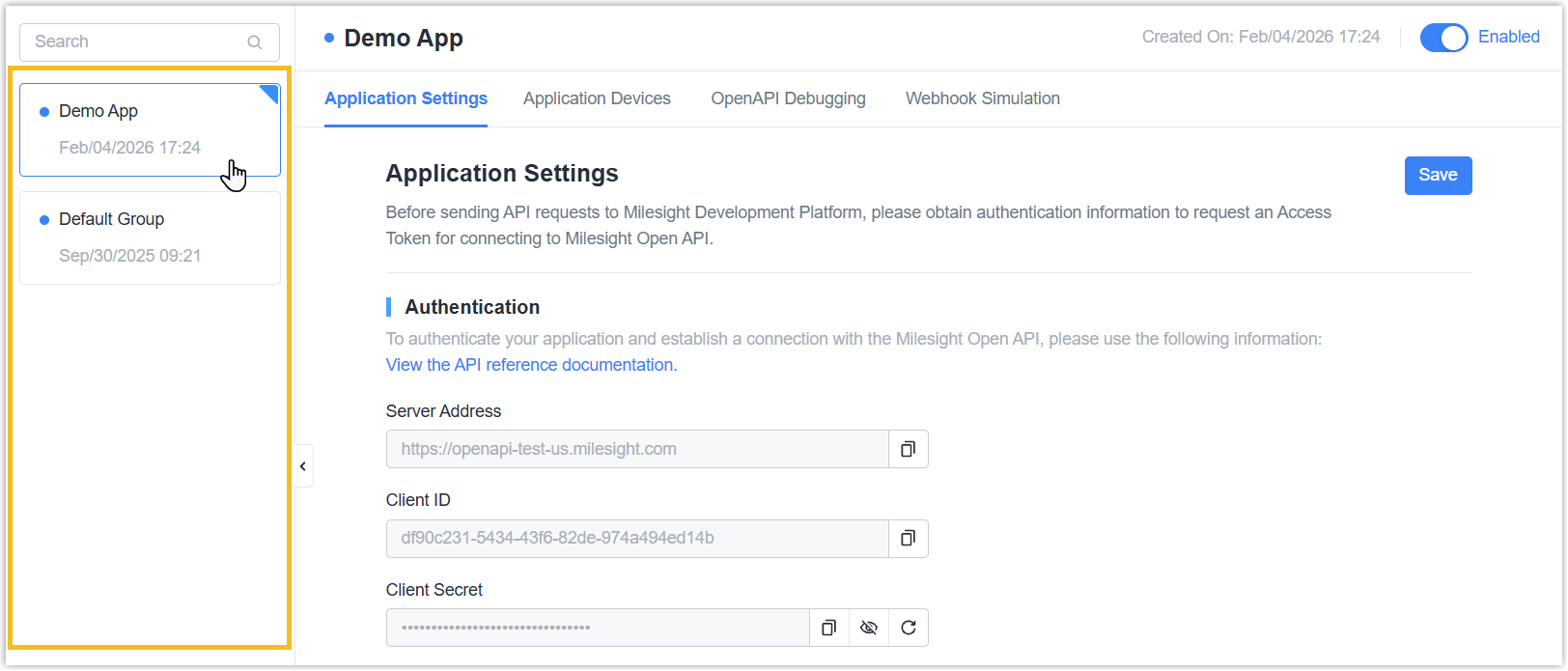
- Select the desired application from the
group
list.
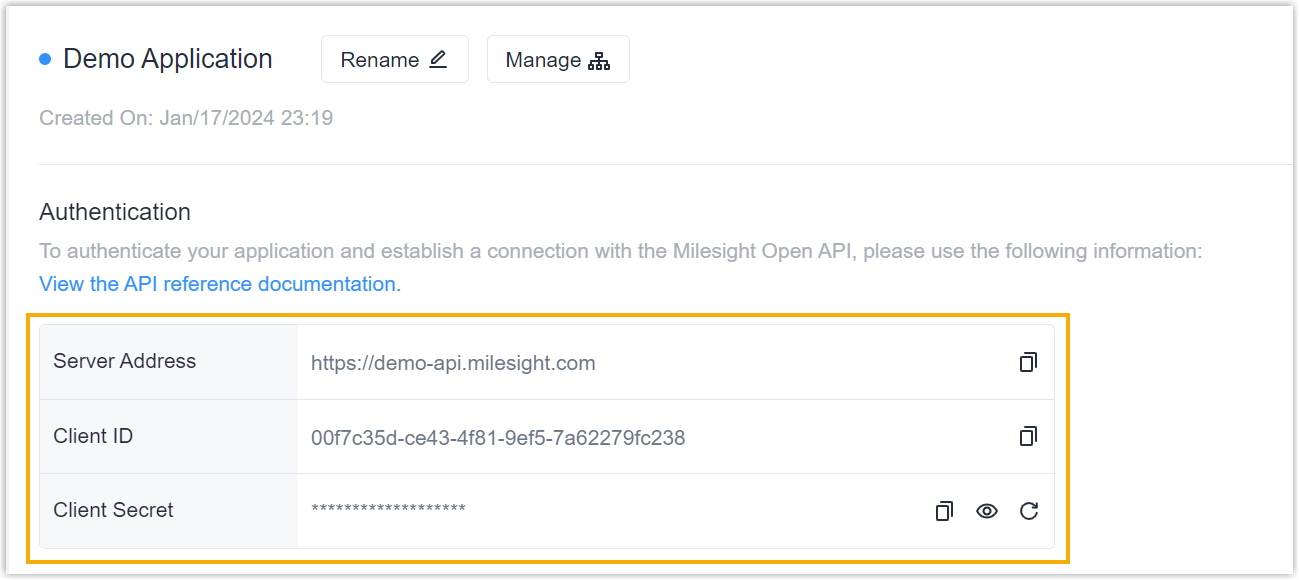
- You will be redirected to the application settings page, the
Authentication section displays the information
required to connect with the Milesight Open API.
- In the Request Restriction section, decide whether to
only allow specified IP address to send API requests to Milesight
Development Platform.
- Only allow specified IP address to send API requests: Click
Add and enter the allowed IP
addresses.
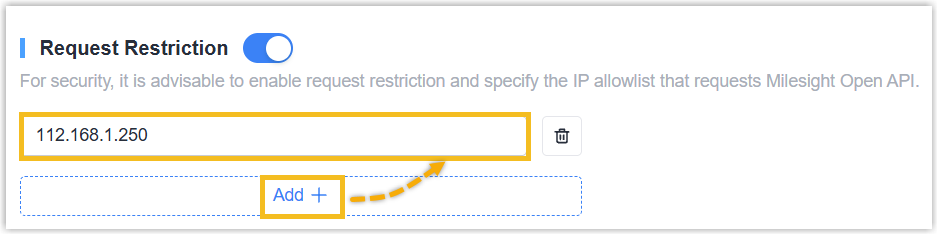 Note: You can add up to 10 allowed IP addresses.
- Allow all IP address to send API requests: Turn off the
Request Restriction switch.

- Only allow specified IP address to send API requests: Click
Add and enter the allowed IP
addresses.
- In the Webhook section, decide whether to subscribe
Webhook events.
- Subscribe Webhook events: Do as follow.
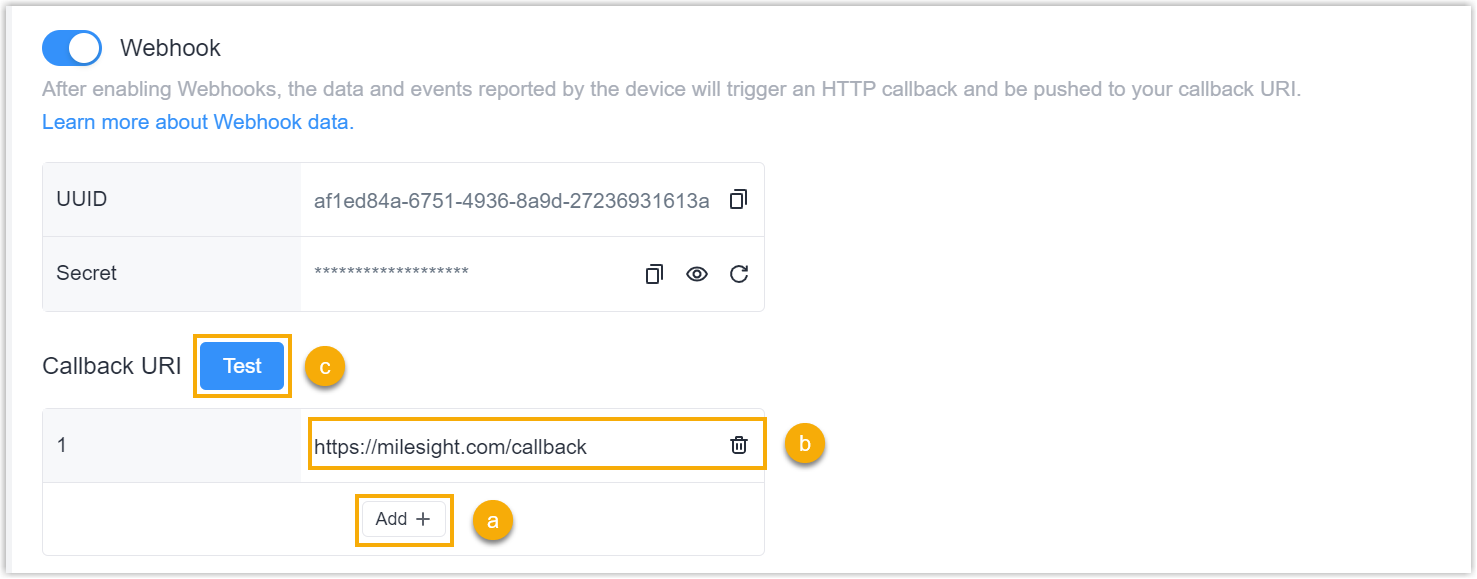
- In the Callback URI section, click Add.
- Enter the webhook callback URI for receiving event notifications.
- Click Test to check if the webhook is
working properly.
A test notification will be sent to all the Webhook callback URI you entered.
- Do NOT subscribe webhook events: Turn off the
Webhook switch.

- Subscribe Webhook events: Do as follow.
- Click Save.
Result
You can use the authentication information to request an Access Token for connecting with Milesight Open API.