Edit or Delete User
This topic describes how to edit or delete the users.
Restrictions
Confirm with your enterprise administrator whether current account role permits access to this feature.
Edit User
You can edit the account role or associated sub-nodes of this user.
- Procedure
-
- Log in to Milesight Development Platform.
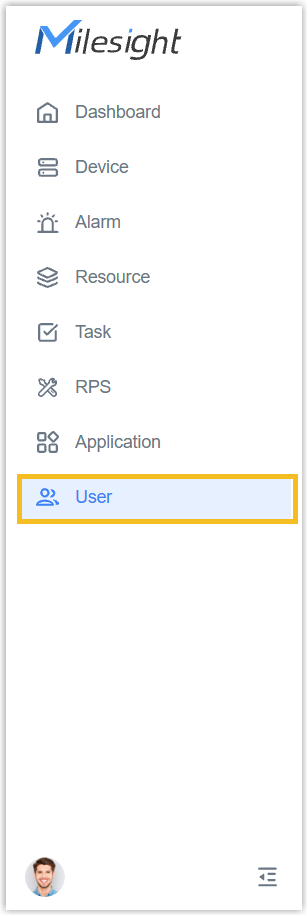
- On the left bar, select
User
tab.
- Select the desired group or sub-node from the list on the left.
- Select the desired user, click Edit.

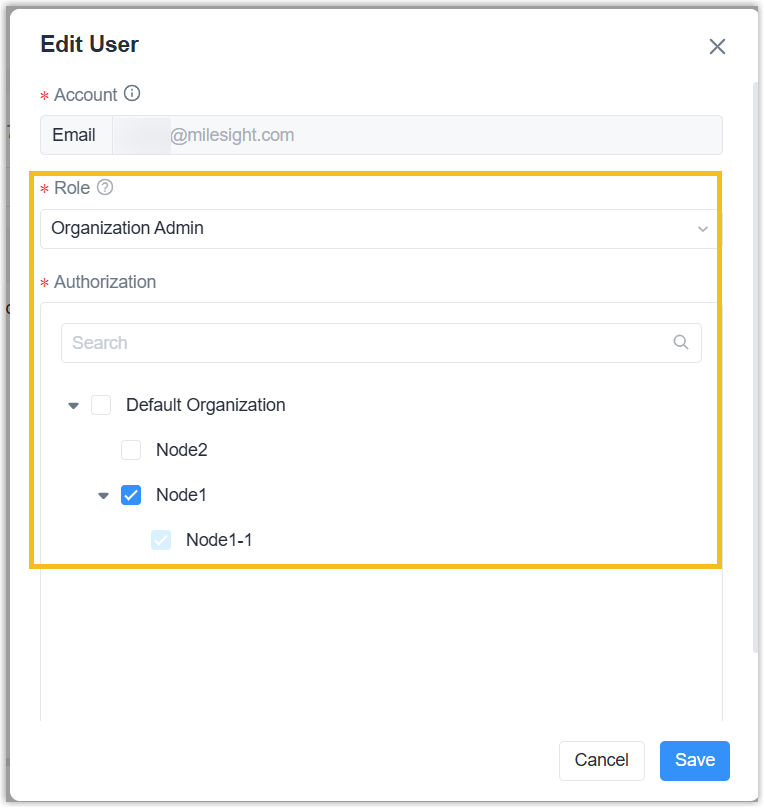
- Change the account role or the sub-node to which the account
belongs as needed.
- Click Save.
- Result
- The user's information is updated.
Delete User
- Procedure
-
- Log in to Milesight Development Platform.
- On the left bar, select
User
tab.
- Select the desired group or sub-node from the list on the left.
- Select the desired user, click Delete.

- Result
-
- If this user belongs to multiple groups or sub-nodes under this enterprise, this operation only removes the user from this group or sub-node; and the user is not allowed to check or use the resources under this group or sub-node.
- If this user belongs to only one group or sub-node under this enterprise, this operation removes the user from the whole enterprise; and the user is not allowed to check and use any resources under this enterprise.