Firewall
This chapter describes the firewall settings for the device security.
Security
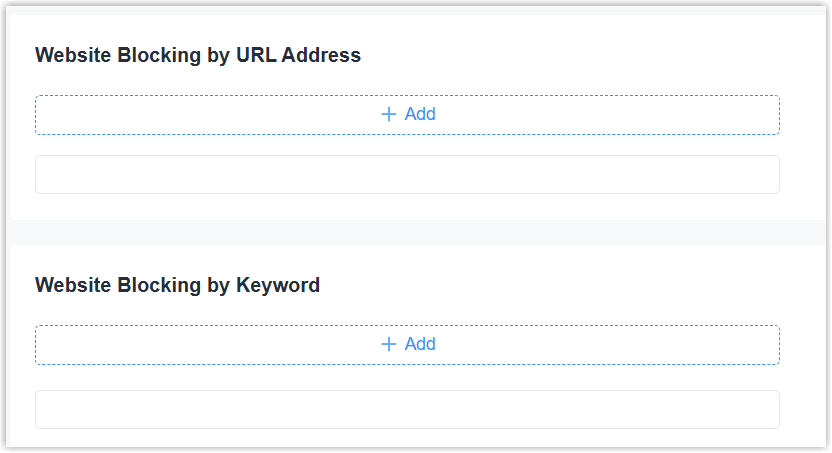
This page is used to add the URL address or keyword to block the devices under LAN
ports to access specific websites.
Steps:
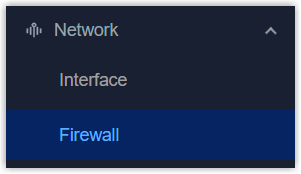
- On the left bar, select Network > Firewall
page.
- On the top bar, select Security tab.
- Click +Add to add URL addresses or keywords to block.
- Click Apply to save the settings.
ACL
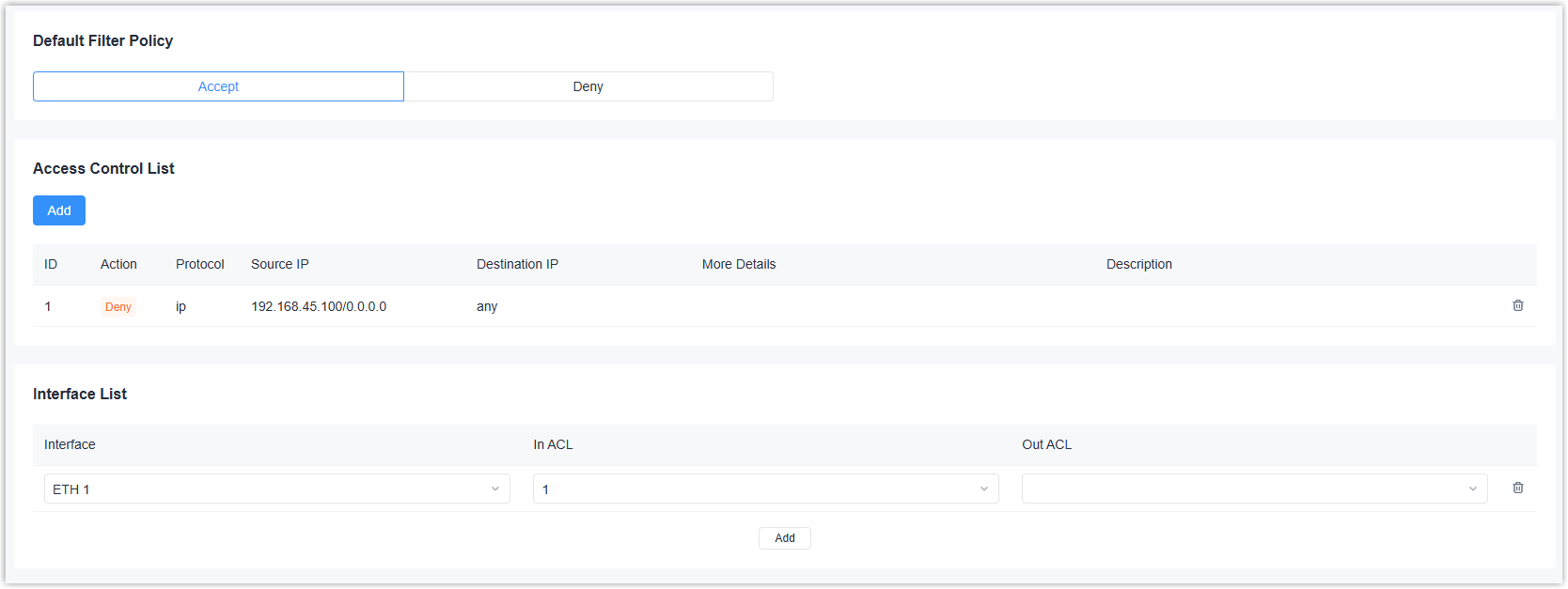
This page is used to add and manage ACL rules.
Steps:
- On the left bar, select Network > Firewall
page.
- On the top bar, select Security tab.
- Select the default filter policy as Accept or Deny. The packets that are not included in the ACL rule will be processed by this policy.
- Click Add to add an ACL rule and configure the related
parameters.
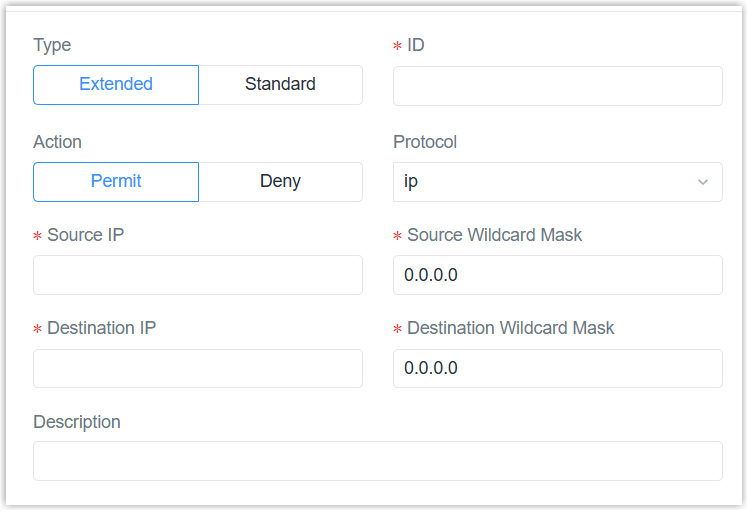
Parameter Description Type Select the ACL type. Standard:Filter traffic based only on the source IP address.
Extended: Filter traffic by source IP, destination IP, protocol, and port numbers for precise control.ID Define a unique ID for this rule. Action Select the action to be taken when a packet matches this rule. Source IP The source IPv4 address of the packet to filter. Source Wildcard Mask Wildcard mask of the source IP address. Description For noting this ACL rule. Extended Type ACL Protocol Select the protocol type of the packet to filter. Destination IP The destination IPv4 address of the packet to filter. Destination Wildcard Mask Wildcard mask of the destination IP address. ICMP Type When protocol is ICMP, set the ICMP message type ID to filter. ICMP Code When protocol is ICMP, set the ICMP message code ID to filter. Source Port Type When protocol is UDP or TCP, set the source port condition. Source Port: If the type is not any, set the specific source port number or port range to filter.
Destination Port Type When protocol is UDP or TCP, set the destination port condition. Destination Port: If the type is not any, set the specific destination port number or port range to filter.
- Select the interface and the direction to execute the ACL
rule.
In ACL: Filter the packets incoming to this interface.
Out ACL: Filter the packets outgoing from this interface. - Click Apply to save the settings.
DMZ
This page is used to configure DMZ settings. DMZ (demilitarized zone) allows external
network users to access the internal network server when a firewall has been setup.
When DMZ is enabled, users can access the DMZ host (e.g., your computer) directly
from the Internet.

Steps:
- On the left bar, select Network > Firewall
page.
- On the top bar, select DMZ tab.
- Enable DMZ and configure the related parameters.
Parameter Description Enable Enable or disable DMZ feature. DMZ Host The IP address of the internal host. Source IP Address The IP address or IP address/mask which can access the DMZ host. 0.0.0.0/0 means all. - Click Apply to save the settings.
Port Mapping (DNAT)
This page is used to add port mapping rules. Port Mapping (also known as Port
Forwarding or DNAT) is a network technique that changes the destination IP address
of incoming packets to make internal network services accessible from the public or
outside network.

Steps:
- On the left bar, select Network > Firewall
page.
- On the top bar, select Port Mapping tab.
- Click Add to add a port mapping rule and configure the related parameters.
Parameter Description Public IP The IP address/mask which can access the internal service. 0.0.0.0/0 means all. Public Port The port number or port range which Private IP The IP address or IP address/mask which the incoming packets will be redirected. Private Port The port number or port range which the incoming packets will be redirected. Protocol Select the apply protocol from TCP, UDP and Both. Description For noting this port mapping rule. 
Delete this port mapping rule. - Click Apply to save the settings.
MAC Binding
This page is used to configure MAC binding settings. If any MAC binding rule is
added, only devices in this list can access the external network.

Steps:
- On the left bar, select Network > Firewall
page.
- On the top bar, select MAC Binding tab.
- Click Add to add a MAC binding rule and configure the related
parameters.
Parameter Description MAC Address The MAC address of the hosts. IP Address The IPv4 address of the hosts. Description For noting this MAC binding rule. Delete this MAC binding rule. - Click Apply to save the settings.