WAN
The gateway supports connecting the Ethernet port to a router to obtain network access. This chapter describes how to configure the Ethernet WAN connection.
- On the left bar, select Network page.
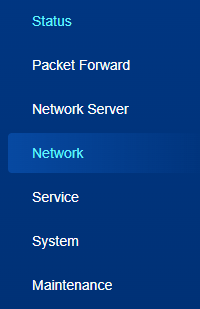
- On the top bar, select WAN tab.
- Configure the WAN parameters as required.
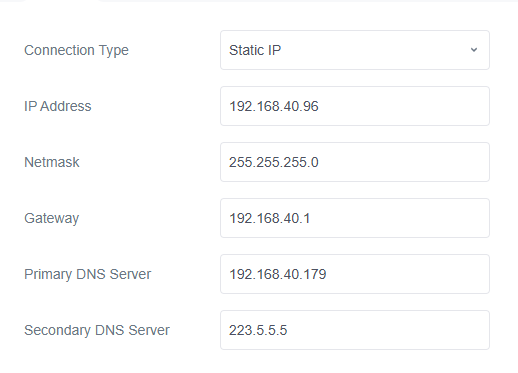
Parameter Description Connection Type Select the connection type as required. It's DHCP Client by default. Static IP: Assign a static IP address, netmask, and gateway to the Ethernet WAN port.
DHCP Client: Configure the Ethernet WAN interface as a DHCP client to obtain an IP address automatically.Primary DNS Server Set the primary IPv4 DNS server. Secondary DNS Server Set the secondary IPv4 DNS server. Static IP IP Address Set the IPv4 address of the Ethernet port. Netmask Set the netmask for the Ethernet port. Gateway Set the gateway for the IPv4 address of the Ethernet port. DHCP Use Peer DNS Obtain DNS from the DHCP server. - Click Save & Apply to save the settings.
- Navigate to Status > WAN page to check if the Ethernet status is Connected.
- Configure Link Backup settings to select WAN interface as network link.