Configure Device Strategies
This section describes how to configure device strategies.
Device strategies include setting Working Mode, recording track start/stop points, resetting the cumulative count on a schedule, and other features.
Steps:
-
In the main page, click Rule from the navigation tree on the left.
-
In Counting Strategy area, configure the following parameters as needed.
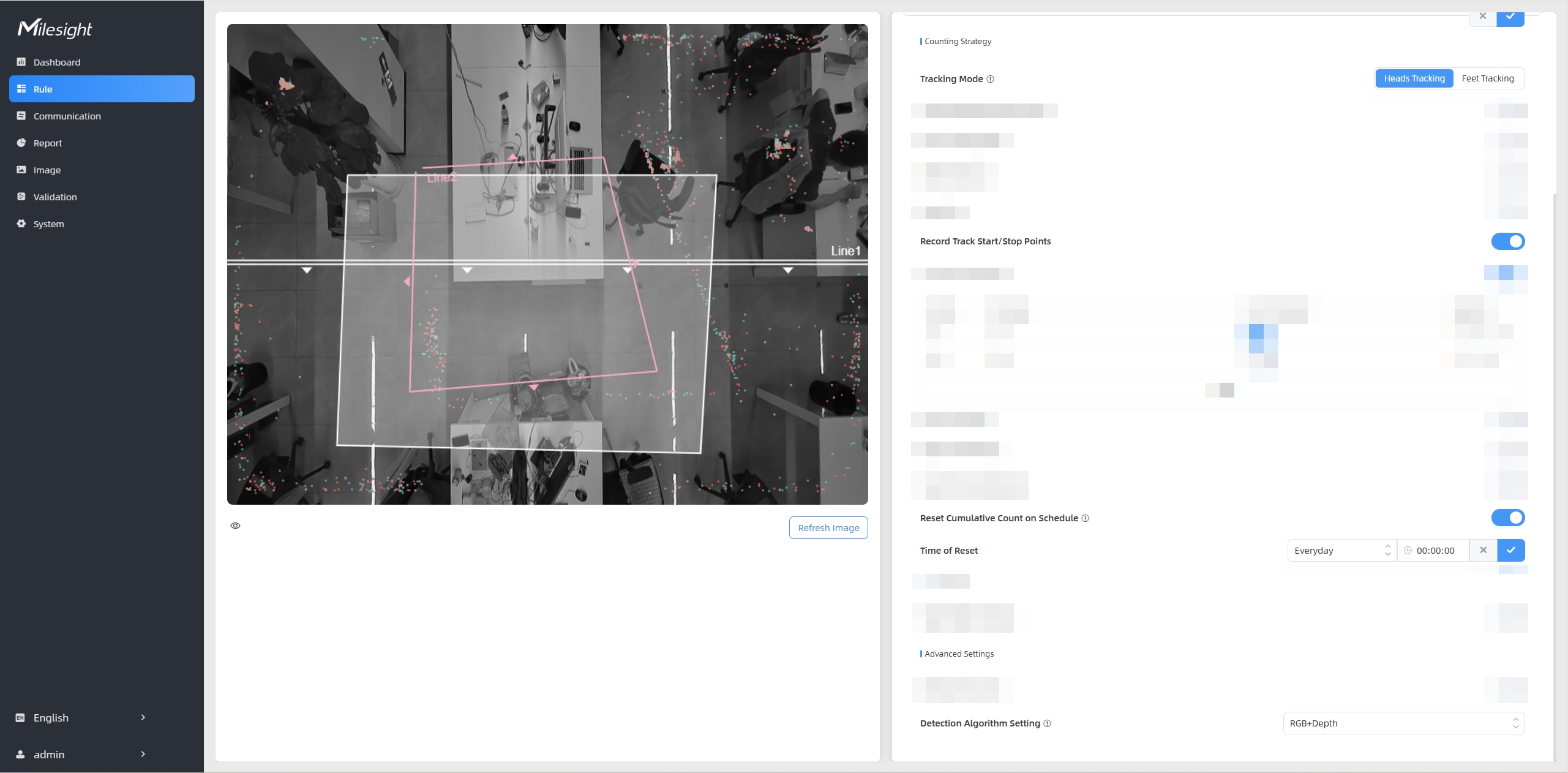
Parameters Description Working Mode Options: Standalone, Master, Node. - Standalone: The device operates independently.
- Master: The master device handles all functional configuration, counting, and data transmission. This configuration is a must to stitch multiple devices. For details, refer to Stitch Multiple Devices.
- Node: Its primary function is to extend the overall detection coverage. This configuration is a must to stitch multiple devices. For details, refer to Stitch Multiple Devices.
Tracking Mode Sets the tracking mode of counting. Options: Heads Tracking and Feet Tracking. - Heads Tracking: When detecting the target's head and shoulders within the FOV, the device generates a trajectory line based on the movement path. This mode applies for most detection scenarios.
- Feet Tracking: When detecting both feet of the target within the FOV, the device generates a trajectory line based on the movement path. It is rarely used in other detection scenarios.
Note:- Only Feet Tracking mode is supported in multi-device stitching working mode.
- Feet tracking is not recommended for installation heights below 2.8 meters
Detection Algorithm Setting Set the detection algorithm based on the specific application scenarios. - RGB+Depth: Suitable for most scenarios.
- RGB: Enables advanced attribute analysis. This mode can be used to reduce false detections in environments where many inanimate objects are incorrectly identified as people. For example, warehouse entrances/exits where the carried objects may be incorrectly identified as people.
- Depth: Ideal for privacy-sensitive environments. This mode can be used to enhance detection accuracy in environments with a high density of human-like static objects. It effectively minimizes false identifications in environments like a doll shop, where mannequins and dolls are present.
Record Track Start/Stop Points Enable this parameter to record the start and end points of person trajectories in the live view for detection line adjustment.
The system can store up to 5,000 track points with green indicating the start point and red indicating the end point.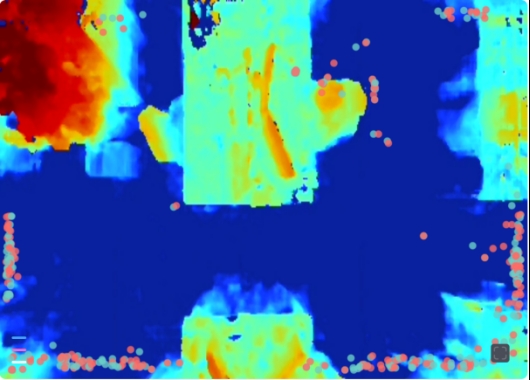
Reset Cumulative Count on Schedule Enable this parameter to reset cumulative counts periodically based on a configured schedule. Cumulative counts include: - Total In/Out counting of each detection line
- Max./Avg. Dwell Time of each detection region
- Total Effective Audience and Avg. Attention Time of each attention region
- Digital Input Trigger Count
- Click
 to enable reset
schedule.
to enable reset
schedule. - Click
 to modify the
reset date and time, or click +Add to add a new
schedule. Up to 5 reset schedules are supported.
to modify the
reset date and time, or click +Add to add a new
schedule. Up to 5 reset schedules are supported. - Click
 to save the
configuration.
to save the
configuration.